
Update WP plugins safely, by asking
CMSHands, a free WordPress plugin, adds a chat to your dashboard. Type “Update Contact Form 7 and check my site after,” then press OK. Broken? The old version goes back.
Plugins from the WP plugin directory. Not premium plugins.
Plugins from the WP plugin directory. Not premium plugins.
Works on sites hosted at





Watch it do this on a real site
Go through it step by step
When it works
You ask
Update Contact Form 7 and check my site after.
Update Contact Form 7 and check my site after.

- Listing your plugins and themes
- Preparing the change for your OK
- Contact Form 7 6.1.7
- Contact Form 7 6.2.1
Ready for you to review — 6.2.1 is the newest release but hasn't been tried on your site yet; if anything breaks after the change, 6.1.7 goes back on its own. Your form and its saved entries stay as they are.
- Checking your site before the change
- Updating Contact Form 7 to 6.2.1
- Checking your site
Contact Form 7 is now on 6.2.1. I checked your homepage, login page and admin afterwards, and they load as they did before.
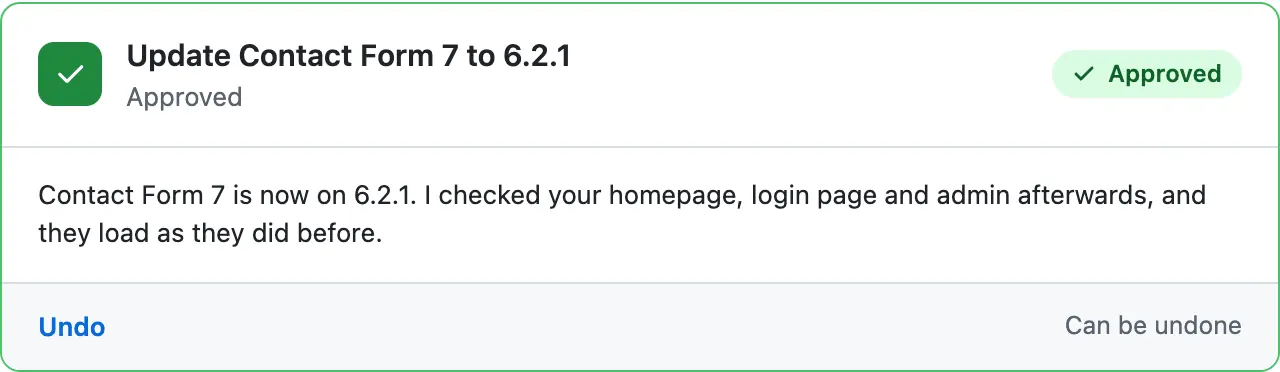
A real run on our test site, Quillmoor Pottery (WP 7.1.3, Twenty Twenty-Four), . From asking to done, it took 17 seconds.
When an update breaks the siteWe broke the update on purpose.
You press the button
- Checking your site before the change
- Updating Contact Form 7 to 6.2.1
- Checking your site
Contact Form 7 6.2.1 broke your site when I checked it, so I put 6.1.7 back straight away. It is running 6.1.7 again.
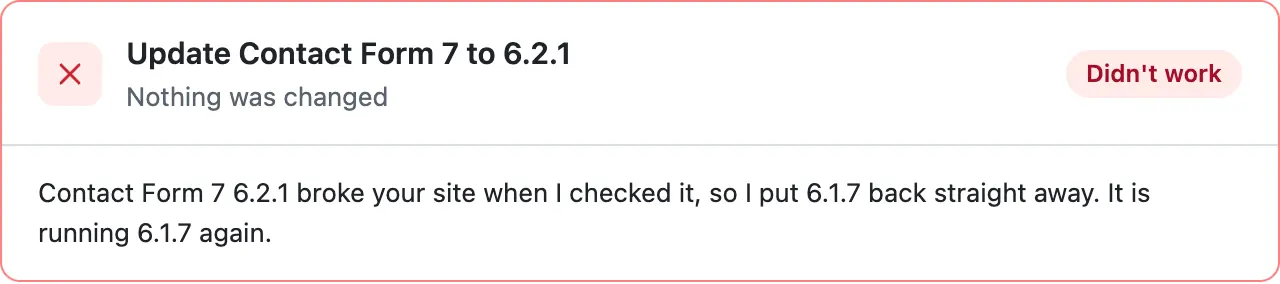
A real run on our test site, Quillmoor Pottery (WP 7.1.3, Twenty Twenty-Four), . From asking to done, it took 55 seconds.
- It updates a plugin from the WP plugin directory when you ask, after you press the button on its card.
- After the update it checks your home page, login page and dashboard. If they got worse, it puts the old version back on its own.
- Undo on the card puts the version from before back.
More it does here (1)
- “Update all my plugins” becomes one card per plugin, each checked before the next.
Do this on your own site
That's the whole job. The plugin is free: 3 changes to try it, no account. Nothing changes until you press the button, and an undo within 24 hours gives the change back.
How to update a plugin in WordPress yourself
In WordPress, note the version you have, click update now in the plugin's yellow line, then check your home page and the page the plugin works on.
Checked on WP 7.1,
1. In your dashboard, point at Plugins in the menu. The number beside it is how many plugins have an update waiting.
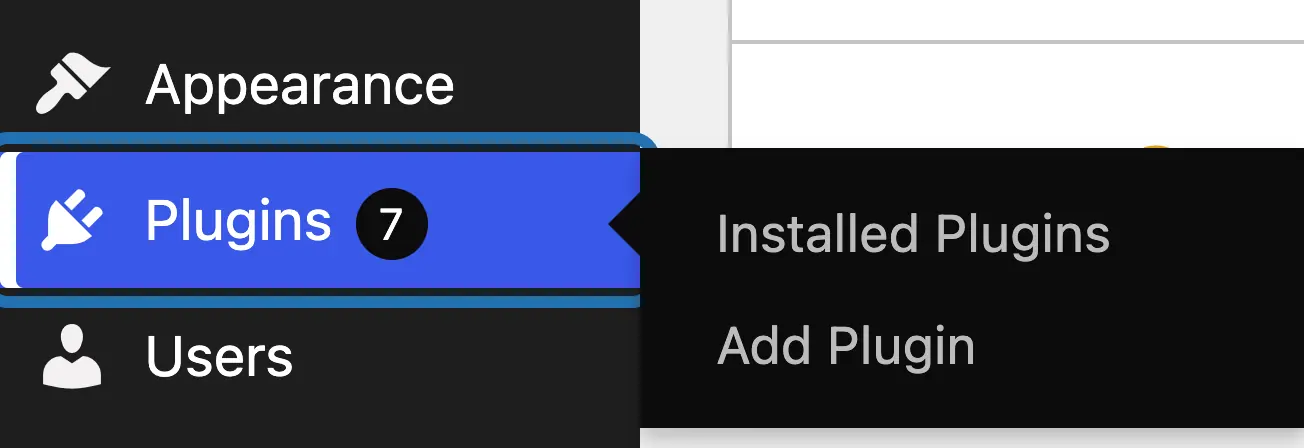
2. Click Installed Plugins. Under each plugin with an update, WP shows a yellow line: “There is a new version … available.”
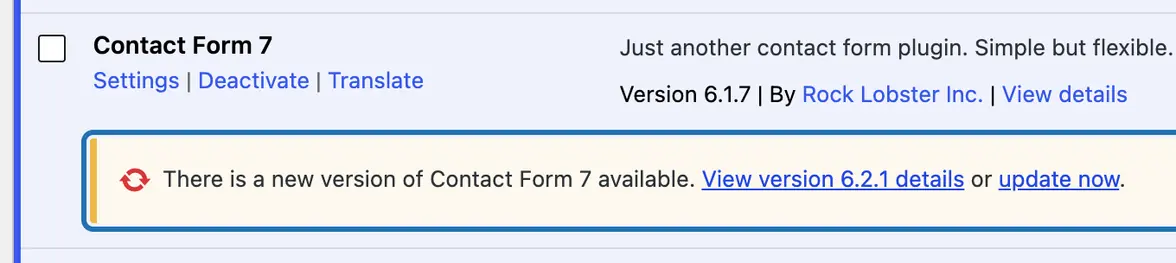
3. Click View version 6.2.1 details in that line. It opens on the Changelog, with the WP and PHP versions it needs on the right.
Show the picture
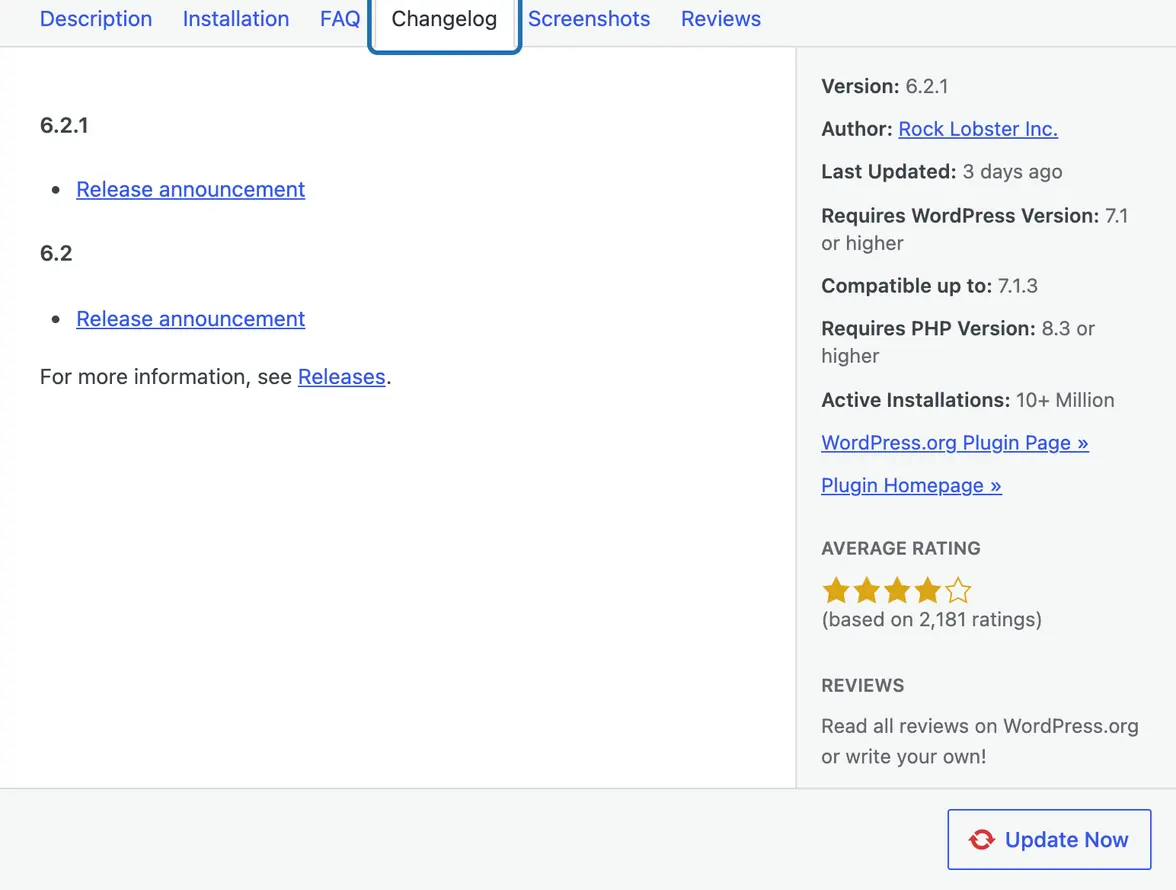
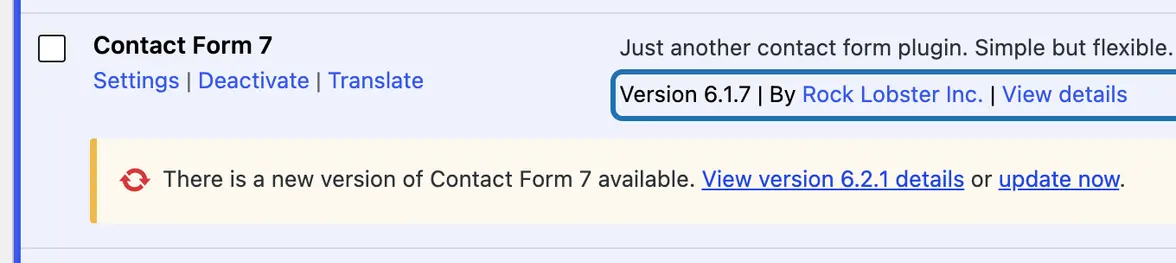
4. Note the version you have now, under the plugin's description: here Version 6.1.7. You'll need it if you have to go back.
Show the picture
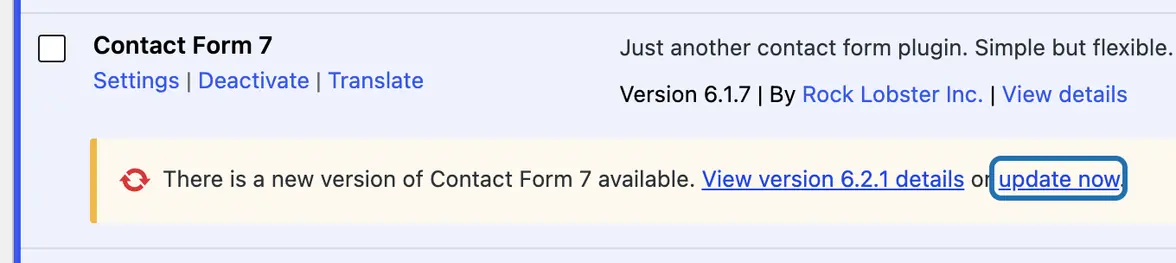
5. Click update now in the yellow line. Stay on the page until the line says Updated!
Show the picture
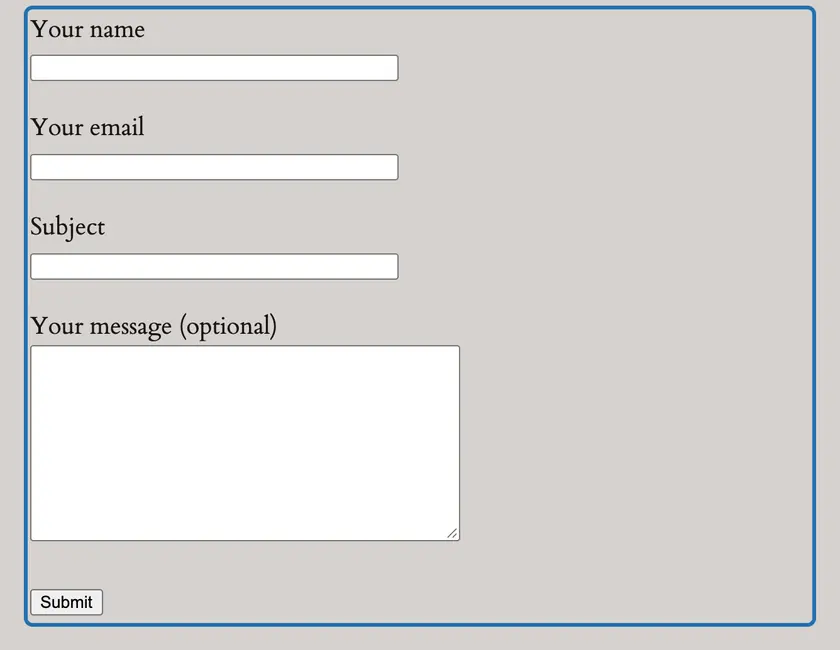
6. Open your site in a new tab. Check the home page, then the page the plugin works on: here, send a test message.
Show the picture
7. If it broke, download the old version from the plugin's wordpress.org page, then upload it at Plugins › Add Plugin › Upload Plugin.
Show the picture


Older versions of a plugin are on its wordpress.org page, under Advanced View. If your dashboard won't load at all after an update, rename that plugin's folder in wp-content/plugins with your host's file manager: WP then switches it off. WooCommerce updates like any directory plugin, one card in the chat; we haven't run that on our test shop yet. After a big update it may ask to update its database: press that button yourself. WooCommerce is a trademark of Automattic Inc.
Or ask for it in the chat
“Update Contact Form 7 and check my site after.”
Why it won't wreck your site
- Nothing changes until you press the button. Every change comes as a card that names it. Nothing happens until you press the button or Not now.
- Updates put themselves back. After a plugin update it checks your site. If the site got worse, the old version goes back on its own.
- One click undoes it. When something can't be undone, like deleting a page or a plugin, the card says so before you press.
Where CMSHands stops
- Plugins from the WP plugin directory onlyIt gets new versions from the free plugins at wordpress.org. A premium plugin you bought from its maker updates through that maker, not the chat.
- A switched-off plugin isn't checkedA plugin that is switched off isn't checked after the change; switching it on afterwards is the real test.
- One plugin per card“Update all my plugins” becomes one card per plugin. Each plugin is its own card and counts as one of your free changes.
- Not WP itself, and not themesIt can tell you if a WP update looks safe, but you run that update yourself. It doesn't update or roll back themes.
- Hosts that lock plugin filesSome hosts don't let WP change plugin files. Then it tells you so, and the plugin isn't changed.
More it can do
- Updates and going back:
Go back to a plugin that worked
“Duplicate Page stopped working after the update. Go back to the version that worked.”
It took 1 minute 28 seconds on our test site. - Header and footer:
Change your footer
“Add our opening hours to the footer: Tue–Sat, 10am to 5pm.”
It took 39 seconds on our test site. - Health and checkups:
A health check of your site
“Give me a quick health report.”
It took 8 seconds on our test site.
Questions about plugin updates
How do I update a plugin in WordPress?
Go to Plugins in your dashboard. A plugin with an update has a yellow line under it: click update now there and wait for Updated!. Then open your site and check the pages that plugin works on. To do several at once, go to Dashboard › Updates, tick the plugins and press Update Plugins.
What happens if a plugin update breaks my site?
WP keeps the new version, and there's no undo: you put the old one back yourself, as in step 7 above. If CMSHands made the update, it checks your site after and puts the old version back on its own if the site got worse. When we broke an update on purpose, it said: “Contact Form 7 6.2.1 broke your site when I checked it, so I put 6.1.7 back straight away.”
Can I update a plugin manually?
Yes. Download the new version's zip from the plugin's wordpress.org page, or from its maker for a premium plugin. Go to Plugins › Add Plugin › Upload Plugin, choose the zip and press Install Now. WP sees the plugin is already there: press Replace current with uploaded. Use it for a plugin that isn't in the directory, or when update now fails. To go back instead, see how to put an older version back.
Can it update all my plugins at once?
It does them one at a time. Ask “Update all my plugins” and you get one card per plugin, each checked before the next. Each card you approve counts as one of your free changes, so 7 updates use 7 of them.
Is it free to update plugins with CMSHands?
To start, yes: 3 changes with no account, then 10 a month once you add your email. Updating one plugin is one change. Questions are free, up to 30 a day (100 with your email).
Written by the CMSHands team. First published .
Try it on your own plugins
- 1. Download the plugin.A free zip file
- 2. Upload and activate it.Plugins › Add Plugin › Upload Plugin
- 3. Give CMSHands a task.Press Start working, then ask in your words
Works best on WP 6.3 or newer with PHP 8.0 or newer. What works on older sites