
Disable or uninstall WP plugins safely
CMSHands, a free WordPress plugin, adds a chat to your dashboard that manages your plugins. “Switch off Loco Translate for now, and delete Hello Dolly.” Nothing changes until you press.
Switching off undoes in one click. Deleting can't be undone; it says so.
Switching off undoes in one click. Deleting can't be undone; it says so.
Works on sites hosted at





Watch it do this on a real site
You ask
Switch off Loco Translate for now, and delete Hello Dolly. I don't use either.
Switch off Loco Translate for now, and delete Hello Dolly. I don't use either.

- Looking at your plugins
- Preparing the change for your OK
Both cards are ready to review. Hello Dolly is already switched off, but deleting it can't be undone from here — switching Loco Translate off can.
- Switching a plugin off
- Checking the change
- Removing a plugin
Done. I checked afterwards, and the change is in place.
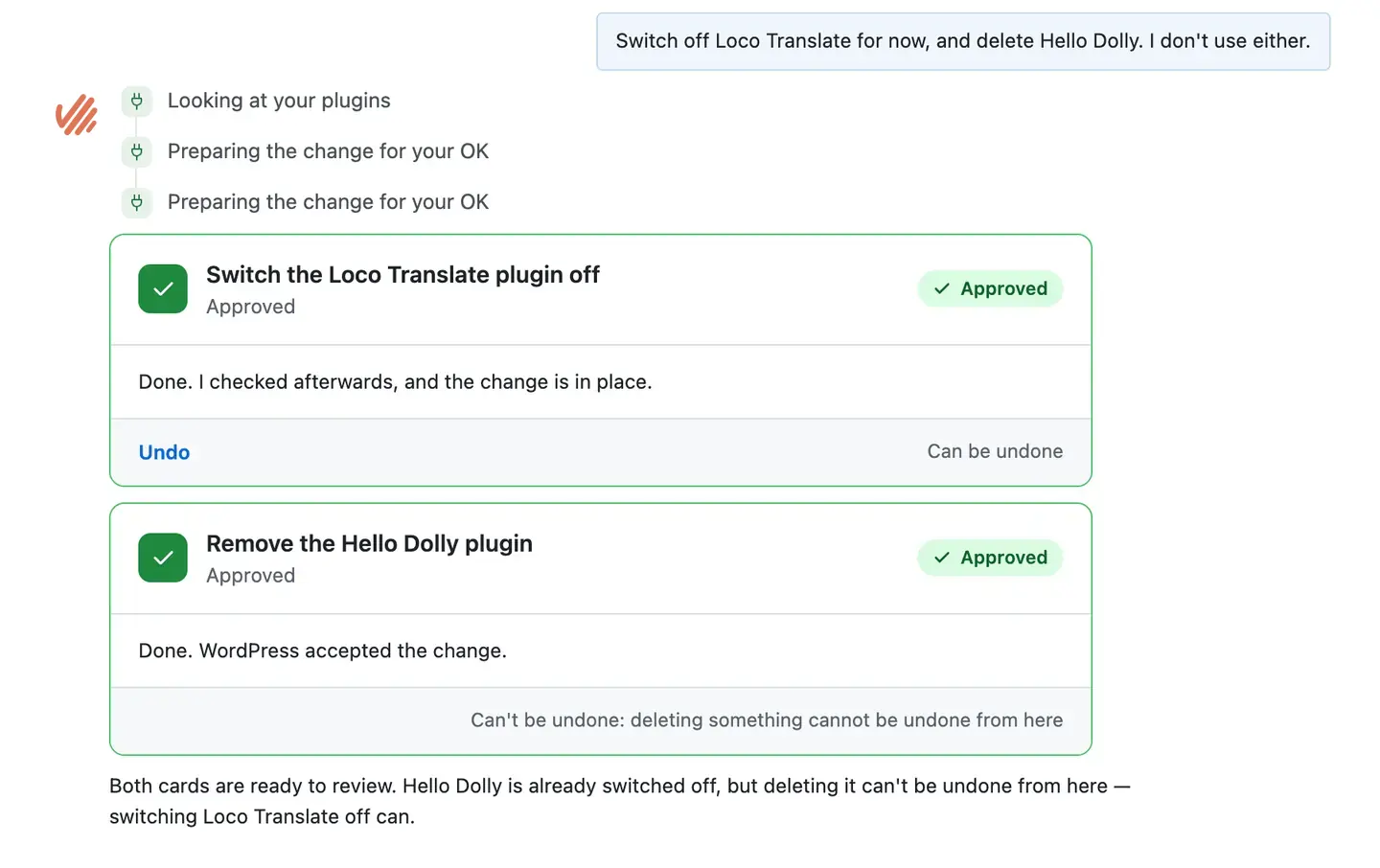
A real run on our test site, Quillmoor Pottery (WP 7.1.3, Twenty Twenty-Four), . From asking to done, it took 15 seconds.
- Ask which plugins you don't use, and it says which are switched off and what each does, before anything is removed.
- Each plugin to remove gets its own card, and nothing comes off until you press that card's button.
- Switching a plugin off undoes in one click. Deleting one can't be undone, and the card says so before you press.
More it does here (1)
- Installed before a plugin crash, CMSHands can switch that plugin off once a person at CMSHands approves. Tried on our test sites; hosts differ.
Do this on your own site
That's the whole job. The plugin is free: 3 changes to try it, no account. Nothing changes until you press the button, and an undo within 24 hours gives the change back.
How to disable or delete a plugin in WordPress yourself
In WordPress, go to Plugins › Installed Plugins and click Deactivate under the plugin. To remove it for good, press Delete once it's switched off.
Checked on WP 7.1,
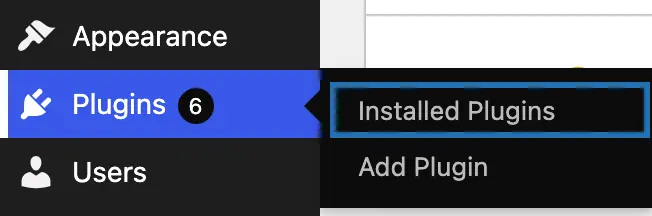
1. In your dashboard, go to Plugins › Installed Plugins.
2. To see only the plugins that are switched off, click Inactive above the list.

3. To switch a plugin off, click Deactivate under its name. It stops at once. Its settings usually stay, so Activate brings it back.
Show the picture

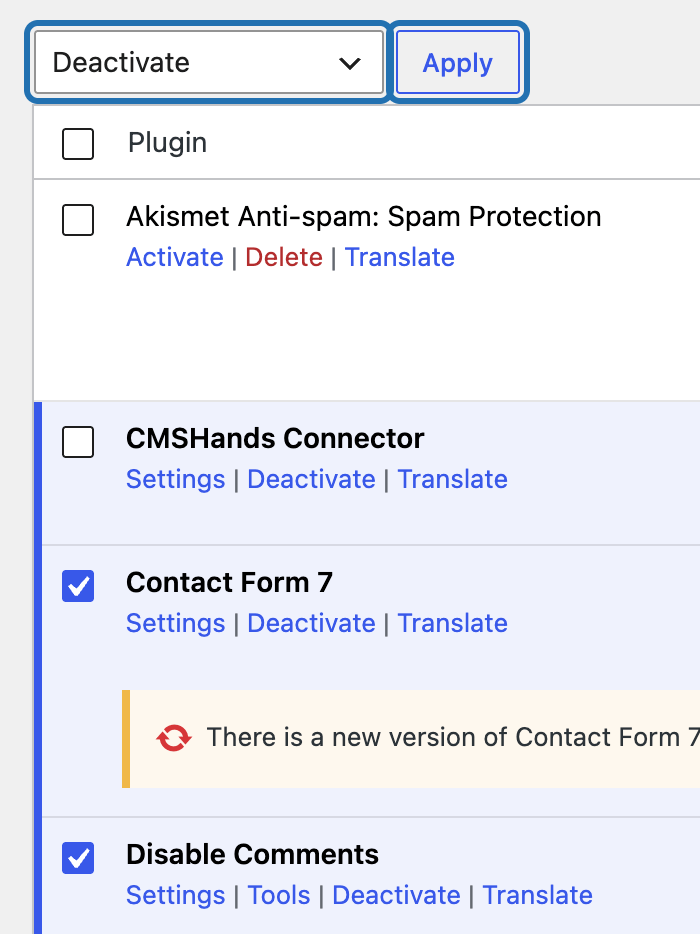
4. To switch off several at once, tick their boxes, choose Deactivate in the Bulk actions box, then press Apply.
Show the picture
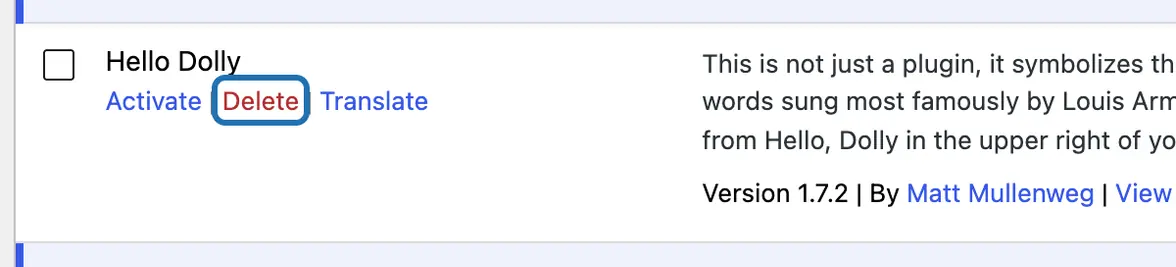
5. To delete a plugin, switch it off first. Then click the red Delete link under its name.
Show the picture
6. Your browser asks “Are you sure you want to delete …?” with the plugin's name. Press OK. The list then says it was deleted.
Show the picture



Locked out of your dashboard by a plugin? Open your host's file manager or connect by SFTP, the file access your host gives you. In wp-content/plugins, rename that plugin's folder, and WP switches it off. Rename it back later, then press Activate to switch it on again.
Or ask for it in the chat
“Switch off Loco Translate for now, and delete Hello Dolly. I don't use either.”
Why it won't wreck your site
- Asking changes nothing. A question only reads your site. It looks things up and tells you. No card, no button.
- Nothing changes until you press the button. Every change comes as a card that names it. Nothing happens until you press the button or Not now.
- One click undoes it. When something can't be undone, like deleting a page or a plugin, the card says so before you press.
Where CMSHands stops
- It can't tell which plugins you really useIt sees which plugins are switched on or off, not which ones your site needs. It explains each one, and you decide what goes.
- Deleting can't be undoneSwitching a plugin off can be undone in one click. Deleting one can't: getting it back means installing it again. The card says so before you press.
- A switched-on plugin can't be deletedWP won't delete a plugin that is still switched on. It has to be switched off first.
- One card per pluginEach plugin is its own card and counts as one of your free changes. Removing 3 plugins is 3 changes.
- A site that won't loadThe chat needs your dashboard. Installed before a plugin crash, CMSHands can switch that plugin off once a person at CMSHands approves. Tried on our test sites; hosts differ.
More it can do
- Plugins:
Find the right plugin
“Which popup plugin should I use for a newsletter sign-up?”
It took 4 seconds on our test site. - Words and pages:
Add a page
“Add a page called Classes: Saturday classes, 10am, $45, book by email.”
It took 12 seconds on our test site. - Styling and forms:
Make a form match your site
“Make my contact form match the rest of the site.”
It took 50 seconds on our test site.
Questions about unused plugins
How do I disable a plugin in WordPress?
Go to Plugins › Installed Plugins and click Deactivate under the plugin's name. It stops at once. Its settings usually stay, so Activate brings it back. With CMSHands, ask in the chat to switch the plugin off. You get a card first, and switching off undoes in one click.
What's the difference between deactivating and deleting a plugin?
Deactivating switches a plugin off but keeps its files and, usually, its settings. Deleting removes its files, and many plugins clear out their settings too. WP won't delete a plugin while it's switched on. If you're not sure you need a plugin, switch it off for a week first, then delete it.
How many plugins is too many?
There's no set number. A few heavy or badly kept plugins can cause more trouble than many small, well-kept ones. Keep the ones that do a job you need and still get updates. In an earlier test run the site had 14 plugins. CMSHands named the 3 switched-off ones with a reason each, held back on 6 switched-on ones, and kept 3 clearly in use.
How do I disable all plugins at once?
In Plugins › Installed Plugins, tick the box at the top of the list to select every plugin. Choose Deactivate in Bulk actions and press Apply. Can't reach your dashboard? Rename the plugins folder inside wp-content with your host's file manager. That switches them all off. Rename it back, then switch each plugin on again.
Is it safe to delete plugins that are switched off?
Usually, yes: a switched-off plugin does nothing on your site. But deleting may also clear its settings, and you can't undo it. Keep one you'll switch back on later, like a spam filter. In an earlier test run, CMSHands said why each switched-off plugin was there before anything was removed.
Is it free to remove plugins with CMSHands?
To start, yes: 3 changes with no account, then 10 a month once you add your email. Each plugin you remove is one change. Questions like “which plugins don't I use?” are free, up to 30 a day.
Written by the CMSHands team. First published .
Try it on your own plugins
- 1. Download the plugin.A free zip file
- 2. Upload and activate it.Plugins › Add Plugin › Upload Plugin
- 3. Give CMSHands a task.Press Start working, then ask in your words
Works best on WP 6.3 or newer with PHP 8.0 or newer. What works on older sites