
Audit your WP site: plugins, updates, admins
CMSHands, a free WordPress plugin, adds a chat to your dashboard. Ask “Audit my site: outdated plugins and who's an admin.” It lists both, and nothing on your site changes.
It only reports; nothing changes. No SEO, speed or hacked-code scan.
It only reports; nothing changes. No SEO, speed or hacked-code scan.
Works on sites hosted at





Watch it do this on a real site
You ask
Audit my site: outdated plugins and who's an admin.
Audit my site: outdated plugins and who's an admin.

I'll check the plugins and the admin accounts.
Admins (2): "[name hidden]" and "Nora Bennett" (username nora). Both are full administrators.
Plugins with updates waiting (7):
- Safe SVG 2.5.0 → 2.5.1 — the plugin describes this one as a security release
- Contact Form 7 6.1.7 → 6.2.1
- Disable Comments 2.8.0 → 2.9.0
- Easy Table of Contents 2.0.87.1 → 2.0.88
- Loco Translate 2.8.8 → 2.8.9
- Redirection 5.10.0 → 5.10.1
- Regenerate Thumbnails 3.1.5 → 3.1.6
Up to date: Akismet, Duplicate Page, Flamingo, Hello Dolly, WooCommerce 11.2.1, WP Mail SMTP.
Say the word and I'll propose the updates you want — Safe SVG first is the sensible one. I can't update WordPress itself, only plugins.
A real run on our test site, . Questions change nothing, so there's no button: this is the answer it gave.
- It lists every plugin with a newer version, and everyone who can log in as an administrator.
- Asking changes nothing on your site.
- To update a plugin, you ask: each plugin is its own card, and the old version goes back if the site gets worse.
Do this on your own site
That's the whole job. The plugin is free: 30 questions a day, no account. Asking changes nothing on your site.
How to audit your WordPress site yourself
In WordPress, check Dashboard › Updates, delete plugins you don't use, see who's an Administrator under Users, then read the critical issues in Tools › Site Health.
Checked on WP 7.1,
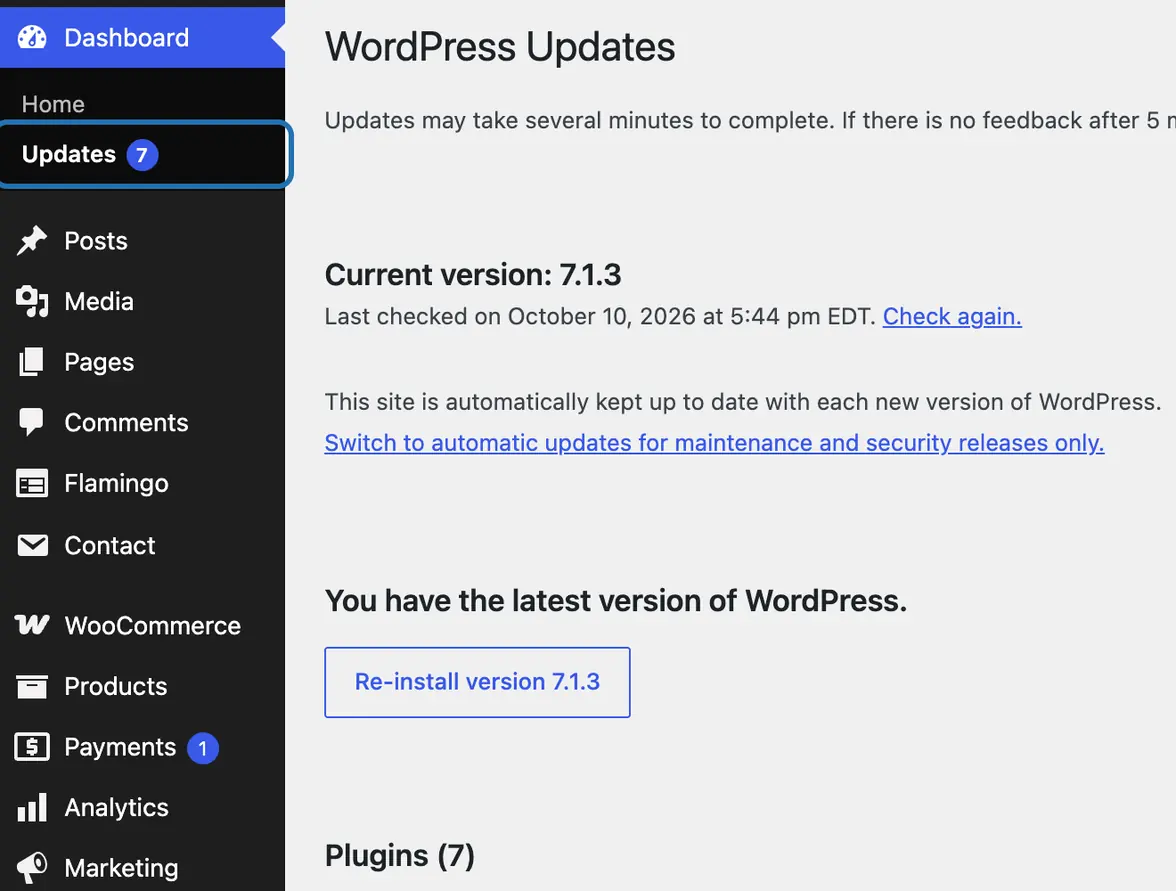
1. In your dashboard, go to Dashboard › Updates. It shows your WP version and lists every plugin and theme with a newer version.
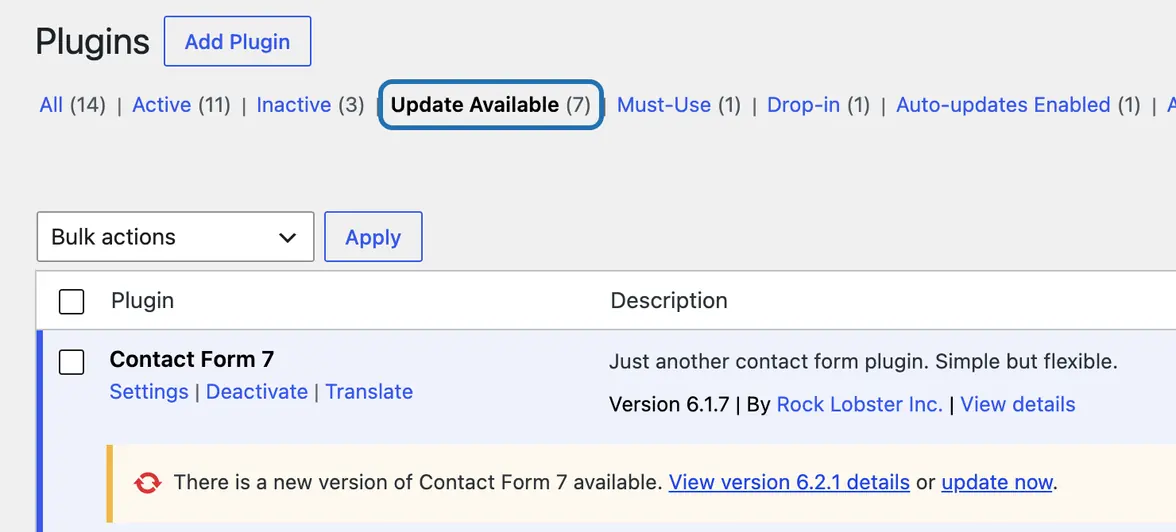
2. Go to Plugins › Installed Plugins and click Update Available. Each plugin there has a notice with its new version.
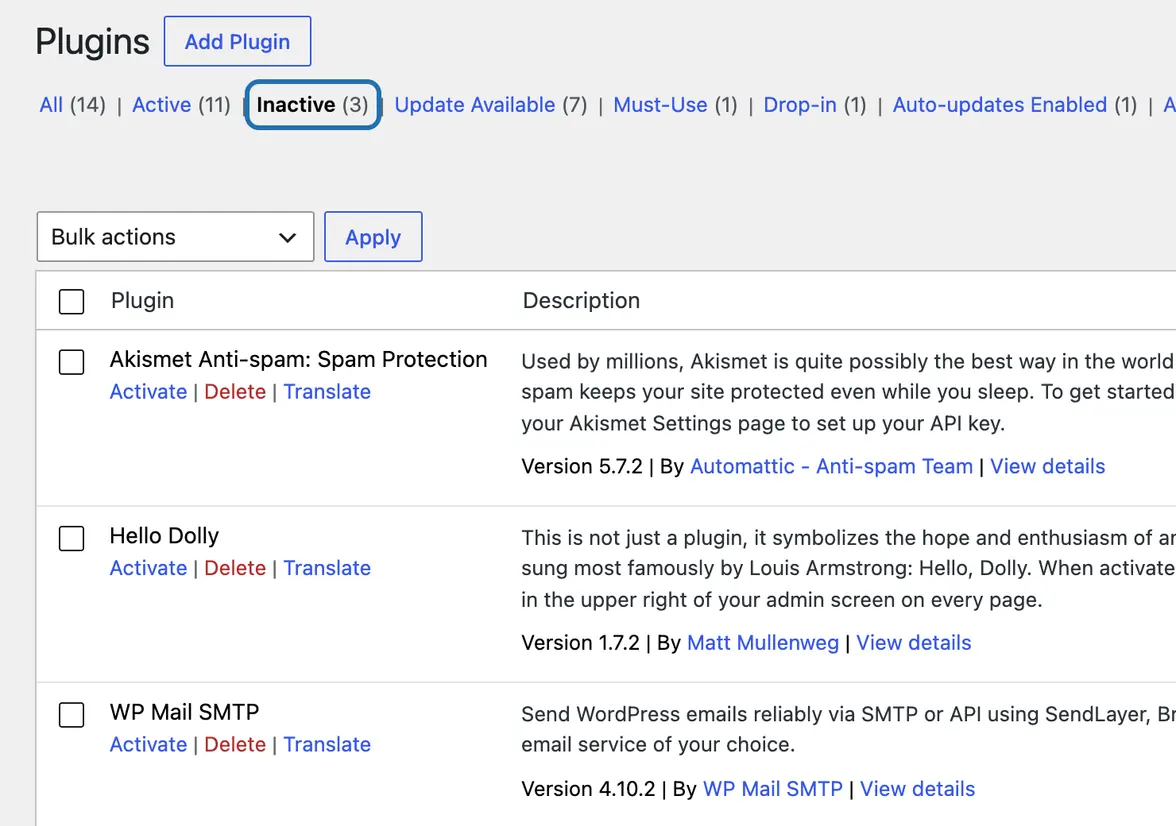
3. Click Inactive. Delete the plugins you no longer use: switched off, their files still sit on your server.
Show the picture
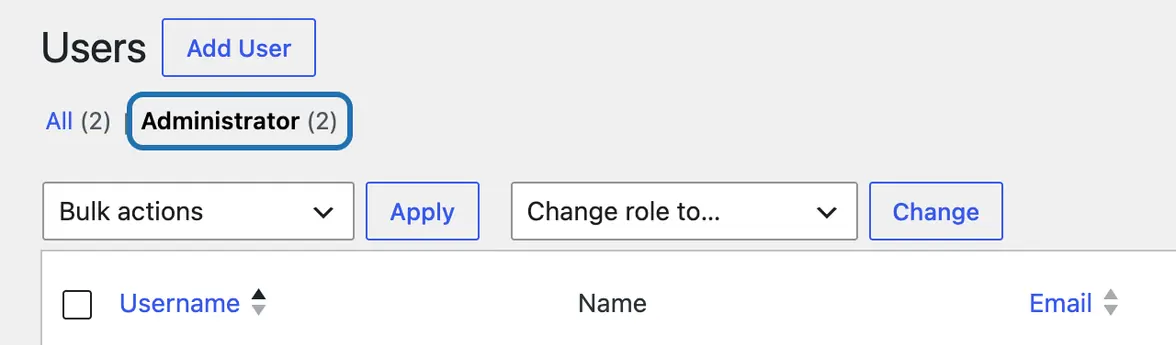
4. Go to Users › All Users and click Administrator above the list. Everyone listed there can change anything on your site.
Show the picture
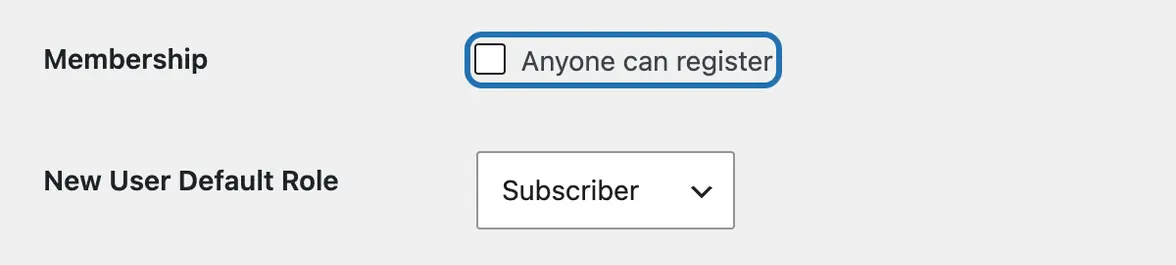
5. Go to Settings › General. Leave Anyone can register unticked unless visitors should sign up. New User Default Role should say Subscriber.
Show the picture
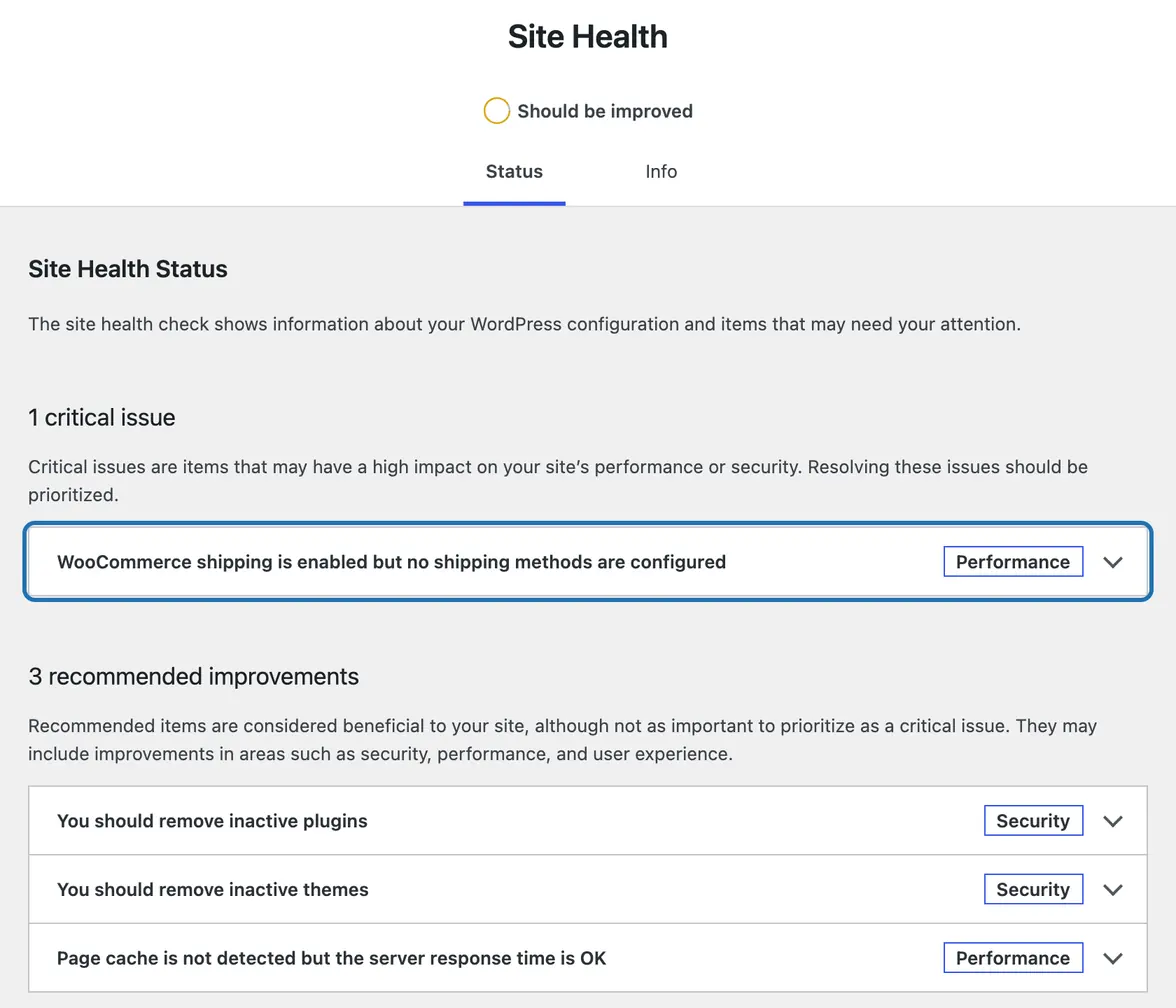
6. Go to Tools › Site Health. Open critical issues first, then recommended ones. The Info tab shows your PHP version, the language WP runs on.
Show the picture


Once a month is a good habit, and again after you add a plugin. Look for 3 things: plugins with a newer version, plugins you no longer use, and administrators you don't recognize.
Or ask for it in the chat
“Audit my site: outdated plugins and who's an admin.”
Why it won't wreck your site
- Asking changes nothing. A question only reads your site. It looks things up and tells you. No card, no button.
- Nothing changes until you press the button. Every change comes as a card that names it. Nothing happens until you press the button or Not now.
- Updates put themselves back. After a plugin update it checks your site. If the site got worse, the old version goes back on its own.
Where CMSHands stops
- No scan for hacked codeIt reads what's installed and who can log in. It doesn't scan your files for harmful or hacked code.
- No speed or SEO auditIt can tell you why a page is slow, but it can't speed it up. It doesn't check your SEO.
- Users and passwordsIt shows who's an administrator. It can't add users, change roles or reset passwords.
- Updates are one card per pluginEach plugin is its own card: a box in the chat that shows exactly what would change. A switched-off plugin isn't checked after its update.
- Premium plugins and WP itselfUpdates are for plugins from the WP plugin directory only: the free plugins at wordpress.org. Not premium plugins, and not WP itself: you update WP yourself.
More it can do
- Health and checkups:
A health check of your site
“Give me a quick health report.”
It took 8 seconds on our test site. - Words and pages:
Rename or add a blog category
“Rename the blog category "News" to "Studio news" and add a new category "Glazes".”
It took 15 seconds on our test site. - Words and pages:
Copy a page
“Make a copy of the About page as a draft called "About (new)".”
It took 16 seconds on our test site.
Questions about a site audit
What does a WordPress site audit check?
Usually 4 things: plugins and themes with a newer version, plugins you don't use, who can log in as an administrator, and what WP's Tools › Site Health flags. Bigger audits add speed, SEO and security scans. Asked in the chat, CMSHands lists the outdated plugins and the administrators for you.
Is there a WordPress audit plugin?
WP has one built in: Tools › Site Health looks at your setup and lists what needs attention. CMSHands is a free plugin that adds a chat, so you can ask for an audit in plain words. Plugins called “audit log” do something else: they record who changed what, and when.
Does it scan for hacked code or check my SEO?
No. It reads what's installed and who can log in, and tells you. It doesn't scan your files for harmful code, and it doesn't audit your SEO. It can tell you why a page is slow, but it can't make it faster. For a hacked site, use a security plugin or ask your host.
Can I check a WordPress site that isn't mine?
Not with CMSHands. It runs inside your own WP dashboard with an administrator login, so it only sees the site it's installed on. Online site checkers can look at a site from the outside, but they can't see inside your dashboard, like who's an administrator.
Can it update the outdated plugins too?
Yes, when you ask. Each plugin gets its own card, and nothing installs until you press its button. After each update it checks your site. If the site got worse, the old version goes back on its own. A plugin that's switched off isn't checked after its update, so switching it on afterwards is the real test. Plugins from the WP plugin directory only, and each update counts as one of your free changes.
Is a site audit free?
Asking is free: up to 30 questions a day with no account, 100 once you add your email. Changes, like updating a plugin, are 3 to try it, then 10 a month once you add your email.
Written by the CMSHands team. First published .
Run the audit on your own site
- 1. Download the plugin.A free zip file
- 2. Upload and activate it.Plugins › Add Plugin › Upload Plugin
- 3. Give CMSHands a task.Press Start working, then ask in your words
Works best on WP 6.3 or newer with PHP 8.0 or newer. What works on older sites