
How CMSHands works
CMSHands is a free WordPress plugin that puts an AI assistant in your dashboard. You ask for a change in your own words, see it first, and it makes the change only when you press OK. Undo in one click, or a warning first.
Works best on WP 6.3 or newer with PHP 8.0 or newer. What it installs
Works best on WP 6.3 to 7.1 with PHP 8.0 or newer. Older sites, back to WP 4.0 and PHP 5.6, get fewer features. You need a login that can add plugins (an administrator). One site per install.
The download is a zip. Upload it in Plugins › Add Plugin › Upload Plugin (Add New Plugin or Add New on older WP), activate it, then press Start working in the chat. Turning it on connects your site to cmshands.com and adds 3 small rescue files. Deleting the plugin removes them and everything it stored. On WordPress.com, only plans that allow plugins can install it. What we send
Free to start, no card · Is it safe?
Free to start: 3 changes with no account, then 10 a month with your email. Questions free, 30 a day. No card.
- Nothing changes without your OK
- Undo in one click, or a warning first
- No account, no password to share
Works on sites hosted at





Setting it up: 3 steps, no account
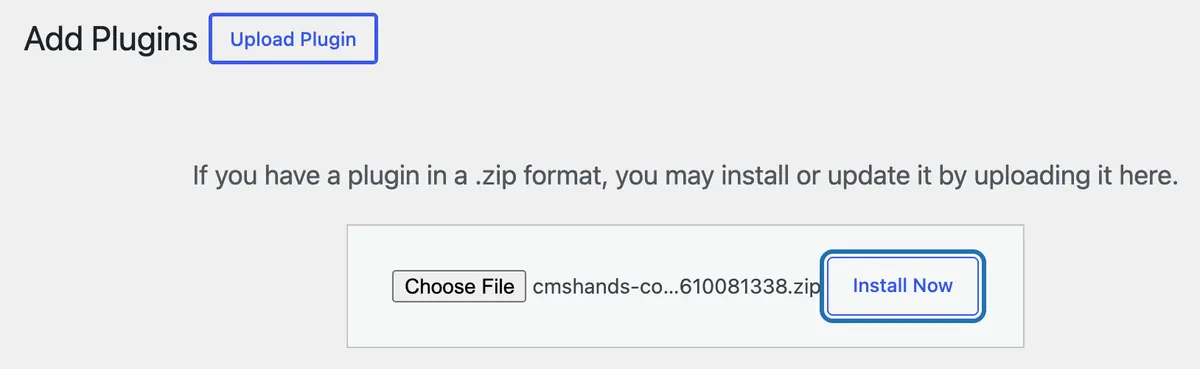
Upload the zip
In WordPress: Plugins › Add Plugin › Upload Plugin (on older WordPress: Add New). Choose the zip as it is, then Install Now.
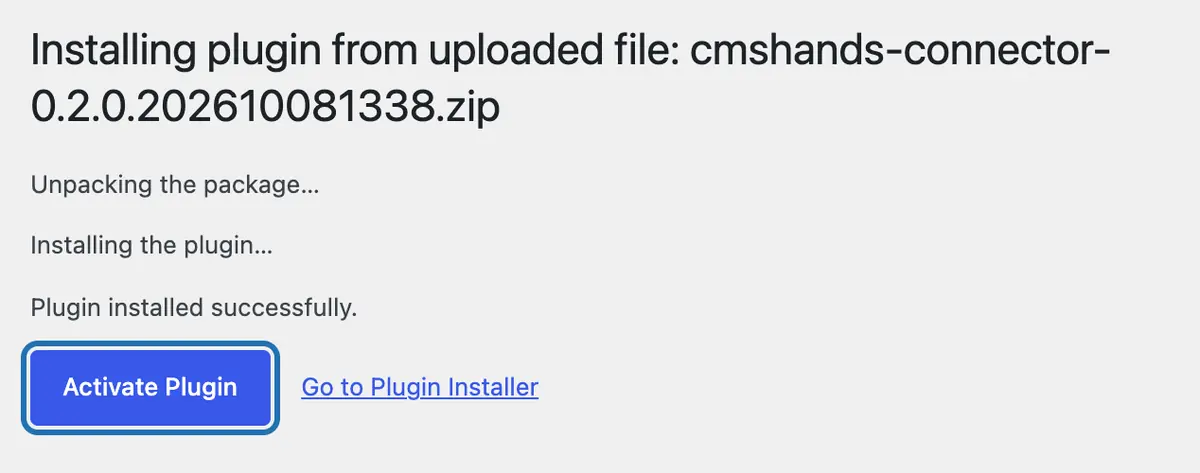
Activate it
Press Activate Plugin.
Turn it on
Press Turn on CMSHands in the box at the top, then Start working in the chat that opens. It checks your site.

What Turn on does
It connects your site to cmshands.com, checks the site, and adds three small helper files we call the rescue files. Then it starts the daily check and opens the chat.
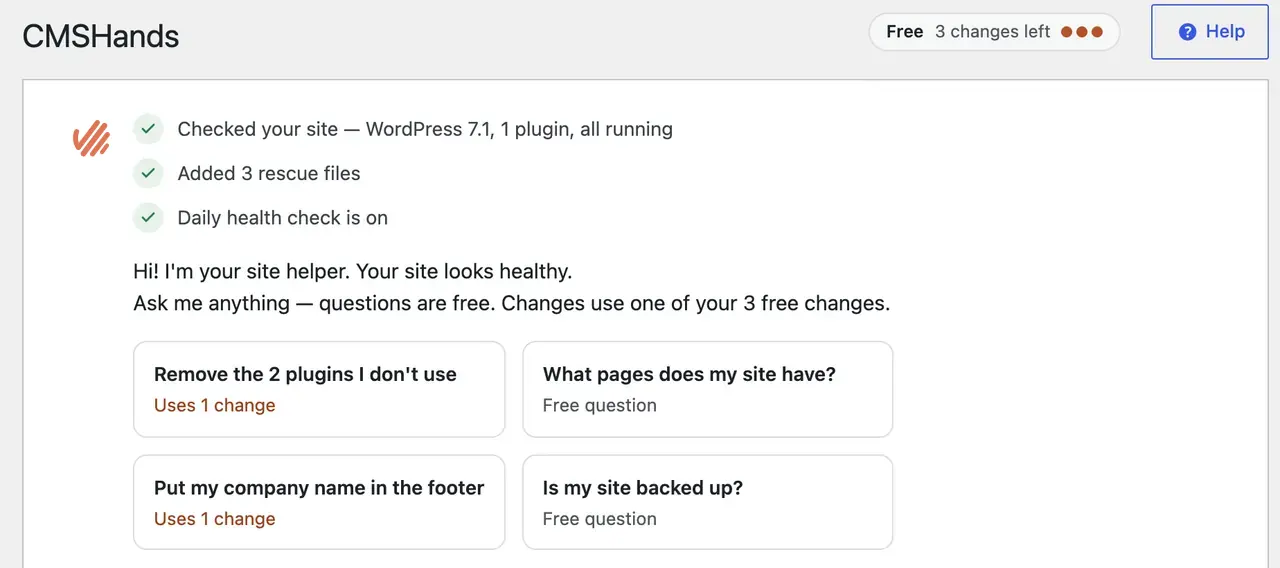
A fresh WP 7.1 site on our test server, Oct 11, 2026, right after Turn on. The 3 ticks were done 3 seconds after the press.


One change, start to finish
You ask
Change our footer to say “© 2026 Quillmoor Pottery. Handmade in small batches.”

- Looking at your themes
- Reading your footer
- Preparing the change for your OK
- Previewing your footer
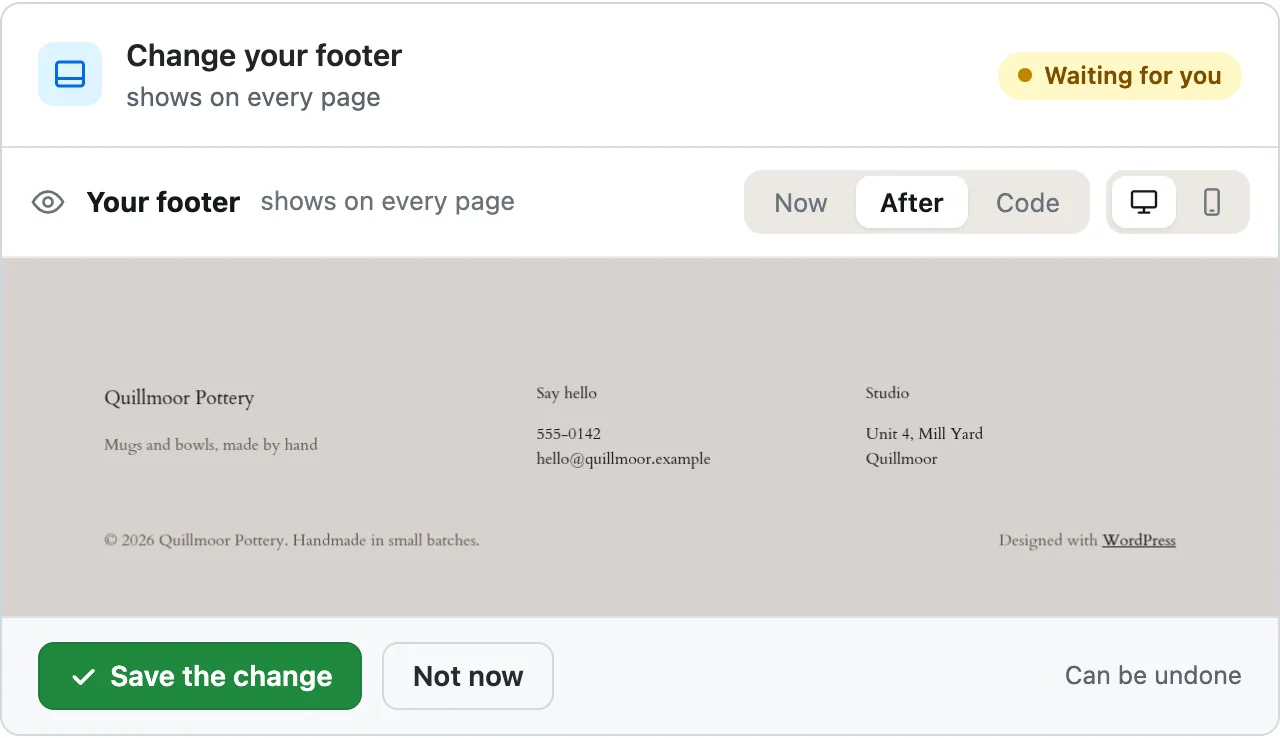
- <!-- wp:group {"align":"wide","style":{"spacing":{"padding":{"top":"var:preset|spacing|30"}}},"layout":{"type":"flex","flexWrap":"wrap","justifyContent":"space-between"}} -->
- <div class="wp-block-group alignwide" style="padding-top:var(--wp--preset--spacing--30)"><!-- wp:paragraph {"textColor":"contrast-2","fontSize":"small"} -->
- <p class="has-contrast-2-color has-text-color has-small-font-size">© 2025 Quillmoor Pottery</p>
- <p class="has-contrast-2-color has-text-color has-small-font-size">© 2026 Quillmoor Pottery. Handmade in small batches.</p>
- <!-- /wp:paragraph -->
- <!-- wp:paragraph {"style":{"elements":{"link":{"color":{"text":"var:preset|color|contrast"}}}},"textColor":"contrast-2","fontSize":"small"} -->
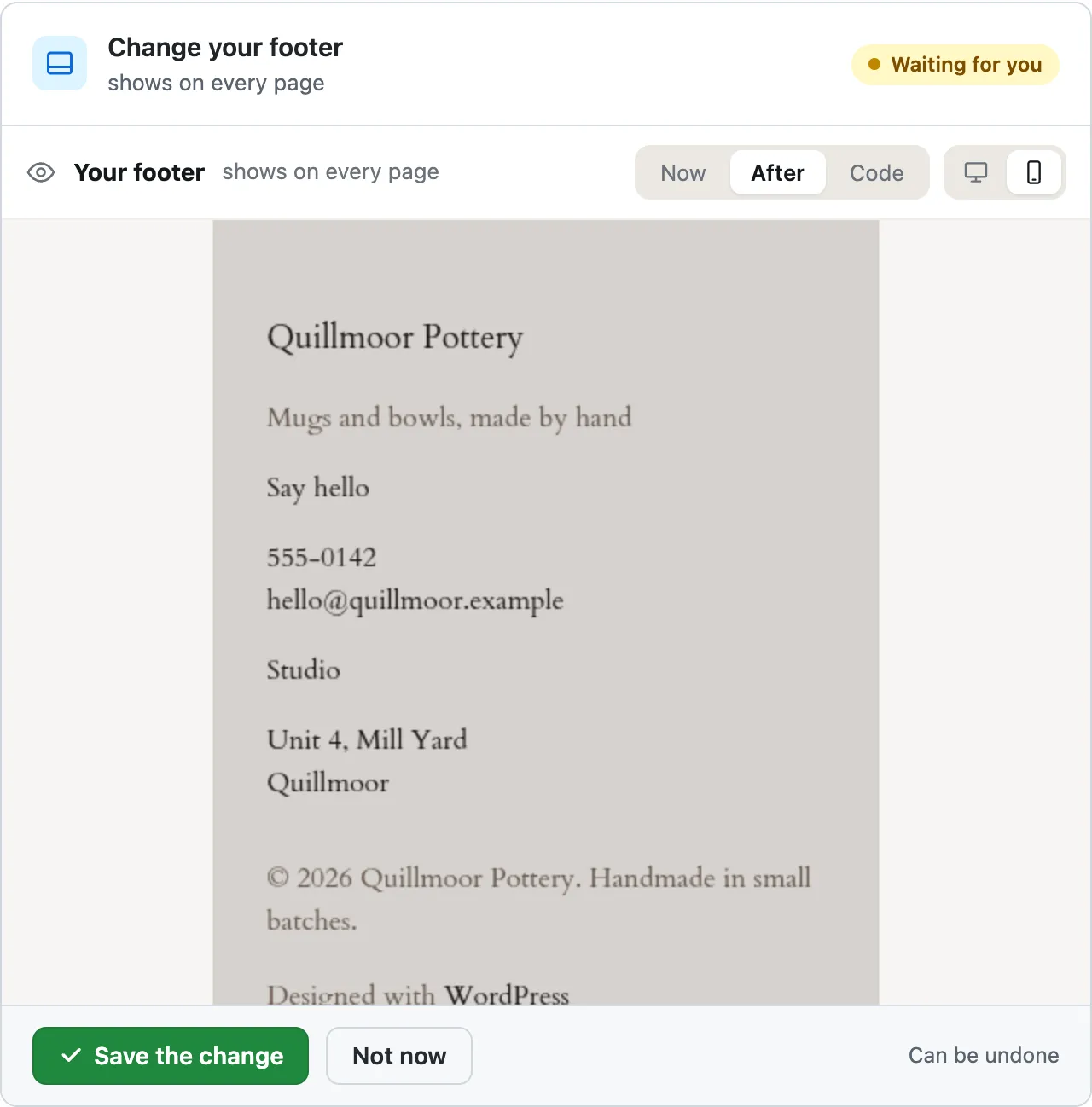
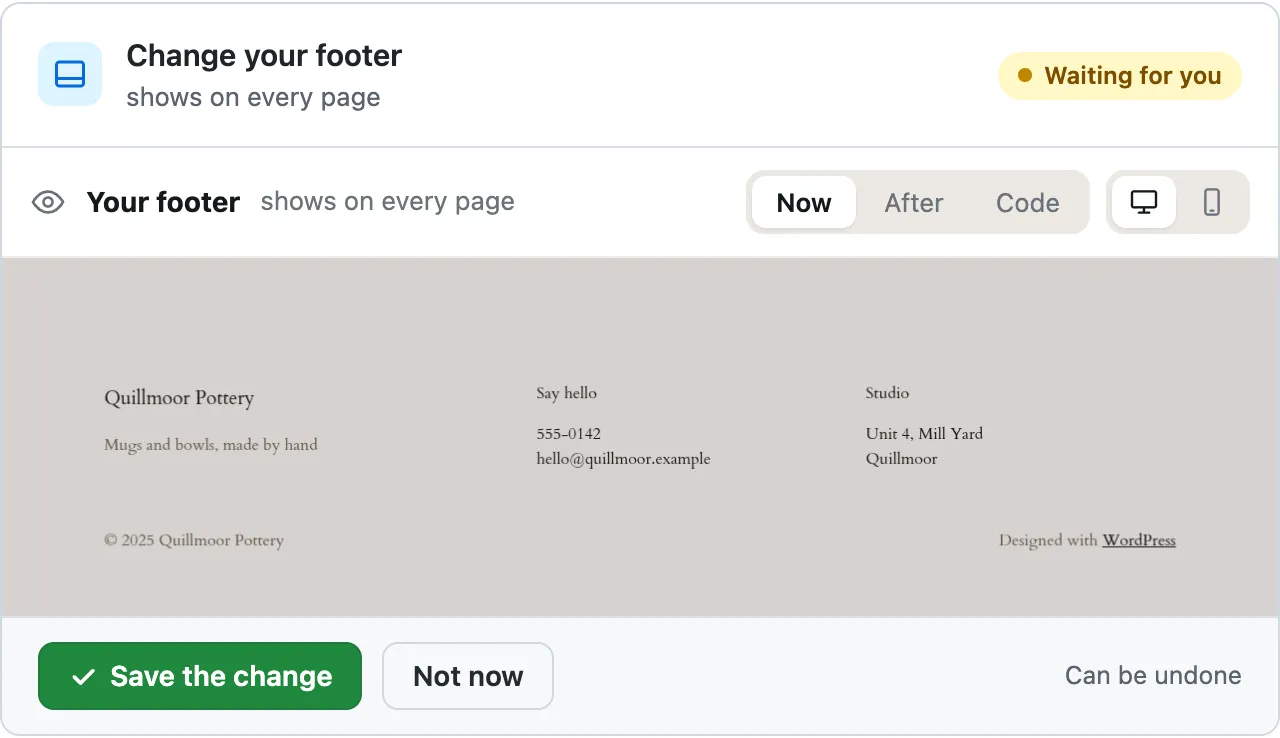
It looks right — same size and colour as before, and it wraps cleanly on a phone. Ready for you to review.
Change our footer to say “© 2026 Quillmoor Pottery. Handmade in small batches.”
- <!-- wp:group {"align":"wide","style":{"spacing":{"padding":{"top":"var:preset|spacing|30"}}},"layout":{"type":"flex","flexWrap":"wrap","justifyContent":"space-between"}} -->
- <div class="wp-block-group alignwide" style="padding-top:var(--wp--preset--spacing--30)"><!-- wp:paragraph {"textColor":"contrast-2","fontSize":"small"} -->
- <p class="has-contrast-2-color has-text-color has-small-font-size">© 2025 Quillmoor Pottery</p>
- <p class="has-contrast-2-color has-text-color has-small-font-size">© 2026 Quillmoor Pottery. Handmade in small batches.</p>
- <!-- /wp:paragraph -->
- <!-- wp:paragraph {"style":{"elements":{"link":{"color":{"text":"var:preset|color|contrast"}}}},"textColor":"contrast-2","fontSize":"small"} -->
- Changing your footer
- Checking the change
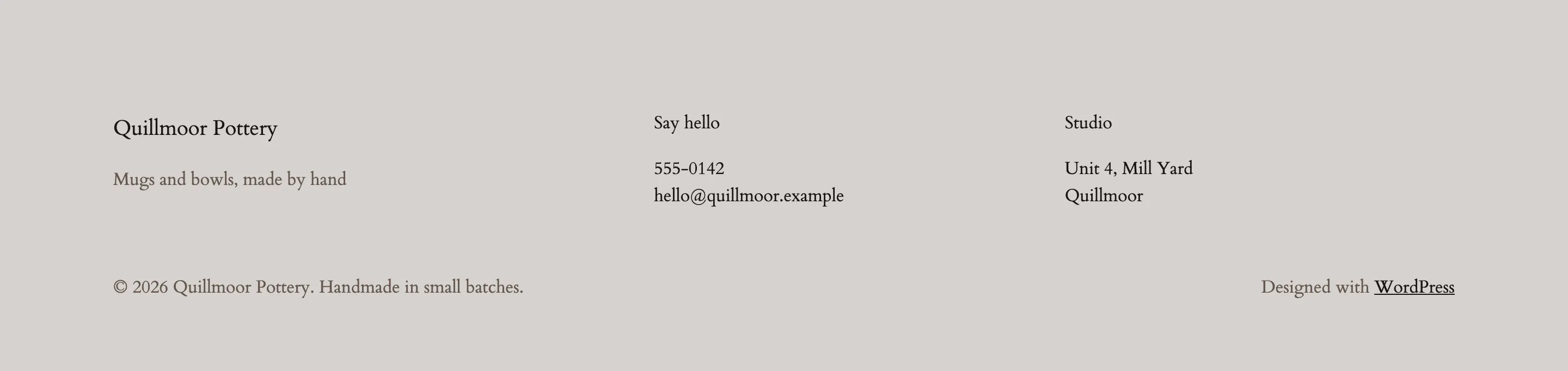
Done. I checked afterwards, and it now says "© 2026 Quillmoor Pottery. Handmade in small batches.".
- Reverting the change
- Checking the change
Undone. I checked afterwards, and it's back the way it was.
A real run on our test site, Quillmoor Pottery (WP 7.1.3, Twenty Twenty-Four), . From asking to done, it took 33 seconds.
Every run on this site, with its times and the medians: every run, timed.
Why it won't wreck your site
Nothing changes until you press the button. Every change comes as a card that names it. Nothing happens until you press the button or Not now.
You see it first. Old words in red, new words in green.
One click undoes it. When something can't be undone, like deleting a page or a plugin, the card says so before you press.
It won't overwrite your edits. It reads your site again before it changes or undoes anything. If you edited the same thing, it stops and tells you.
Updates put themselves back. After a plugin update it checks your site. If the site got worse, the old version goes back on its own.
A plugin update that went wrong can be put back too: undo a plugin update.
If your site breaks
We check it every day.
Once a day on the free plan. If the rescue files report a crash, we check at once. WordPress maintenance, done by asking.
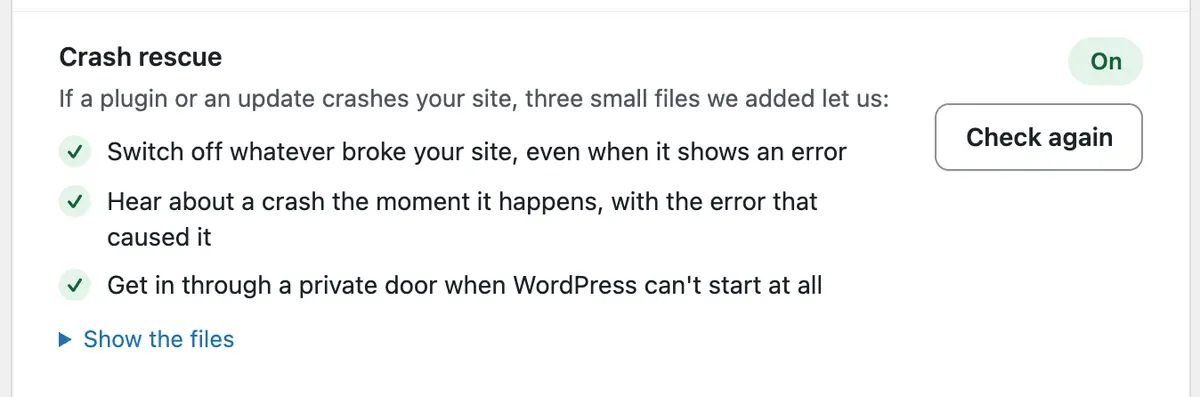
The rescue files do the hard part.
One sits in wp-content/mu-plugins, one is a crash handler in wp-content, and one has a random name at the site root. They're plain, readable PHP. They let us reach your site even when WP can't start.
A person approves every repair.
We find what broke and prepare a fix. A person at CMSHands checks it before it runs. Add your email and you get a plain-English note: what broke, what we did, what to do next. How a site repair works.
Only if CMSHands was there first. It can't be installed into a site that won't load. Install it while your site works. Tried on our test sites; hosts differ. If it's down now: what common WordPress errors mean.
What it won't do yet
- Edit pages built with a page builder like Elementor, Divi or Beaver Builder
- Change the header, footer or styling on older (classic) themes
- Upload pictures, logos or product photos
- Make backups
- Clean up malware or a hacked site
- Speed up your site (it can tell you why it's slow)
- Update WP itself, or install, update or switch themes
- Update premium plugins that don't come from the WP plugin directory
- Work on multisite networks, or in languages other than English
- Add users or reset passwords
Free to start
No account
- Changes
- 3 to try it
- Questions
- 30 a day
- If it breaks
- Daily check and crash rescue
With your email
- Changes
- 10 every month
- Questions
- 100 a day
- If it breaks
- The same, plus email alerts
Pro or Max
- Changes
- 100 a month on Pro ($20), 500 on Max ($100), shared by your sites
- Questions
- 300 a day a site on Pro, 1,000 on Max
- If it breaks
- Checked every few minutes, plus email alerts
Undo a change within 24 hours and it doesn't count. If you haven't added an email after 30 days, only crash rescue stays on until you add one.
Leaving is clean
Press Disconnect this site in the plugin's settings, or delete the plugin. The rescue files and everything the plugin stored are removed.
What the plugin sends us while it's on, and what it never takes: the privacy page. Who makes CMSHands, and how we test what this site shows: about us.
How it compares with other tools: AI plugin for WordPress, and WordPress MCP.
Page updated .

Try it on your own site
- 1. Download the plugin.A free zip file
- 2. Upload and activate it.Plugins › Add Plugin › Upload Plugin
- 3. Give CMSHands a task.Press Start working, then ask in your words
Works best on WP 6.3 or newer with PHP 8.0 or newer. What works on older sites