
AI plugin for WP: an agent that does the work
CMSHands is its own plugin, not WordPress.com's AI Assistant. It needs a site that lets you upload plugins.
CMSHands, a free WordPress plugin for business sites, puts an AI assistant in your dashboard. No API key. It edits pages, updates plugins and checks your site, and asks first.
Pages, posts, plugins and health reports work on block and classic themes. Header, footer and menus need a block theme: you'll see Appearance › Editor. How to tell
Pages, posts, plugins and health reports work on block and classic themes. Header, footer and menus need a block theme: you'll see Appearance › Editor. How to tell
Works on sites hosted at





How it differs
| CMSHands | Writing tools | MCP bridges | |
|---|---|---|---|
| Where you ask | A chat in your WP dashboard, the screens you log in to at yoursite.com/wp-admin | Inside the block editor, while a post or page is open1 | A separate app, linked to your site by a plugin2 |
| What it's for | Site jobs: words on pages, header, footer and menus on block themes, plugins, health reports | Writing posts, pages, lists and tables, making images, fixing spelling and tone1 | Letting that app find and run the abilities your plugins, theme and WP offer2 |
| What it can change | Pages, posts, the header, footer and menus on block themes, plugins from the WP plugin directory. Not widgets | The post or page you have open in the editor1 | Only the abilities a plugin makes public. They're private by default2 |
| Before and after a change | A card shows exactly what would change. Nothing happens until you press. Undo puts it back | The text lands in the editor. You edit it and publish it yourself1 | A permission check for each ability. The page we read doesn't describe approval or undo2 |
| Checks on your site | A health report when you ask. With your email, a free check once a day, and at once if it crashes | Not listed on the page we read1 | Not described on the page we read2 |
Where you ask
What it's for
What it can change
Show 2 more rows
Before and after a change
Each kind of tool as one example's own page describes it, read Oct 14, 2026. CMSHands facts are from our test site.
- 1. jetpack.com/ai, Oct 14, 2026
- 2. github.com/WordPress/mcp-adapter, Oct 14, 2026
CMSHands is not affiliated with the makers of the tools in these sources. Their names are trademarks of their owners.
Watch it do this on a real site
You ask
On the About page, change “since 2019” to “since 2018”.
On the About page, change “since 2019” to “since 2018”.

- Looking for what you meant
- Reading one of your pages
- Preparing the change for your OK
- Previewing your page
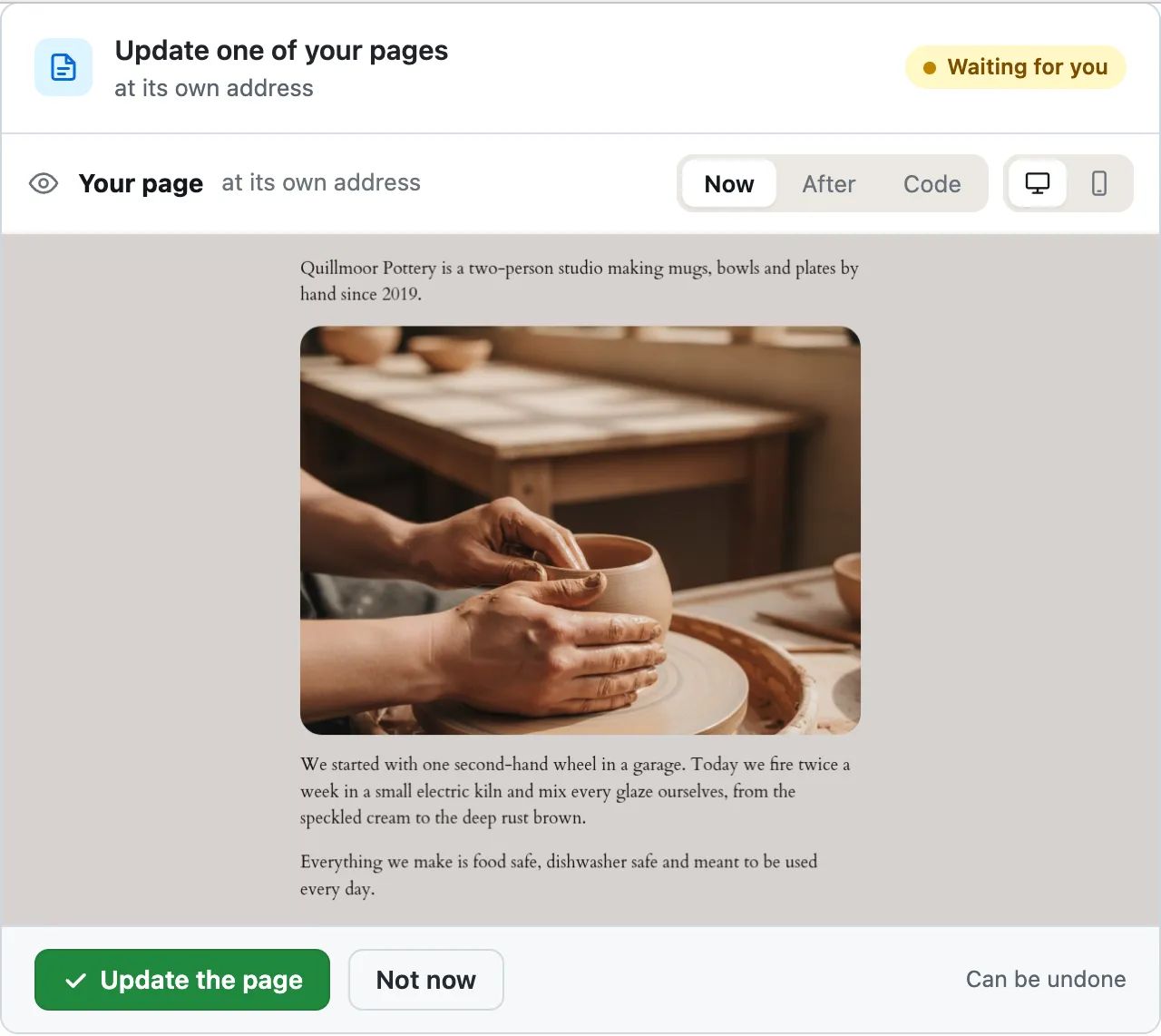
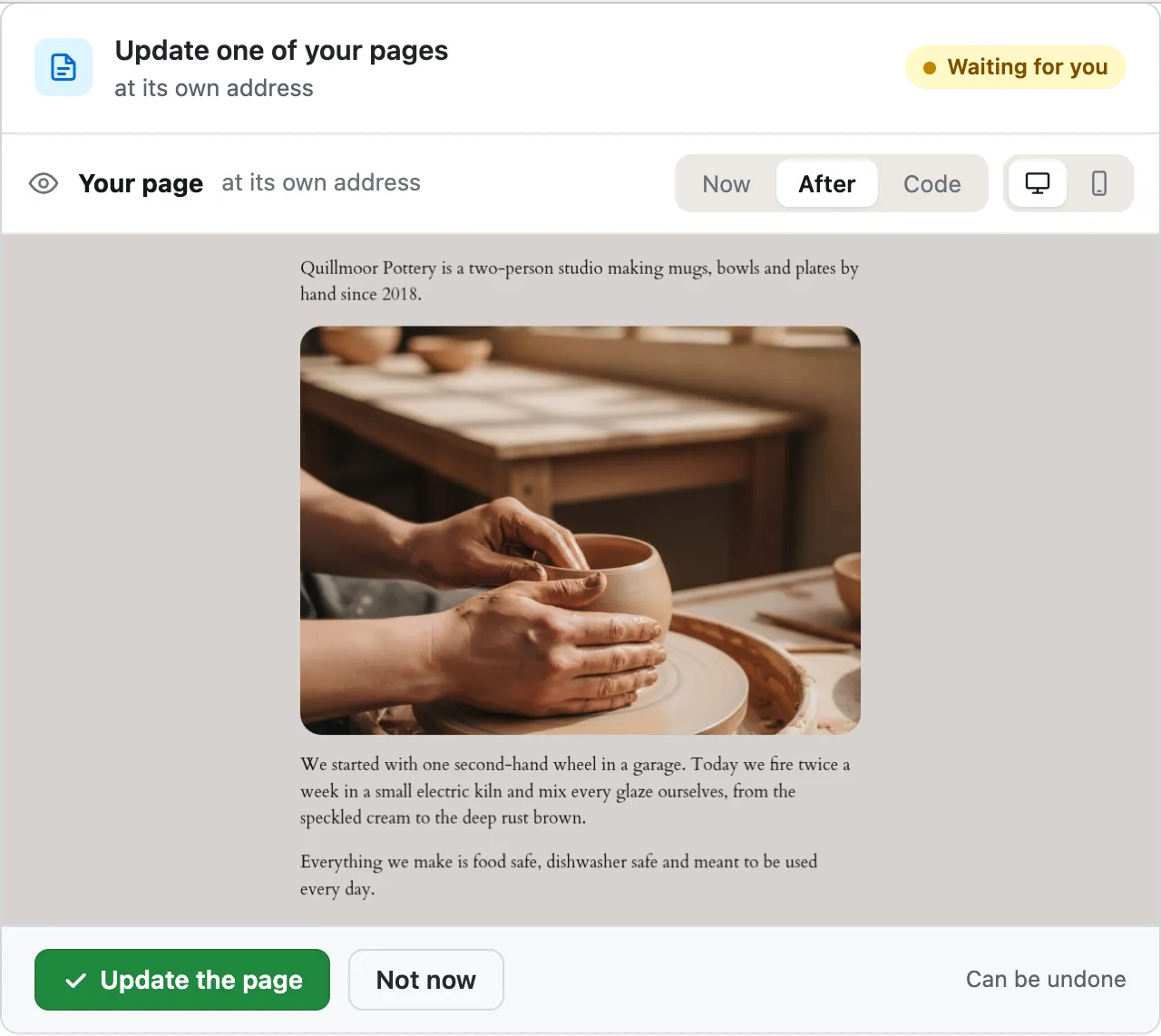
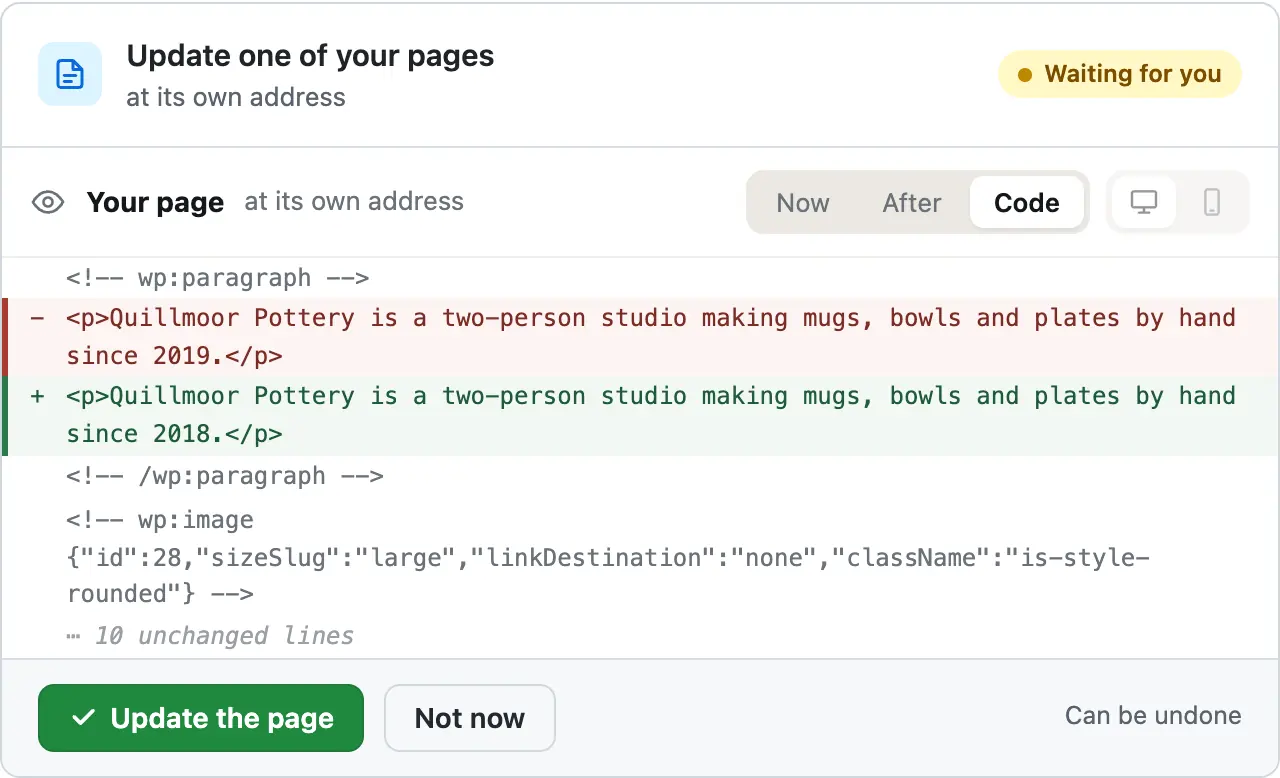
- <!-- wp:paragraph -->
- <p>Quillmoor Pottery is a two-person studio making mugs, bowls and plates by hand since 2019.</p>
- <p>Quillmoor Pottery is a two-person studio making mugs, bowls and plates by hand since 2018.</p>
- <!-- /wp:paragraph -->
- <!-- wp:image {"id":28,"sizeSlug":"large","linkDestination":"none","className":"is-style-rounded"} -->
Ready for you to review — it's on the About page, and the wording elsewhere on the page is untouched.
- Updating one of your pages
- Checking the change
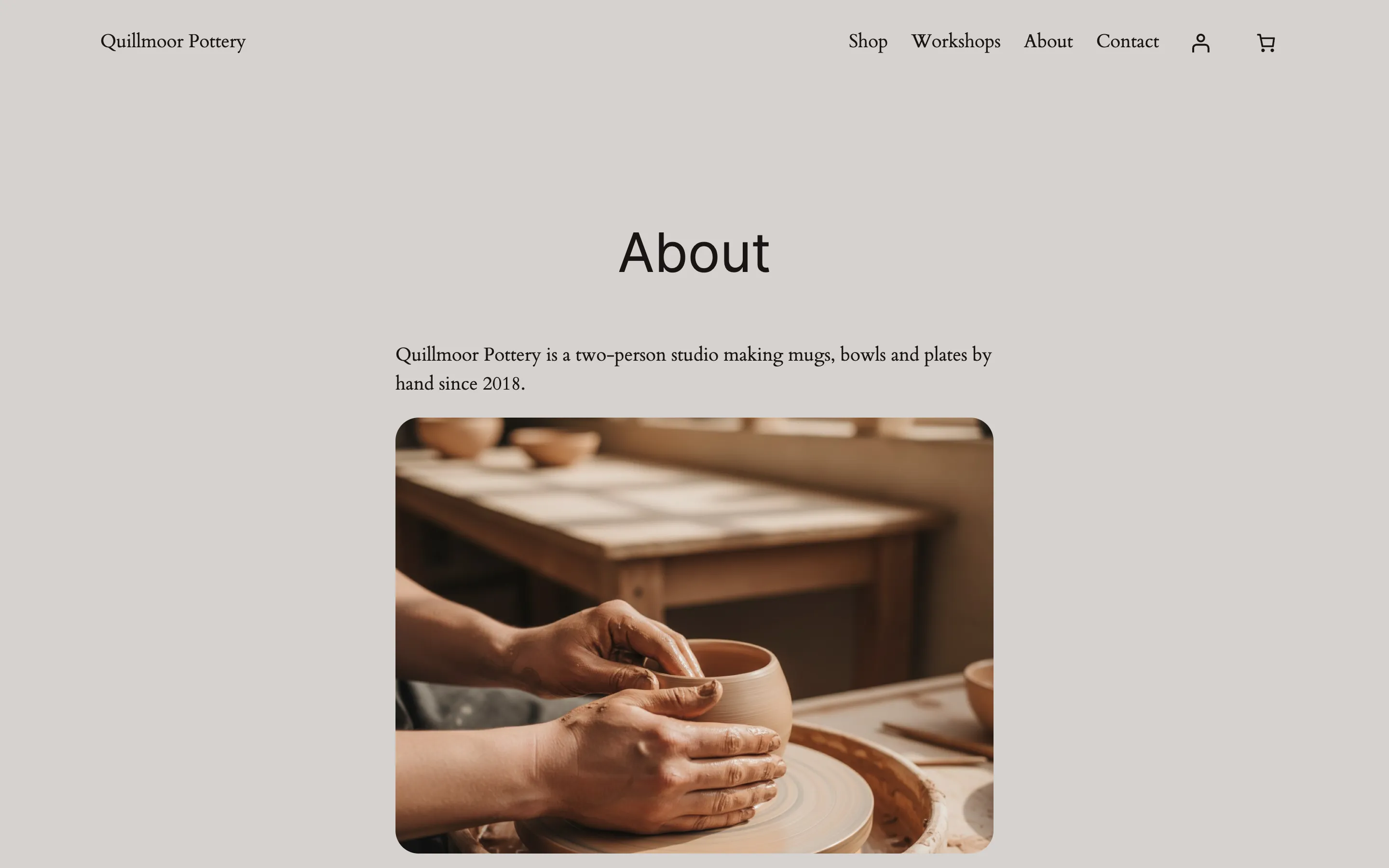
Done. I checked afterwards, and it now says "Quillmoor Pottery is a two-person studio making mugs, bowls and plates by hand since 2018.".
- Reverting the change
- Checking the change
Undone. I checked afterwards, and it's back the way it was.
A real run on our test site, Quillmoor Pottery (WP 7.1.3, Twenty Twenty-Four), . From asking to done, it took 38 seconds.
- It changes words on your pages and posts. A card, a box showing exactly what would change, comes first.
- It updates a plugin from the WP plugin directory, checks your site, and puts the old version back if the site got worse.
- Ask for a health report. On our test site it wrote the report and changed nothing.
More it does here (6)
- It writes a new page or blog post for you. Undo removes it.
- It installs plugins from the WP plugin directory. Undo switches the plugin off and deletes it.
- On block themes it edits the header and footer, and adds or moves blocks. Undo puts them back.
- On block themes it adds a link to a menu. Undo puts the menu back.
- With your email, the free plan checks your site once a day, and at once if it crashes.
- If your site crashes, it finds the cause and a person at CMSHands approves the repair. Install it before anything breaks.
Do this on your own site
That's the whole job. The plugin is free: 3 changes to try it, no account. Nothing changes until you press the button, and an undo within 24 hours gives the change back.
Why it won't wreck your site
- Nothing changes until you press the button. Every change comes as a card that names it. Nothing happens until you press the button or Not now.
- You see it first. Old words in red, new words in green. For layout, before-and-after pictures on a computer and a phone.
- One click undoes it. When something can't be undone, like deleting a page or a plugin, the card says so before you press.
- Updates put themselves back. After a plugin update it checks your site. If the site got worse, the old version goes back on its own.
- A person checks every repair. When your site is down you can't reach the chat, so a person at CMSHands approves the fix before it runs.
Where CMSHands stops
- Header and footer on older themesOn an older (classic) theme, a theme with Appearance › Customize instead of Editor, it can't change the header, footer or menus.
- Not widgets, Divi or Beaver BuilderIt edits pages, posts, and the header, footer and menus on block themes. Widgets, theme settings, and Divi and Beaver Builder pages stay with you.
- Premium pluginsInstalls and updates cover the WP plugin directory, the free plugins at wordpress.org. A plugin you bought updates through its maker.
- Repairs wait for a personWe prepare the fix, and a person at CMSHands approves it before it runs. Only on sites that had CMSHands before they broke. Hosts differ.
- It can't be installed into a site that is already down.A plugin can't run on a site that won't load. Install it while your site works, so the next crash is caught.
Free to start
- No account
- 3 to try it
- With your email
- 10 every month
- Pro or Max
- 100 a month on Pro ($20), 500 on Max ($100), shared by your sites
A change is one card you approve. A job that touches several pages or plugins is several changes.What's free
More it can do
- Words and pages:
Copy a page
“Make a copy of the About page as a draft called "About (new)".”
It took 16 seconds on our test site. - Header and footer:
Keep your header on screen
“Make my header stay at the top of the screen when people scroll.”
It took 2 minutes 9 seconds on our test site. - Health and checkups:
A security check of your site
“Check my site for security problems and tell me what to fix first.”
It took 39 seconds on our test site.
Questions about AI plugins for WordPress
Do I need an API key or an AI account?
No. The AI comes with the plugin. Install it, press Start working, and ask. Free to start: 3 changes with no account, then 10 a month with your email. Questions are free, up to 30 a day.
Is there a help chat inside WordPress?
Not one that comes with WP. Help lives in the docs at wordpress.org/documentation and the forums at wordpress.org/support. CMSHands adds a chat: a free plugin that puts it in your dashboard, the screens you log in to at yoursite.com/wp-admin. Ask a question, or ask for a change. A change shows as a card first, and nothing happens until you press.
Can a plugin update my other plugins and check my site after?
Yes. CMSHands updates one plugin from the WP plugin directory at a time, checks your site after, and puts the old version back if it got worse. On our test site, a WP site we run to try every task before we write about it, we broke Contact Form 7 6.2.1 on purpose. It found the errors and put 6.1.7 back on its own. Whatever you use, update one plugin at a time and load your home page after each.
Does it work with my theme?
For words on pages and posts, yes. Header, footer and styling changes need a block theme, the newer kind of WP theme. To check yours, open Appearance in your dashboard. A block theme shows Editor. An older (classic) theme shows Customize instead, and there the header and footer stay with you.
What happens if my site crashes?
If CMSHands was on your site before the crash, it reads your error log for the cause, and a person at CMSHands approves the repair before it runs. We tried this on our test sites; hosts differ. If it wasn't, it can't be installed into a site that won't load. Then open your host's file manager and rename the folder of the plugin you changed last, in wp-content/plugins.
What does the AI see of my site, and who reads the chat?
It reads what a task needs, like a page's words or your plugin list. People at CMSHands can read your chat. We read chats where something went wrong, like an undo, and 1 in 20 of the others at random, to fix mistakes and make answers better. What the assistant read on your site is deleted after 90 days. Your chat itself stays until you ask us to delete it. What we keep, and for how long
Written by the CMSHands team. First published .
Try it on your own site
- 1. Download the plugin.A free zip file
- 2. Upload and activate it.Plugins › Add Plugin › Upload Plugin
- 3. Give CMSHands a task.Press Start working, then ask in your words
Works best on WP 6.3 or newer with PHP 8.0 or newer. What works on older sites