
Add a new page to your WP site
CMSHands, a free WordPress plugin, adds a chat to your dashboard. Type “Add a page called Classes” and what goes on it. Press the button, undo in one click.
It makes the page in the WP editor, not with a page builder. What's a page builder?
It makes the page in the WP editor, not with a page builder. What's a page builder?
Works on sites hosted at





Watch it do this on a real site
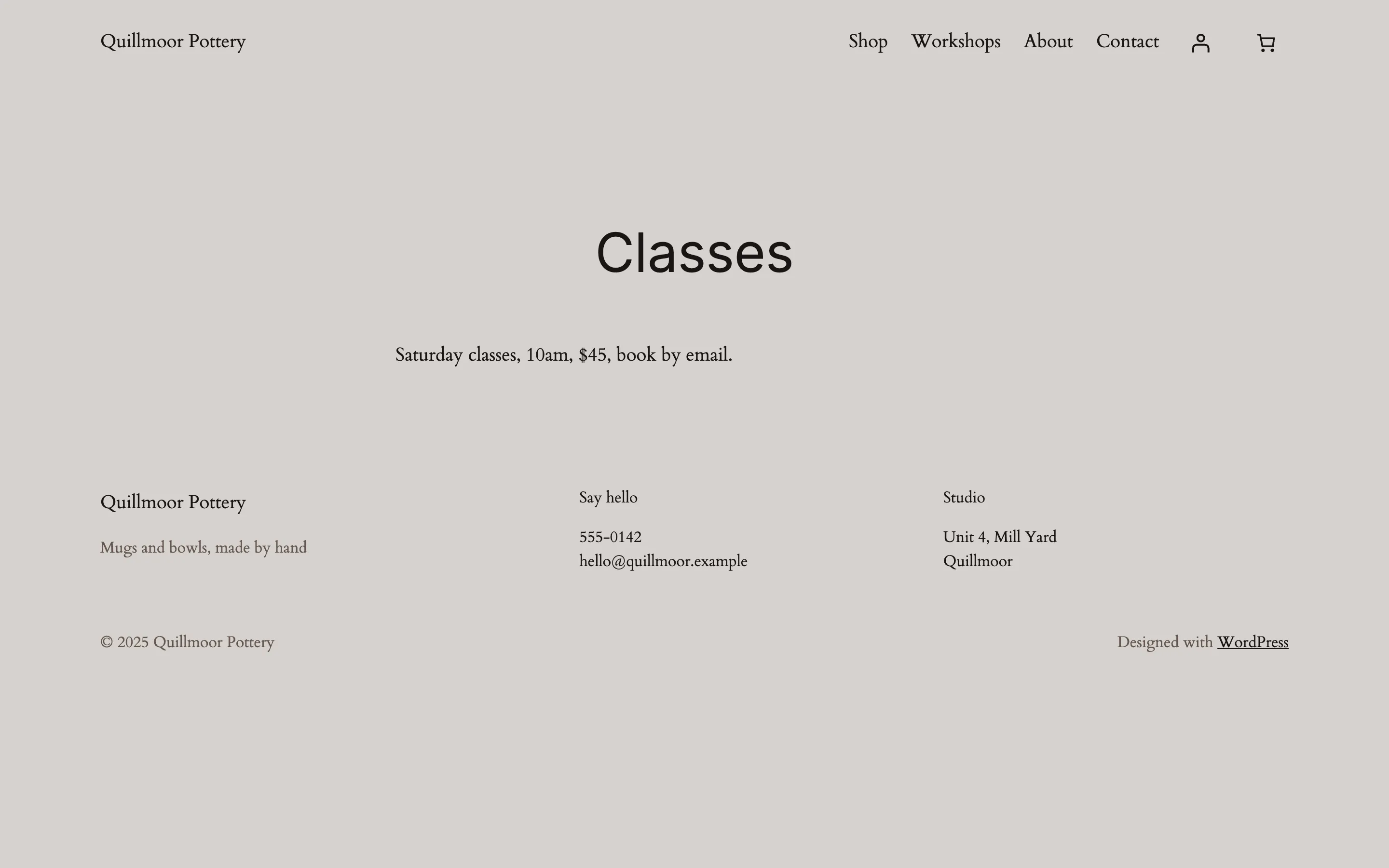
The card names the new page but shows no picture of it. Step 4, It's on the site, shows the page right after: its title, then your words.
You ask
Add a page called Classes: Saturday classes, 10am, $45, book by email.
Add a page called Classes: Saturday classes, 10am, $45, book by email.

- Looking for what you meant
- Preparing the change for your OK
Ready for you to review. There was no page called "Classes" already, and it isn't linked from anywhere yet — say the word if you want it in your menu.
- Adding a page
- Checking the change
Done. I checked afterwards, and the change is in place.
- Reverting the change
- Checking the change
Undone. I checked afterwards, and it's back the way it was.
A real run on our test site, Quillmoor Pottery (WP 7.1.3, Twenty Twenty-Four), . From asking to done, it took 12 seconds.
- It adds a new page with the title and words you give it, once you press the button, and checks it afterwards.
- Undo takes the new page off your site: it goes to the trash.
- In our test run it looked for a page called Classes before adding one, and said there wasn't one.
Do this on your own site
That's the whole job. The plugin is free: 3 changes to try it, no account. Nothing changes until you press the button, and an undo within 24 hours gives the change back.
How to create a page in WordPress yourself
In WordPress, go to Pages › Add Page, type a title and the words, then press Publish twice.
Checked on WP 7.1,
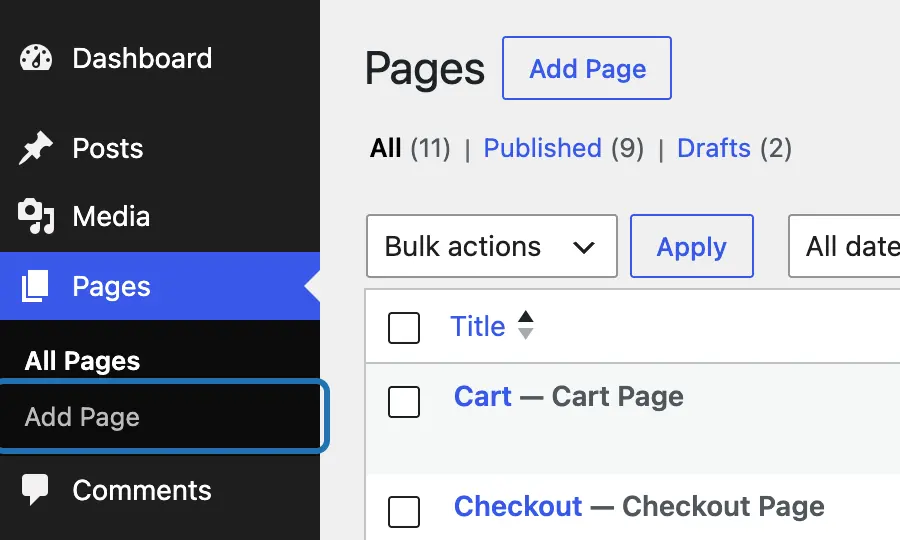
1. Log in to your dashboard (yoursite.com/wp-admin) and go to Pages › Add Page. The Add Page button on the Pages screen does the same.
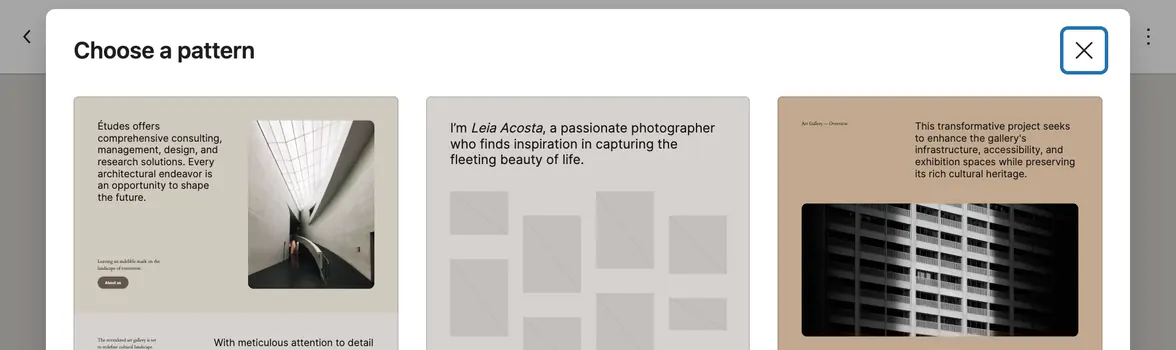
2. WP may open Choose a pattern, a set of ready-made layouts. Pick one to start from, or close the box for a blank page.
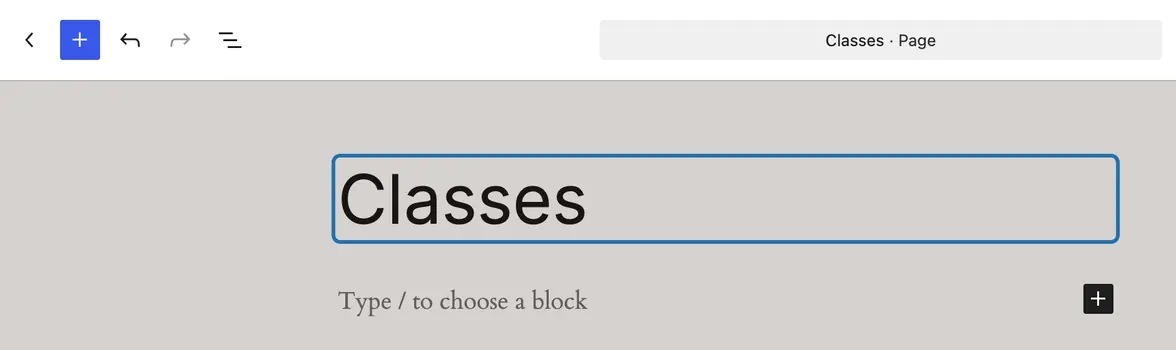
3. Click Add title and type the page's name, like Classes. WP makes the page's address from it: yoursite.com/classes.
Show the picture
4. Press Enter and type what the page should say. Each paragraph is a block: a box you can move or change later.
Show the picture
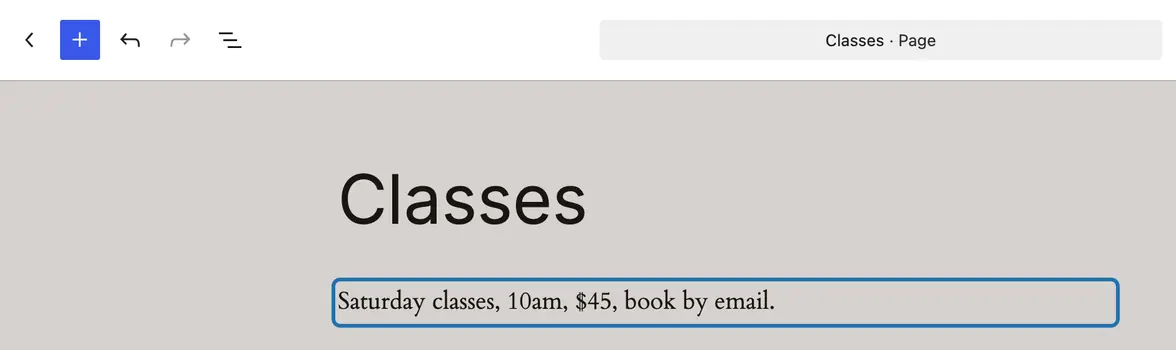
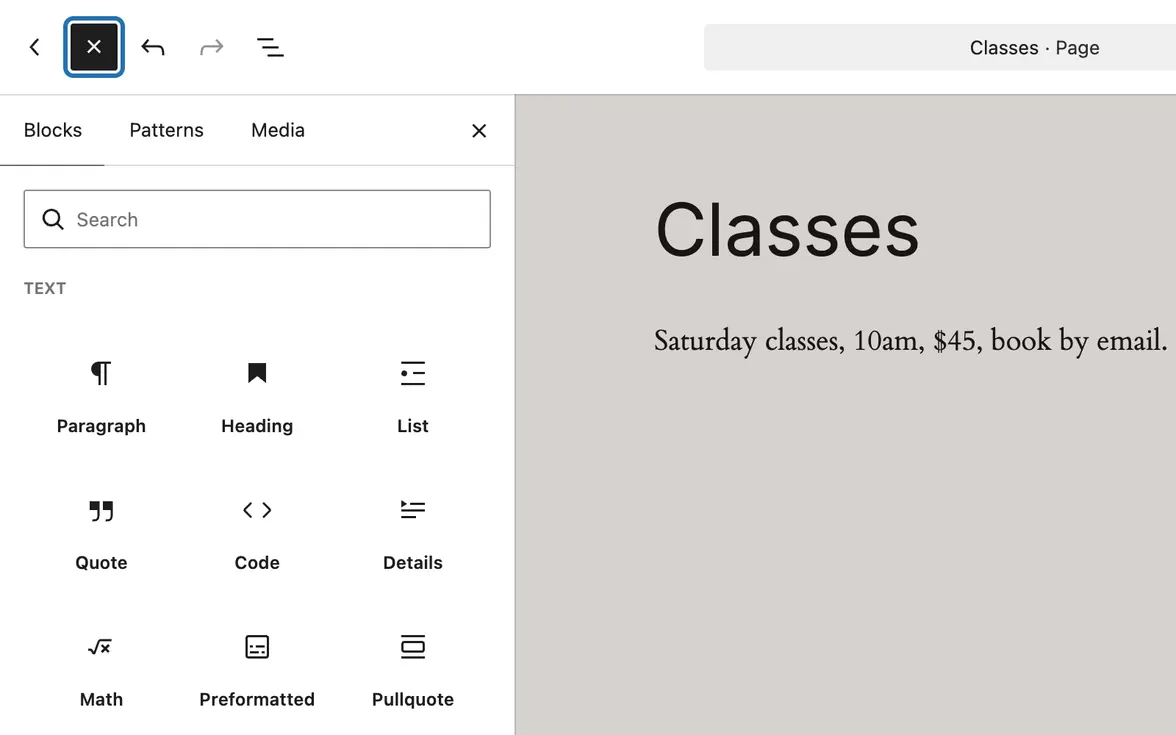
5. For a heading, a list, a picture or a button, press the + at the top left and pick a block from the list.
Show the picture
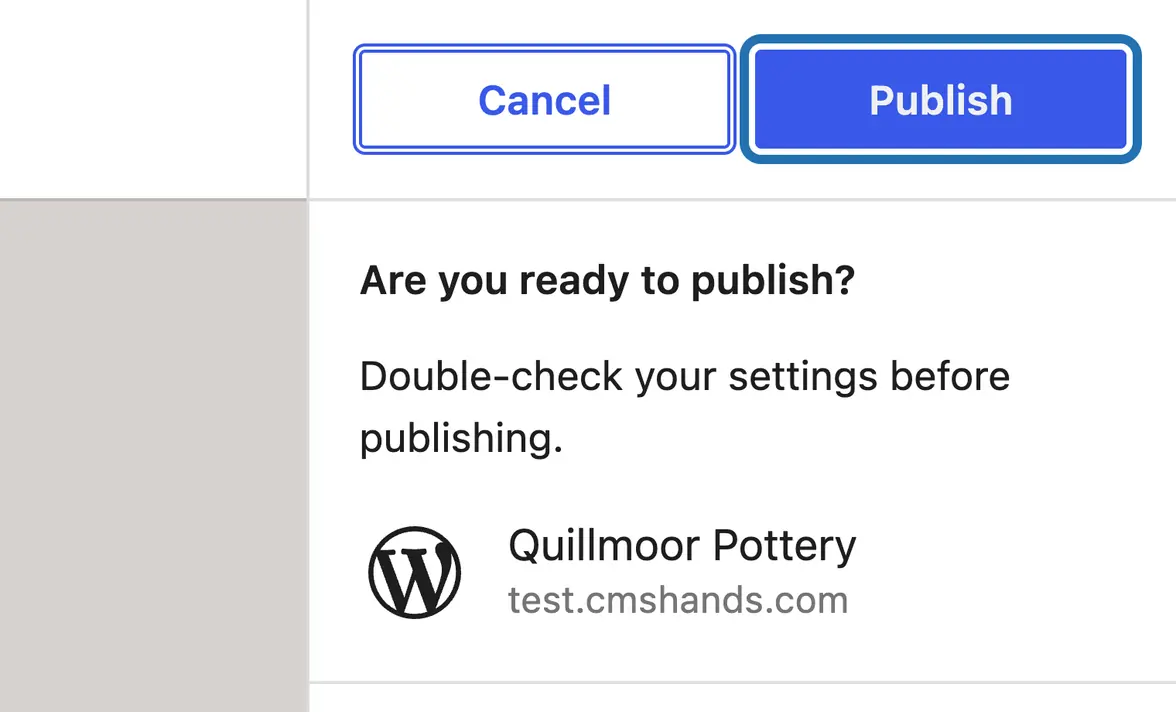
6. Press Publish at the top right. WP asks if you're ready: press Publish again. Not finished? Press Save draft instead.
Show the picture
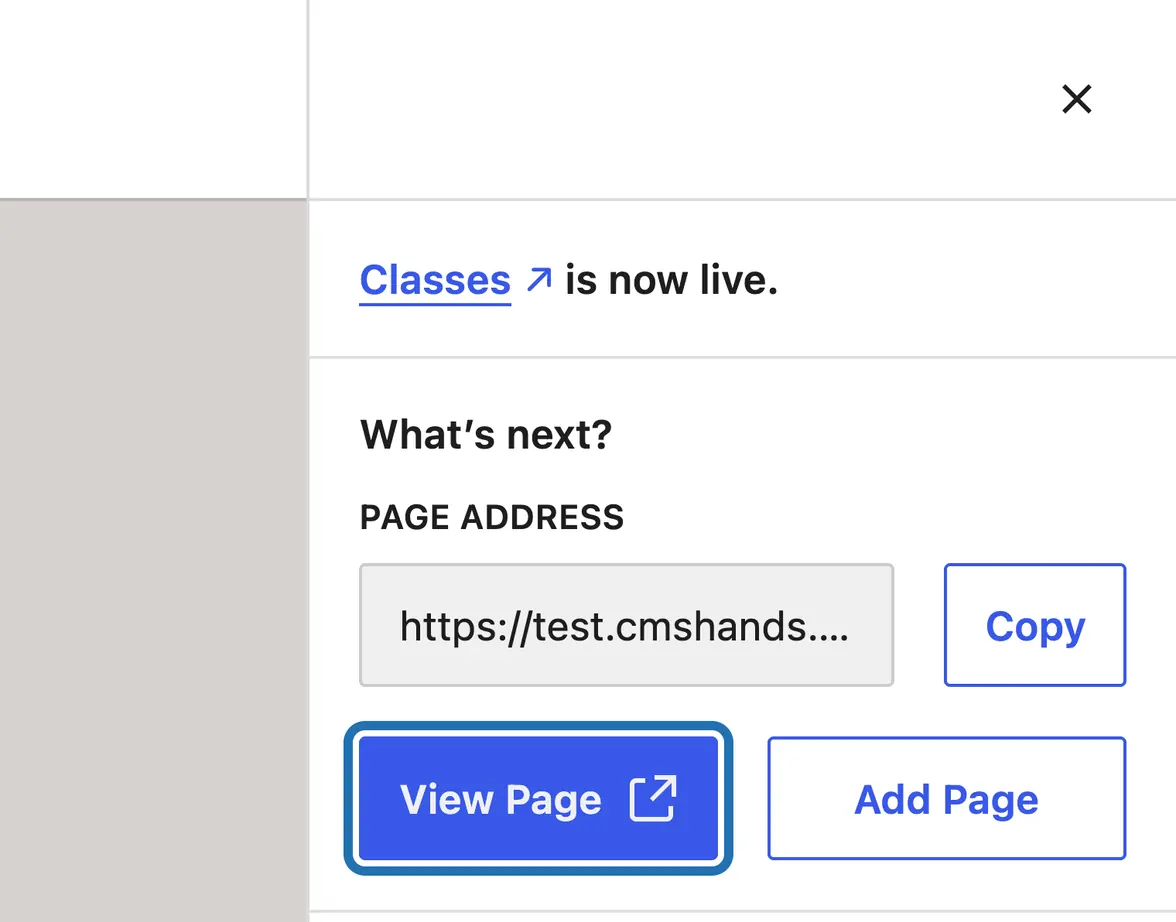
7. WP says the page is now live. Press View Page to see it the way your visitors will.
Show the picture

If your site has the Classic Editor plugin, the new page opens as one big text box instead of blocks. Type the title at the top, the words below, and press Publish on the right.
Pages are for things that stay put, like About, Contact or Classes. Posts are dated news that show up on your blog. A new page often isn't in your menu until you add it, and it doesn't become your home page on its own: both are answered in the questions below.
Or ask for it in the chat
“Add a page called Classes: Saturday classes, 10am, $45, book by email.”
Why it won't wreck your site
- Nothing changes until you press the button. Every change comes as a card that names it. Nothing happens until you press the button or Not now.
- One click undoes it. When something can't be undone, like deleting a page or a plugin, the card says so before you press.
Where CMSHands stops
- Page buildersA page builder is a plugin such as Elementor or Divi that lays out pages its own way. CMSHands adds a normal WP page; builder pages need the builder itself.
- A preview of the new pageThe card names the change but shows no picture of the page. You see it on your site after pressing the button, and Undo takes it away.
- Adding it to your menuIt doesn't add the menu link with the page. On a block theme, ask for it as a second change: add a link to your menu.
- Pictures on the new pageIt can't make a picture. Send one in the chat and it goes on after your OK.
More it can do
- Words and pages:
Rename or add a blog category
“Rename the blog category "News" to "Studio news" and add a new category "Glazes".”
It took 15 seconds on our test site. - Updates and going back:
Go back to a plugin that worked
“Duplicate Page stopped working after the update. Go back to the version that worked.”
It took 1 minute 28 seconds on our test site. - Header and footer:
Add a link to your menu
“Add a "Workshops" link to my footer menu, pointing to the Workshops page.”
It took 26 seconds on our test site.
Questions about new pages
How do I add an About Us page in WordPress?
Like any other page: go to Pages › Add Page, title it About us, write a few lines about who you are, and press Publish. Then check your menu, because on many sites a new page isn't added to it on its own. With CMSHands, type “Add a page called About us” followed by the words you want on it.
How do I make a new page my home page?
Publish the page first. Then open Settings › Reading, set Your homepage displays to A static page, and select the new page under Homepage. Press Save Changes, and your site's main address opens that page. We haven't tested CMSHands switching this setting yet, so do this part yourself.
Can I import a Word document into a WP page?
WP has no Word button, but pasting works. Open the document, copy the text, and paste it into a new page in the WP editor. Headings, bold, lists and links usually come across. Pictures often don't, so add those with an Image block. Our test run on this page used words typed into the chat, not a file.
Can I undo adding a page?
Yes. In Pages › All Pages, hover over the page and click Trash. WP usually keeps trashed pages for 30 days, so you can restore one. With CMSHands, press Undo on the card. In our test run that moved the new page to the trash, and the assistant said: “Undone. I checked afterwards, and it's back the way it was.”
Is it free to add a page with CMSHands?
To start, yes: 3 changes with no account, then 10 a month once you add your email. Questions are free, up to 30 a day (100 with your email).
Written by the CMSHands team. First published .
Try it on your next new page
- 1. Download the plugin.A free zip file
- 2. Upload and activate it.Plugins › Add Plugin › Upload Plugin
- 3. Give CMSHands a task.Press Start working, then ask in your words
Works best on WP 6.3 or newer with PHP 8.0 or newer. What works on older sites