
Edit your WP home page
CMSHands, a free WordPress plugin, adds a chat to your dashboard. Type “Change the big heading to Mugs made by hand.” See it first; undo in one click.
For a home page set in Settings › Reading. Not one your theme builds. How to check yours
For a home page set in Settings › Reading. Not one your theme builds. How to check yours
Works on sites hosted at





Watch it do this on a real site
You ask
On the home page, change the big heading to “Mugs made by hand”.
On the home page, change the big heading to “Mugs made by hand”.

- Looking for what you meant
- Reading one of your pages
- Reading one of your pages
- Preparing the change for your OK
- Preparing the change for your OK
- Previewing your page
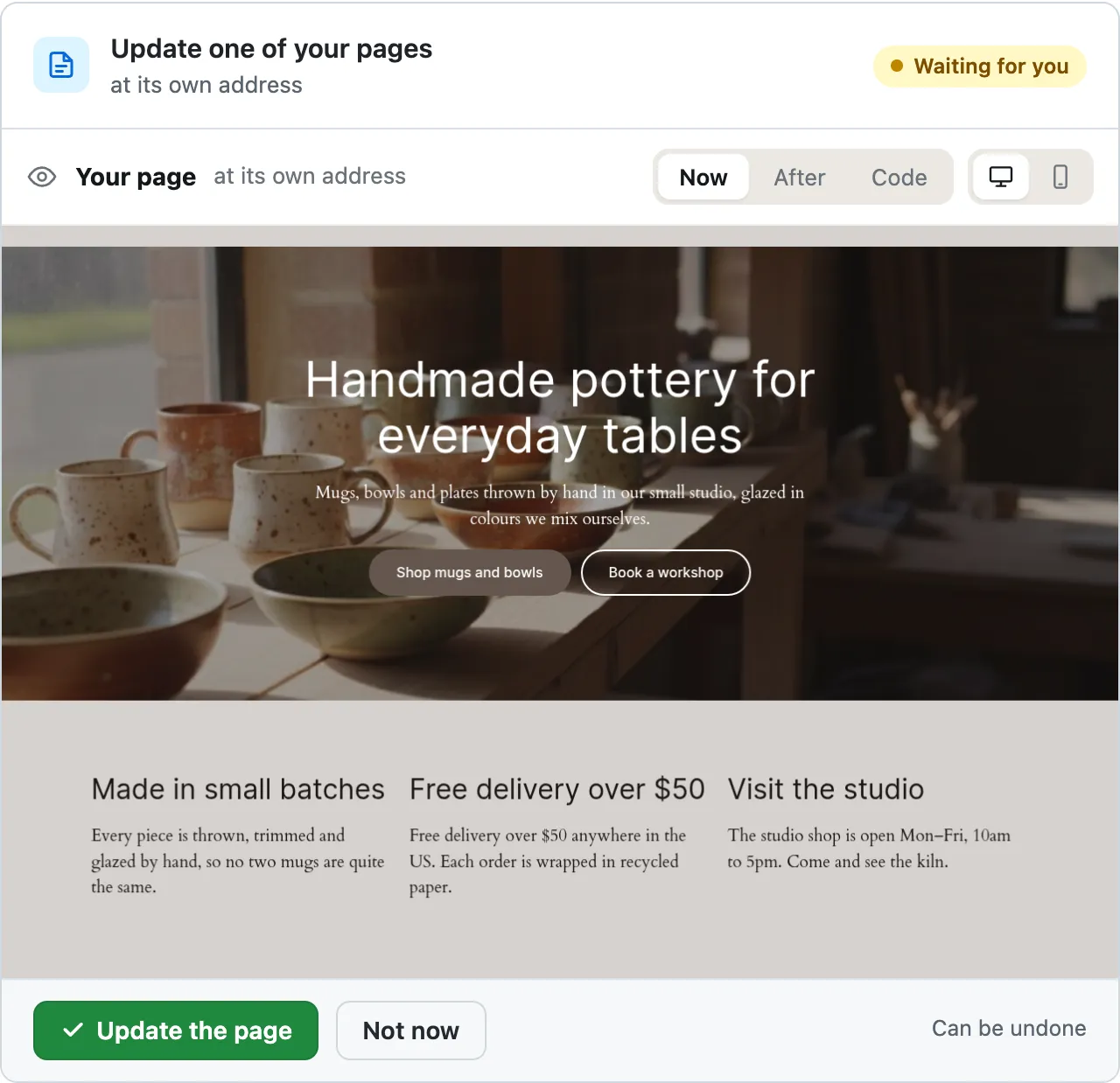
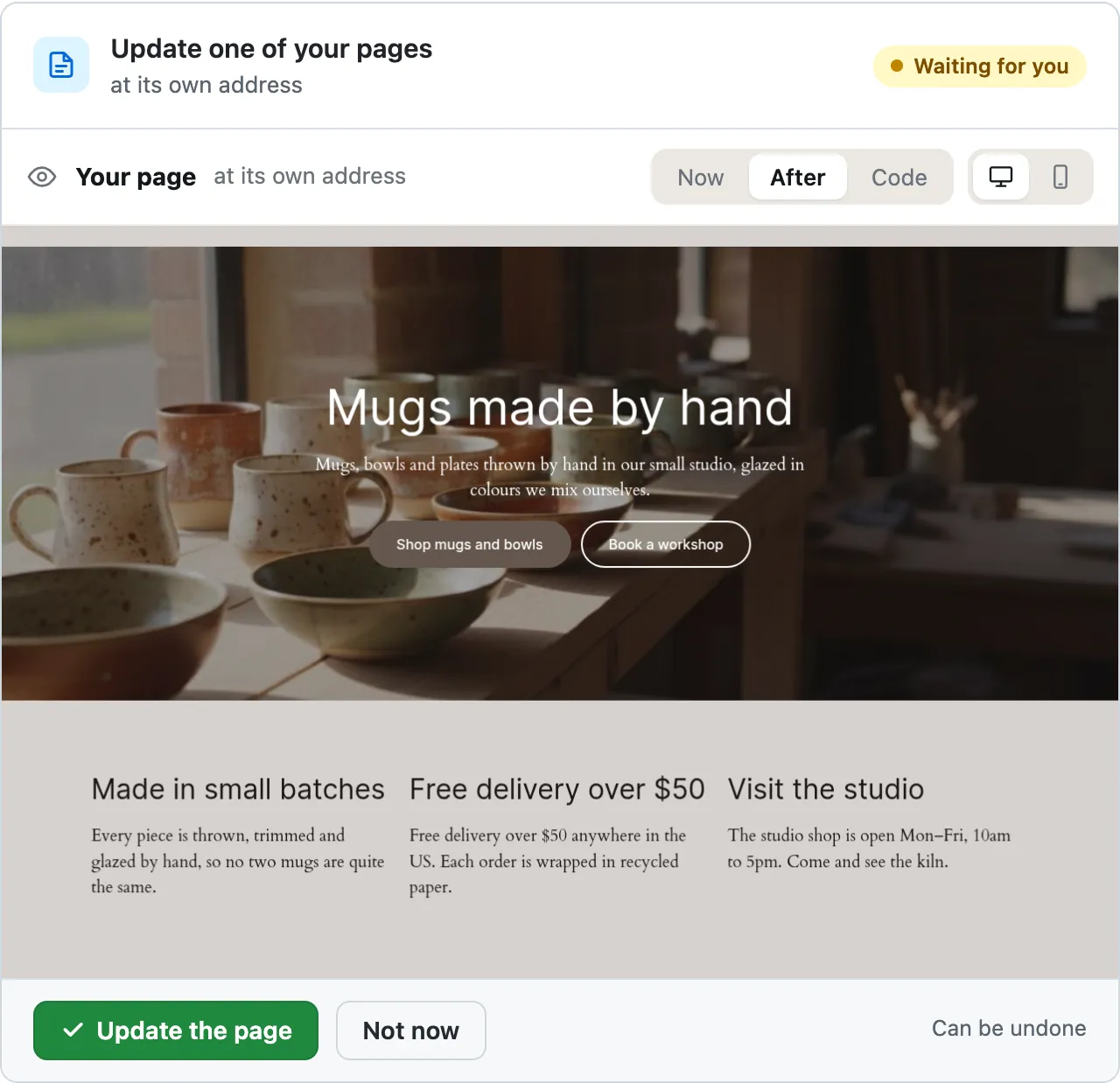
- <!-- wp:cover {"url":"https://mysite.com/wp-content/uploads/2026/10/quillmoor-hero-1024x585.jpg","id":27,"dimRatio":40,"overlayColor":"contrast","minHeight":520,"align":"full","layout":{"type":"constrained"}} -->
- <div class="wp-block-cover alignfull" style="min-height:520px"><span aria-hidden="true" class="wp-block-cover__background has-contrast-background-color has-background-dim-40 has-background-dim"></span><img class="wp-block-cover__image-background wp-image-27" alt="" src="https://mysite.com/wp-content/uploads/2026/10/quillmoor-hero-1024x585.jpg" data-object-fit="cover"/><div class="wp-block-cover__inner-container"><!-- wp:heading {"textAlign":"center","level":1,"fontSize":"xx-large"} -->
- <h1 class="wp-block-heading has-text-align-center has-xx-large-font-size">Handmade pottery for everyday tables</h1>
- <h1 class="wp-block-heading has-text-align-center has-xx-large-font-size">Mugs made by hand</h1>
- <!-- /wp:heading -->
- <!-- wp:paragraph {"align":"center","fontSize":"medium"} -->
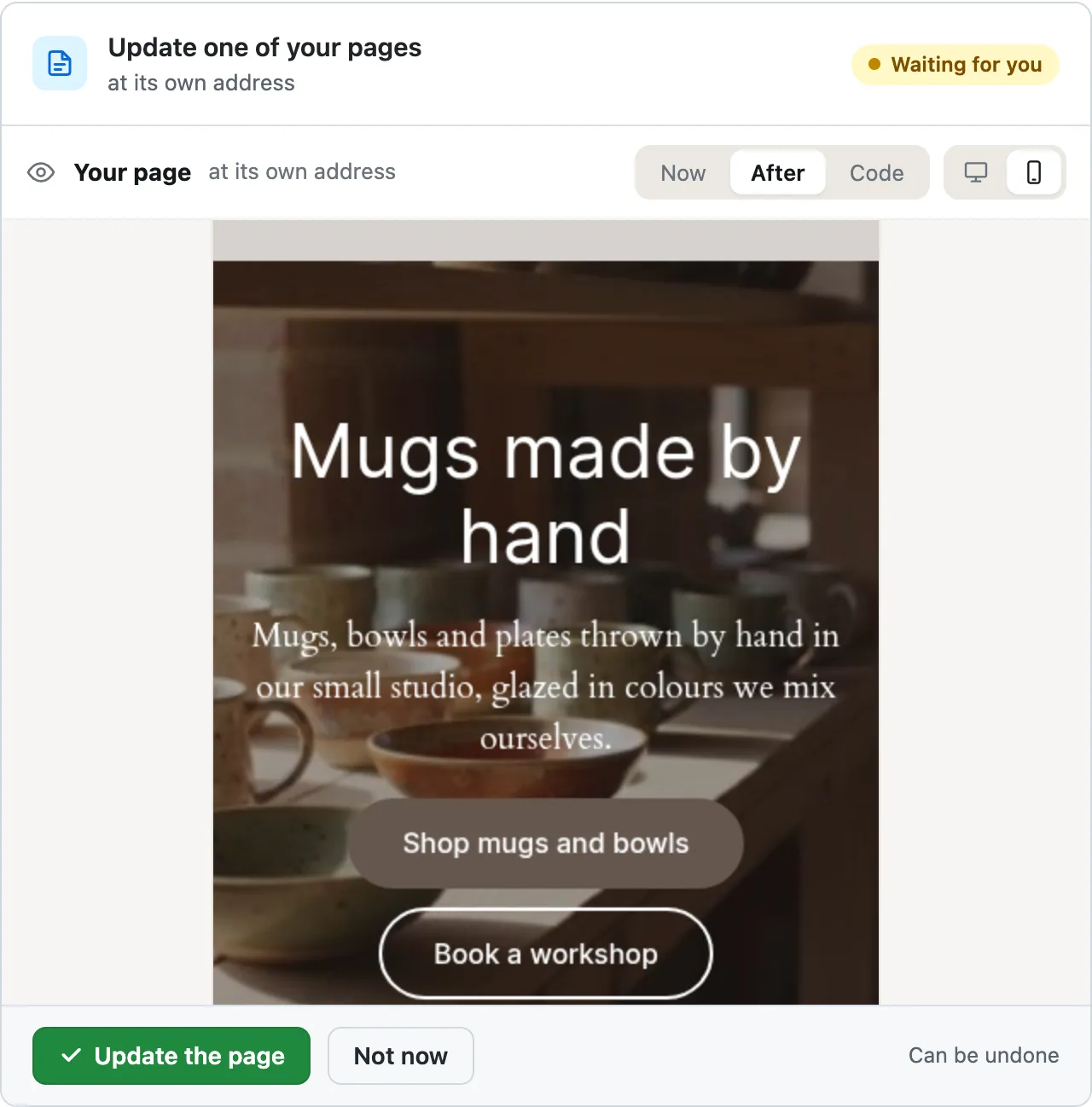
Ready for you to review — the heading is the big one over the photo at the top of the home page (a page), and everything else on the page is untouched.
On the home page, change the big heading to “Mugs made by hand”.
- <!-- wp:cover {"url":"https://mysite.com/wp-content/uploads/2026/10/quillmoor-hero-1024x585.jpg","id":27,"dimRatio":40,"overlayColor":"contrast","minHeight":520,"align":"full","layout":{"type":"constrained"}} -->
- <div class="wp-block-cover alignfull" style="min-height:520px"><span aria-hidden="true" class="wp-block-cover__background has-contrast-background-color has-background-dim-40 has-background-dim"></span><img class="wp-block-cover__image-background wp-image-27" alt="" src="https://mysite.com/wp-content/uploads/2026/10/quillmoor-hero-1024x585.jpg" data-object-fit="cover"/><div class="wp-block-cover__inner-container"><!-- wp:heading {"textAlign":"center","level":1,"fontSize":"xx-large"} -->
- <h1 class="wp-block-heading has-text-align-center has-xx-large-font-size">Handmade pottery for everyday tables</h1>
- <h1 class="wp-block-heading has-text-align-center has-xx-large-font-size">Mugs made by hand</h1>
- <!-- /wp:heading -->
- <!-- wp:paragraph {"align":"center","fontSize":"medium"} -->
- Updating one of your pages
- Checking the change
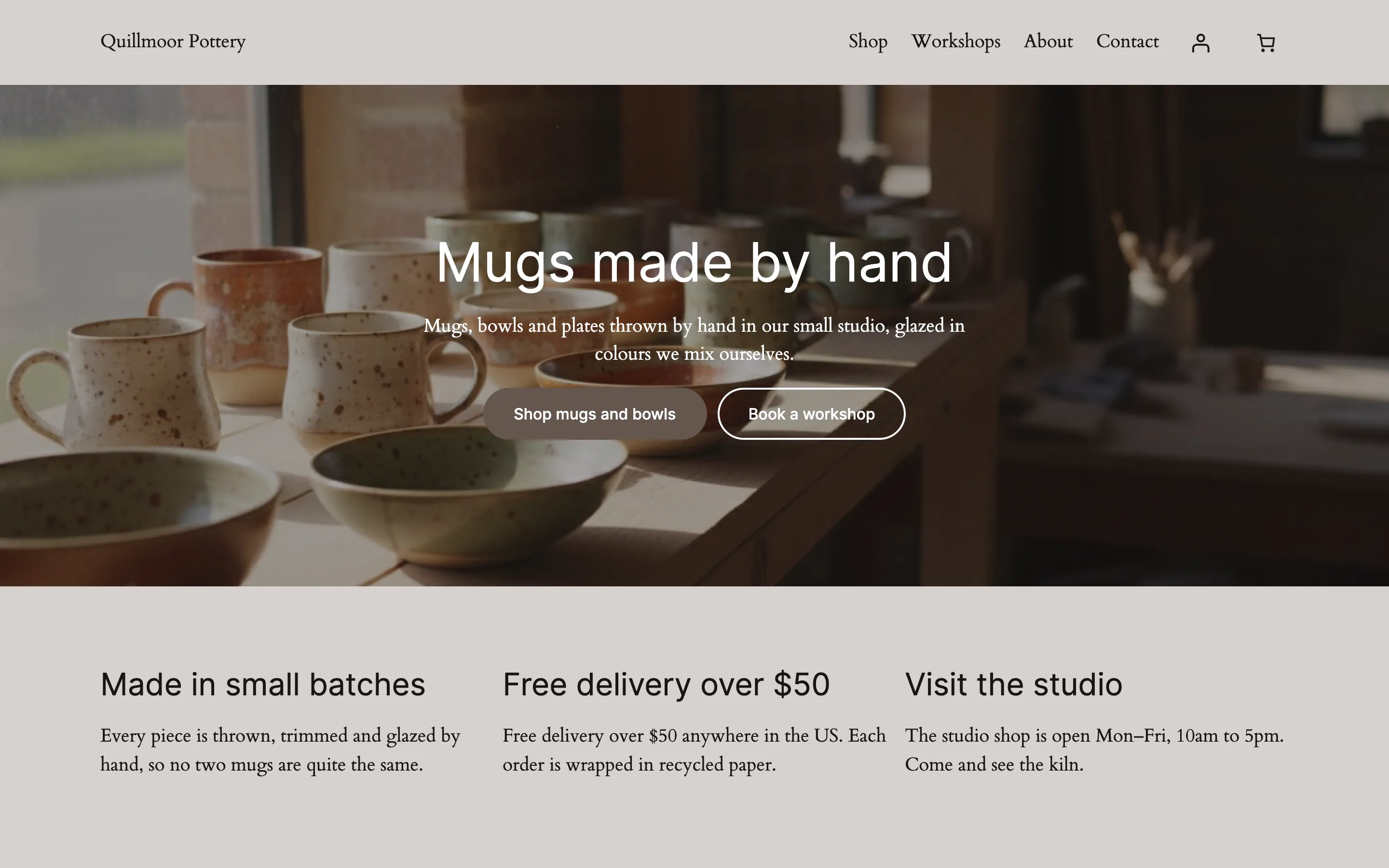
Done. I checked afterwards, and it now says "Mugs made by hand".
- Reverting the change
- Checking the change
Undone. I checked afterwards, and it's back the way it was.
A real run on our test site, Quillmoor Pottery (WP 7.1.3, Twenty Twenty-Four), . From asking to done, it took 41 seconds.
- It changes the words on your home page when you ask, and shows you the change before anything happens.
- Before you press, the card shows a picture of the page after the change, on a computer and on a phone, as it did on our test site's block theme.
- You don't need the heading's exact words: in our run, “the big heading” was enough.
Do this on your own site
That's the whole job. The plugin is free: 3 changes to try it, no account. Nothing changes until you press the button, and an undo within 24 hours gives the change back.
How to edit the home page in WordPress yourself
In WordPress, find your home page under Settings › Reading, open it from Pages, change the words, then press Save.
Checked on WP 7.1,
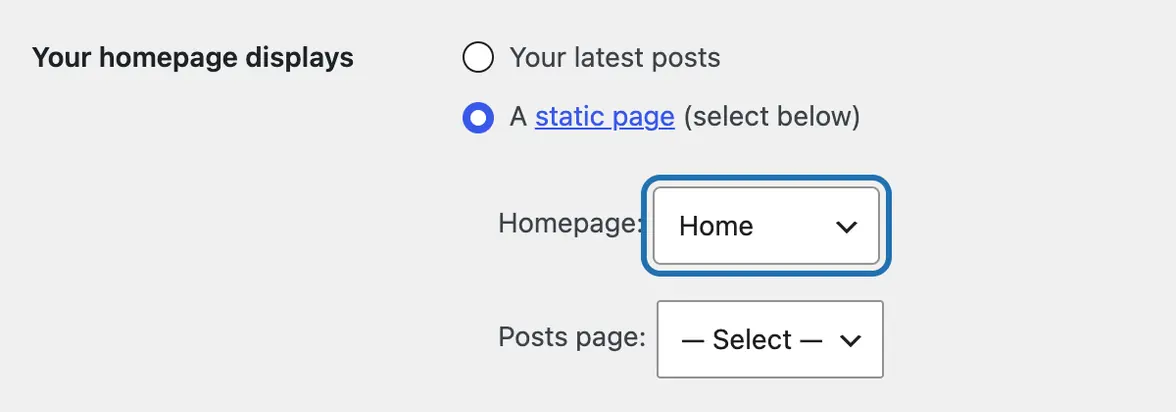
1. In your dashboard, go to Settings › Reading. Under Your homepage displays, the page in the Homepage list is your home page.
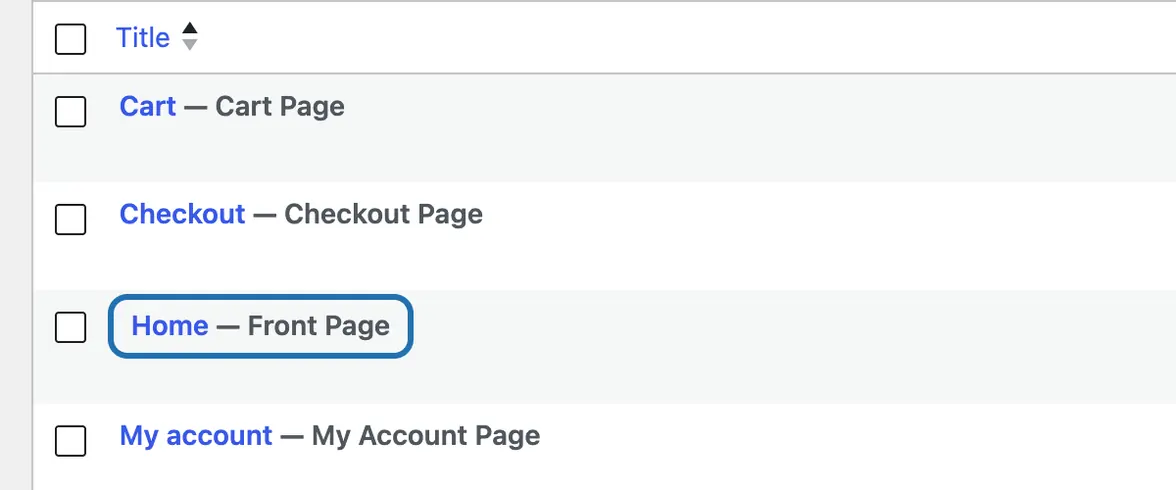
2. Go to Pages. WP marks your home page with “— Front Page” after its name. Click the name to open it.
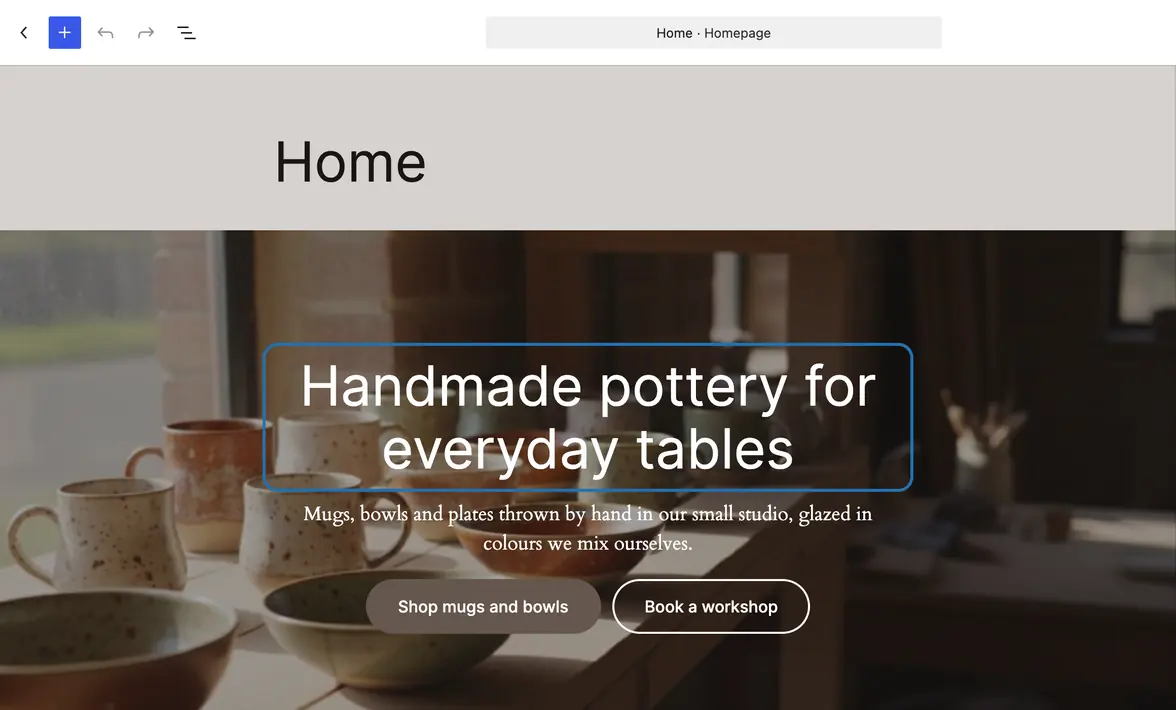
3. The page opens in the editor. Click the words you want to change, like the big heading, and type the new ones.
Show the picture
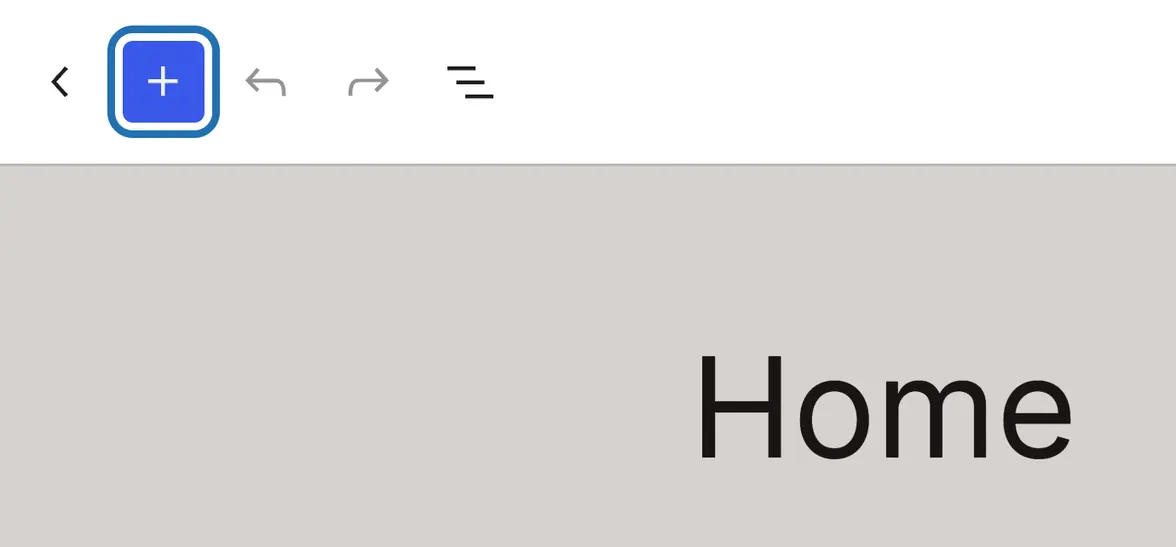
4. To add a line, click where it should go, press the blue + button at the top left and choose Paragraph.
Show the picture
5. Press Save at the top right. Your visitors see nothing new until you do.
Show the picture
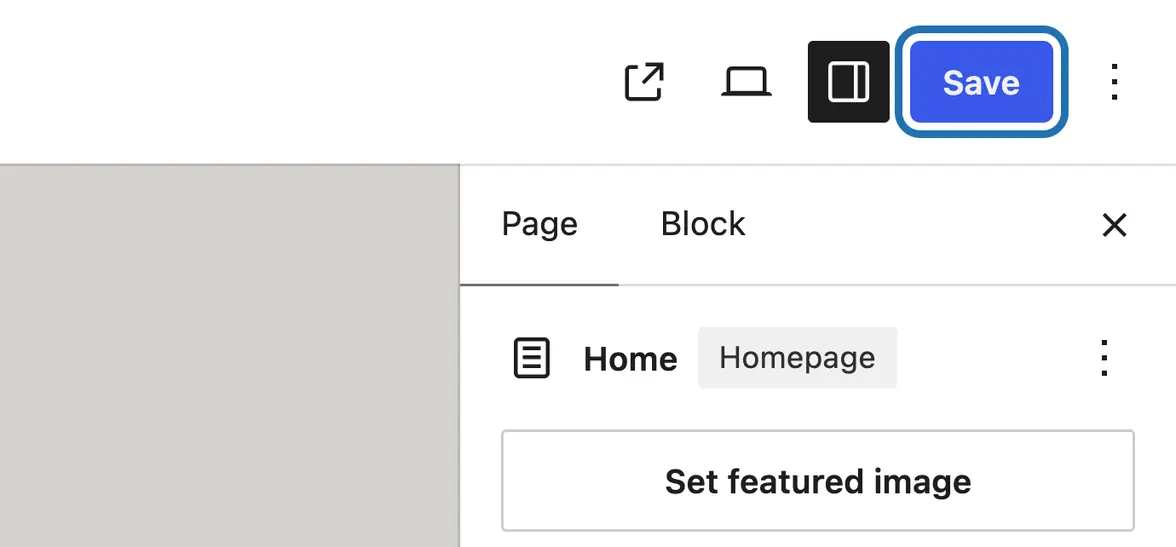
6. Open your site in a new tab and look at the home page. Check it on your phone too.
Show the picture
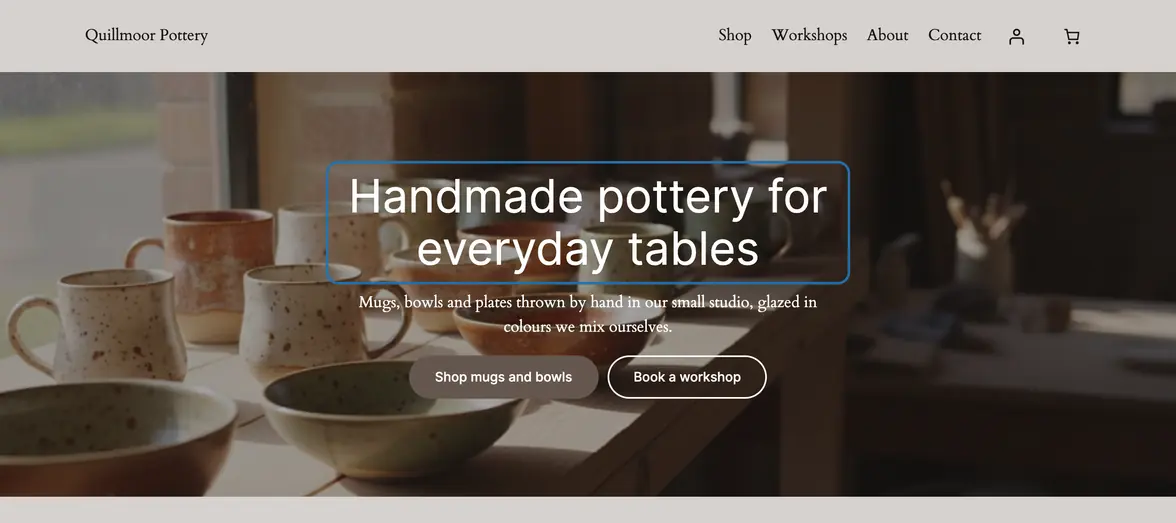
On an older (classic) theme, the kind with Appearance › Customize instead of Editor, the steps are the same: your home page is still a page. CMSHands changes its words the same way too. So far we've only seen the card's picture of the new page on a block theme, like our test site's. The header, menu and footer around it come from your theme, often under Appearance › Customize.
In the editor you may see the page's name, “Home”, above the big photo, as in step 3. Visitors don't see it on our test site: the page uses the Page No Title template. You'll find it under Template in the Page panel on the right.
Or ask for it in the chat
“On the home page, change the big heading to “Mugs made by hand”.”
Why it won't wreck your site
- Nothing changes until you press the button. Every change comes as a card that names it. Nothing happens until you press the button or Not now.
- You see it first. Old words in red, new words in green. For layout, before-and-after pictures on a computer and a phone.
- One click undoes it. When something can't be undone, like deleting a page or a plugin, the card says so before you press.
Where CMSHands stops
- Page-builder home pagesIt changes words, links and pictures on Elementor pages, not their layout. Divi and Beaver Builder pages stay as they are.
- A home page your theme builds itselfWhen Settings › Reading shows no page chosen, your theme builds the home page from a template. We haven't tested that yet.
- New photosIt can't make a picture. Send one in the chat and it goes on after your OK.
- Picking a different home pageIt doesn't switch which page is your home page. We haven't tested that setting yet, so change it in Settings › Reading yourself.
More it can do
- Words and pages:
Rename or add a blog category
“Rename the blog category "News" to "Studio news" and add a new category "Glazes".”
It took 15 seconds on our test site. - Header and footer:
Change your footer
“Add our opening hours to the footer: Tue–Sat, 10am to 5pm.”
It took 39 seconds on our test site. - Updates and going back:
Update plugins safely
“Update Contact Form 7 and check my site after.”
It took 17 seconds on our test site.
Questions about your home page
Where is the home page in WordPress?
In Settings › Reading. If Your homepage displays is set to A static page, the page in the Homepage list is your home page. Some call it the main or front page. Under Pages it's marked “— Front Page”. Open it there and edit it like any other page.
Why can't I find my home page under Pages?
Your site probably shows your latest posts on the home page, so no page is chosen in Settings › Reading. Then your theme builds the home page from a template. On a block theme, edit it in Appearance › Editor, under Templates. On an older theme, look in Appearance › Customize or the theme's own settings.
My theme's own front page is my home. Does it work?
We haven't tested that yet. If Settings › Reading shows no page chosen, ask us first. A home page picked there, like the one in our test run, works.
How do I make a different page my home page?
In Settings › Reading, choose A static page, pick the page in the Homepage list and press Save Changes. Your old home page stays as a normal page. CMSHands doesn't switch this setting for you: we haven't tested it yet.
Can I undo changes to my home page?
Yes. WP keeps a copy each time you save: open the page, press the number next to Revisions on the right, pick an older copy and press Restore This Revision. With CMSHands, press Undo on the card. In our test run it put the old heading back, and the assistant said: “Undone. I checked afterwards, and it's back the way it was.”
Is it free to edit my home page with CMSHands?
To start, yes: 3 changes with no account, then 10 a month once you add your email. Questions are free, up to 30 a day (100 with your email).
Written by the CMSHands team. First published .
Try it on your own home page
- 1. Download the plugin.A free zip file
- 2. Upload and activate it.Plugins › Add Plugin › Upload Plugin
- 3. Give CMSHands a task.Press Start working, then ask in your words
Works best on WP 6.3 or newer with PHP 8.0 or newer. What works on older sites