
WP Rollback alternative that checks the site after
WP Rollback is a trademark of its owner. CMSHands is not affiliated with it.
CMSHands, a free WordPress plugin, adds a chat to your dashboard. Ask for the version that worked. It checks the site. Broken? It switches back. Not premium plugins or themes.
Works on sites hosted at





WP Rollback and CMSHands, compared
| CMSHands | WP Rollback | |
|---|---|---|
| How you do it | Ask in a chat in your WP dashboard, the screens you log in to at yoursite.com/wp-admin. A card, a box in the chat that shows exactly what would change, waits for your OK | Click Rollback next to the plugin on the Plugins screen, pick a version from the list, then confirm4 |
| Which version | The release before yours, from wordpress.org. It works even if the update didn't go through the chat | Any past release on wordpress.org, betas included, picked from a list. It can roll forward too1 |
| Checks | Checks the release before the card appears and your site before the swap. After it, it checks your home page, login page and dashboard. If they got worse, the version you had goes back on its own. We tried it with 2.6.3 broken on purpose: 2.6.4 was back about 20 seconds later | Checks that the download is there and is a valid zip before any file changes. If a step fails, the version you had keeps running. Its docs list no check of your site after: they say to test it yourself2, 5 |
| Undo | Undo on the card puts the newer version back. It keeps that copy for 7 days; after that, Undo fetches it again from wordpress.org | Pick the newer version from the same list1 |
| Plugin settings | Stay as they are. It swaps the plugin's files, not what the plugin saved in your database | Stay as they are. Its docs say settings saved in the database are kept2 |
| Themes | No | Yes, themes from wordpress.org1 |
| Premium plugins | No. A plugin you bought updates through its maker | With WP Rollback Pro, from a shared library of versions or from copies saved on your site before premium updates2, 3 |
| Many sites | No: one site per install, not multisite | Multisite networks in the free plugin. Pro licenses cover up to 25 sites3, 5 |
| What it connects to | Turning it on connects your site to cmshands.com, where the chat runs | The free plugin works only with plugins and themes hosted on wordpress.org1 |
| Also does | Updates and installs plugins, changes words on pages, answers health questions, all by asking | Rollbacks. Pro adds a dashboard, a history, email reports and WP-CLI commands5 |
| Price | Free to start: 3 changes, then 10 a month with your email. More changes on Pro and Max | Free. Pro is $49 a year for 1 site, $99 for up to 5, $199 for up to 251, 3 |
How you do it
- CMSHands
- Ask in a chat in your WP dashboard, the screens you log in to at yoursite.com/wp-admin. A card, a box in the chat that shows exactly what would change, waits for your OK
- WP Rollback
- Click Rollback next to the plugin on the Plugins screen, pick a version from the list, then confirm4
Which version
- CMSHands
- The release before yours, from wordpress.org. It works even if the update didn't go through the chat
- WP Rollback
- Any past release on wordpress.org, betas included, picked from a list. It can roll forward too1
Checks
- CMSHands
- Checks the release before the card appears and your site before the swap. After it, it checks your home page, login page and dashboard. If they got worse, the version you had goes back on its own. We tried it with 2.6.3 broken on purpose: 2.6.4 was back about 20 seconds later
Show 8 more rows
Undo
- CMSHands
- Undo on the card puts the newer version back. It keeps that copy for 7 days; after that, Undo fetches it again from wordpress.org
- WP Rollback
- Pick the newer version from the same list1
Plugin settings
- CMSHands
- Stay as they are. It swaps the plugin's files, not what the plugin saved in your database
- WP Rollback
- Stay as they are. Its docs say settings saved in the database are kept2
Themes
- CMSHands
- No
- WP Rollback
- Yes, themes from wordpress.org1
Premium plugins
- CMSHands
- No. A plugin you bought updates through its maker
Many sites
- CMSHands
- No: one site per install, not multisite
What it connects to
- CMSHands
- Turning it on connects your site to cmshands.com, where the chat runs
- WP Rollback
- The free plugin works only with plugins and themes hosted on wordpress.org1
Also does
- CMSHands
- Updates and installs plugins, changes words on pages, answers health questions, all by asking
- WP Rollback
- Rollbacks. Pro adds a dashboard, a history, email reports and WP-CLI commands5
CMSHands and WP Rollback, for going back to a plugin version that worked. WP Rollback facts read Oct 11, 2026.
- 1. wordpress.org/plugins/wp-rollback, Oct 11, 2026
- 2. docs.wprollback.com/how-rollbacks-work, Oct 11, 2026
- 3. wprollback.com/pricing, Oct 11, 2026
- 4. docs.wprollback.com/plugin-rollbacks, Oct 11, 2026
- 5. wprollback.com/features, Oct 11, 2026
Try it free on your own site
Free to start: 3 changes with no account, then 10 a month with your email. Questions free, 30 a day. No card.
Watch it do this on a real site
When it works
You ask
Flamingo broke my contact page after the update. Go back to the last version that worked.
Flamingo broke my contact page after the update. Go back to the last version that worked.

- Listing your plugins and themes
- Reading a file on your site
- Looking for what you meant
- Reading one of your pages
- Loading a page the way a visitor would
- Preparing the change for your OK
- Flamingo 2.6.4
- Flamingo 2.6.3
Ready for you to review — this puts Flamingo back on 2.6.3 (the release before 2.6.4); if the site breaks after the change, 2.6.4 goes back on its own. …
- Checking your site before the change
- Putting Flamingo back on 2.6.3
- Checking your site
Flamingo is now on 2.6.3. I checked your homepage, login page and admin afterwards, and they load as they did before.
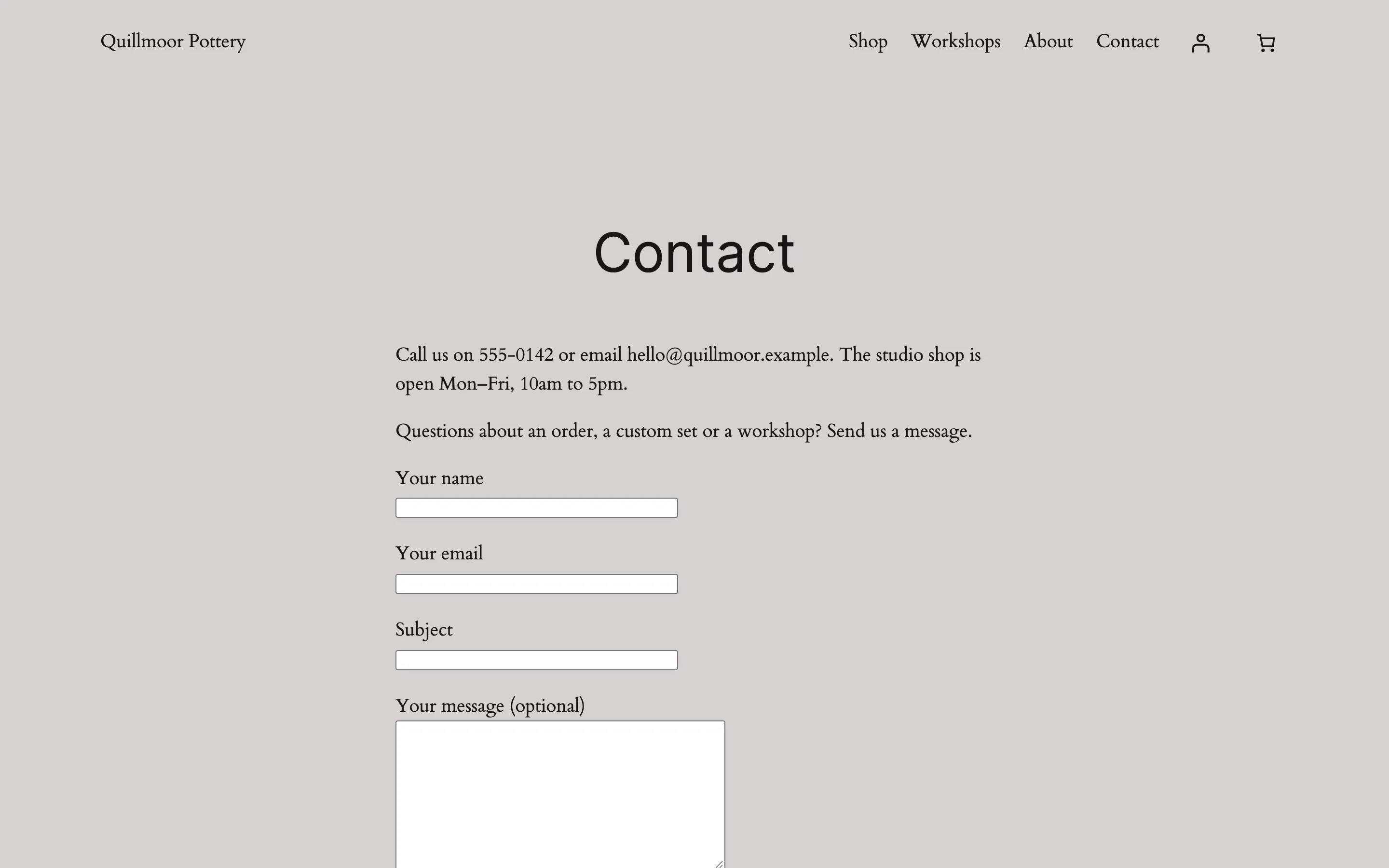
A real run on our test site, Quillmoor Pottery (WP 7.1.3, Twenty Twenty-Four), . From asking to done, it took 33 seconds.
When an update breaks the siteWe broke the update on purpose.
Same request, same card
Flamingo broke my contact page after the update. Go back to the last version that worked.
- Flamingo 2.6.4
- Flamingo 2.6.3
Ready for you to review — this puts Flamingo back on 2.6.3, the release before the 2.6.4 you have now, and if the site gets worse after it, 2.6.4 goes back on its own. …
- Checking your site before the change
- Putting Flamingo back on 2.6.3
- Checking your site
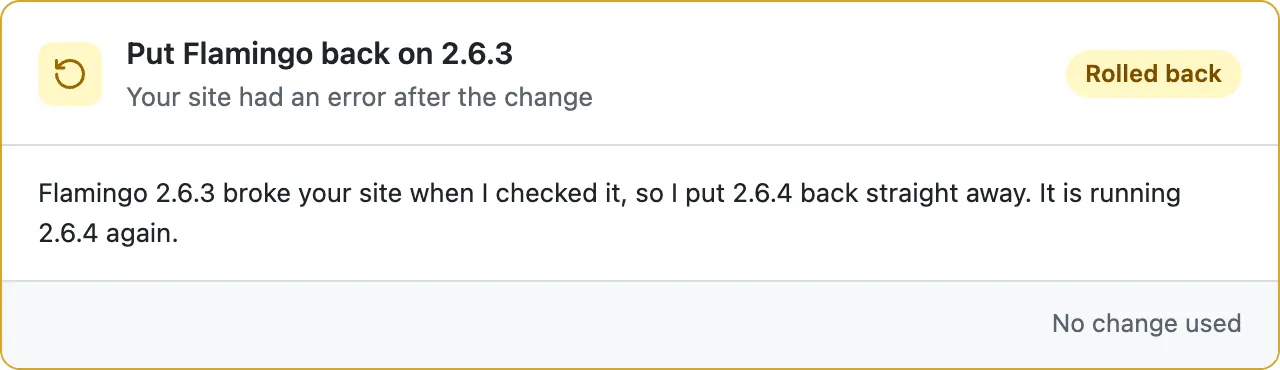
Flamingo 2.6.3 broke your site when I checked it, so I put 2.6.4 back straight away. It is running 2.6.4 again.
A real run on our test site, Quillmoor Pottery (WP 7.1.3, Twenty Twenty-Four), . From asking to done, it took 2 minutes 38 seconds. Shortened: 17 steps left out.
- Ask for the plugin version that worked. It finds that release on wordpress.org and shows it on a card before anything changes.
- After the swap it checks your home page, login page and dashboard. If they got worse, the version you had goes back on its own. We tried it with 2.6.3 broken on purpose: 2.6.4 was back about 20 seconds later.
- Undo on the card puts the newer version back.
More it does here (1)
- It works on a plugin that was updated outside the chat: it takes the release before yours from wordpress.org.
Do this on your own site
That's the whole job. The plugin is free: 3 changes to try it, no account. Nothing changes until you press the button, and an undo within 24 hours gives the change back.
Which one fits
Who should keep WP Rollback
Keep WP Rollback if you roll back themes, run a multisite network, or need plugins and themes you bought. Its free plugin moves any wordpress.org plugin or theme back or forward to any past release, betas included. WP Rollback Pro, from $49 a year, adds premium plugins and themes. CMSHands goes back only on plugins from the WP plugin directory, on one site, and never on themes.
Can you use WP Rollback and CMSHands together?
We haven't tested the two side by side on our test site yet. If you keep WP Rollback for themes or plugins you bought, roll back each plugin from one of them, not both, so you know which one changed what. The chat only knows the changes it made itself. In the run above, Flamingo had been updated outside the chat. It said so, and took the release before 2.6.4 from wordpress.org.
Where CMSHands stops
- Premium plugins and themesIt goes back only on plugins from the WP plugin directory, the free plugins at wordpress.org. No themes, and no plugins you bought.
- It checks that pages load, not that forms sendAfter the swap it checks that your home page, login page and dashboard load. A form that fails to send can still look fine, and a switched-off plugin isn't checked.
- A site that's already downIf the update took your whole site down, the plugin can't be installed now. Fix a site an update crashed first, then install it for next time.
- Copies of your whole siteIt doesn't copy your whole site. It keeps the version it replaced for Undo for 7 days; after that, Undo fetches it again from wordpress.org.
- WP itselfIt can't roll back WP itself. It can tell you if a WP update looks safe, but you run that update yourself.
Free to start
- No account
- 3 to try it
- With your email
- 10 every month
- Pro or Max
- 100 a month on Pro ($20), 500 on Max ($100), shared by your sites
A change is one card you approve. A job that touches several pages or plugins is several changes.What's free
More it can do
- Updates and going back:
Update plugins safely
“Update Contact Form 7 and check my site after.”
It took 17 seconds on our test site. - Health and checkups:
A health check of your site
“Give me a quick health report.”
It took 8 seconds on our test site. - Watching your site:
It watches your site
“Update Redirection and check my site after.”
It took 19 seconds on our test site.
Questions about plugin rollbacks
Is CMSHands made by WP Rollback?
No. CMSHands is a separate product from a separate company, and it isn't affiliated with WP Rollback. If you're looking for WP Rollback itself, it's at wordpress.org/plugins/wp-rollback.
Is WP Rollback safe to use?
Its makers say the swap is safe: every download is checked before a file changes, and the version you had comes back if an install fails. It runs on 300,000+ sites, rated 4.9 of 5 on wordpress.org. Its docs list no check of your site after. They say to back up first, try it on a test copy of your site, and test the site yourself after (read Oct 11, 2026).
How do I roll back a plugin without a rollback plugin?
Download the old version from wordpress.org and upload it. On the plugin's page, open Advanced View, pick the version under Previous Versions and press Download. In your dashboard, go to Plugins › Add Plugin and press Upload Plugin. Choose the zip, press Install Now, then Replace current with uploaded. Nothing checks your site after, so open a few pages yourself.
What if the older version breaks my site?
It puts the newer one back on its own. On our test site we broke Flamingo 2.6.3 on purpose, then asked for it. After the swap the check found errors, and it said: “Flamingo 2.6.3 broke your site when I checked it, so I put 2.6.4 back straight away. It is running 2.6.4 again.” For the 20 seconds the check took, the home page showed an error. The rollback didn't count as one of the free changes.
Will going back to the old version fix my problem?
Not always. In our run the Contact page loaded fine, so it said it couldn't confirm the break, and that going back might not help if the form's sending was what failed. If the older version makes the site worse, the newer one goes back on its own. If it doesn't help, Undo on the card puts the newer one back.
Written by the CMSHands team. First published .
Try it on your own site
- 1. Download the plugin.A free zip file
- 2. Upload and activate it.Plugins › Add Plugin › Upload Plugin
- 3. Give CMSHands a task.Press Start working, then ask in your words
Works best on WP 6.3 or newer with PHP 8.0 or newer. What works on older sites