
Which products are out of stock?
CMSHands, a free WordPress plugin, adds a chat to your dashboard. Ask “Which of my products are out of stock? List them with their prices.” It lists them; nothing changes.
A question: it lists them and changes nothing.
A question: it lists them and changes nothing.
Works on sites hosted at





Watch it do this on a real site
You ask
Which of my products are out of stock? List them with their prices.
Which of my products are out of stock? List them with their prices.

- Looking something up in the database
- Looking something up in the database
- Looking something up in the database
Three of your twelve products are out of stock:
- Sage tall mug — 36
- Rust serving bowl — 68
- Dinner plate, oat — 42
All three are published and visible in the shop, with stock showing zero. The other nine have stock in hand (the lowest are Speckled bud vase with 3 and Nesting bowls, set of 3 with 4).
A real run on our test site, . Questions change nothing, so there's no button: this is the answer it gave.
- It lists the products that are out of stock, with their prices when you ask for them (in dollars on our shop), and changes nothing.
- Restock it by asking: one card a product, and Undo puts it back.
Do this on your own site
That's the whole job. The plugin is free: 30 questions a day, no account. Asking changes nothing on your site.
How to find out-of-stock products in WooCommerce yourself
In WooCommerce, go to Products › All Products, open Filter by stock status, choose Out of stock and press Filter.
Updated , checked on WP 7.1,
1. In your dashboard, go to Products › All Products. The Stock column says In stock or Out of stock for each product.
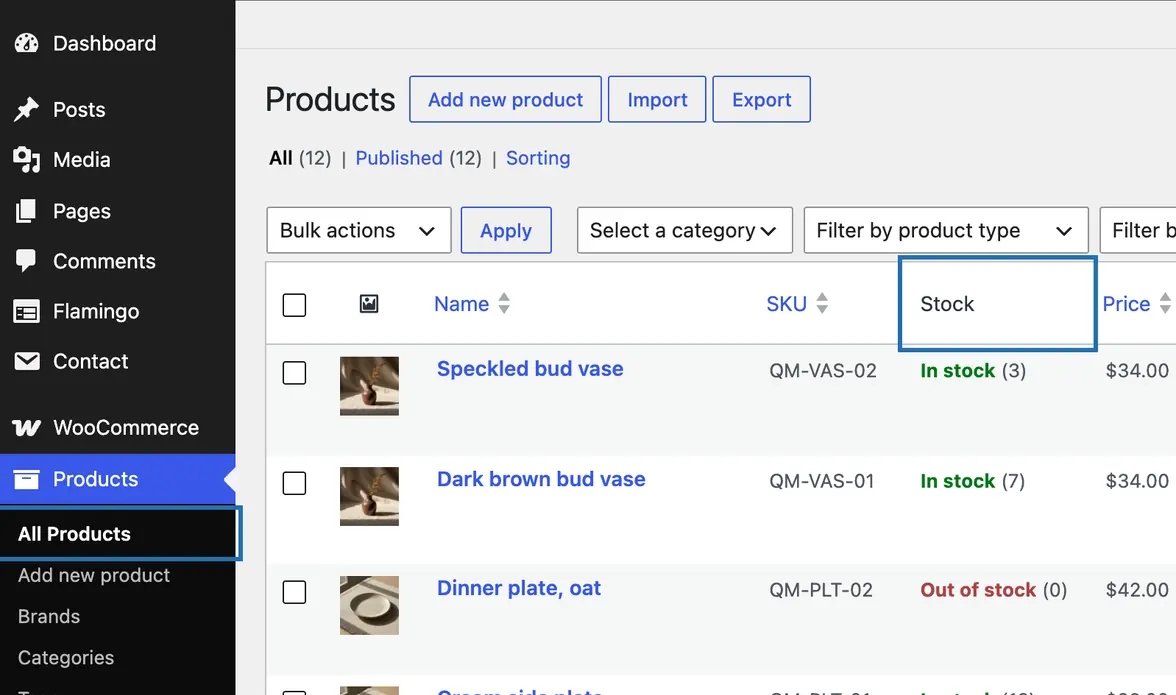
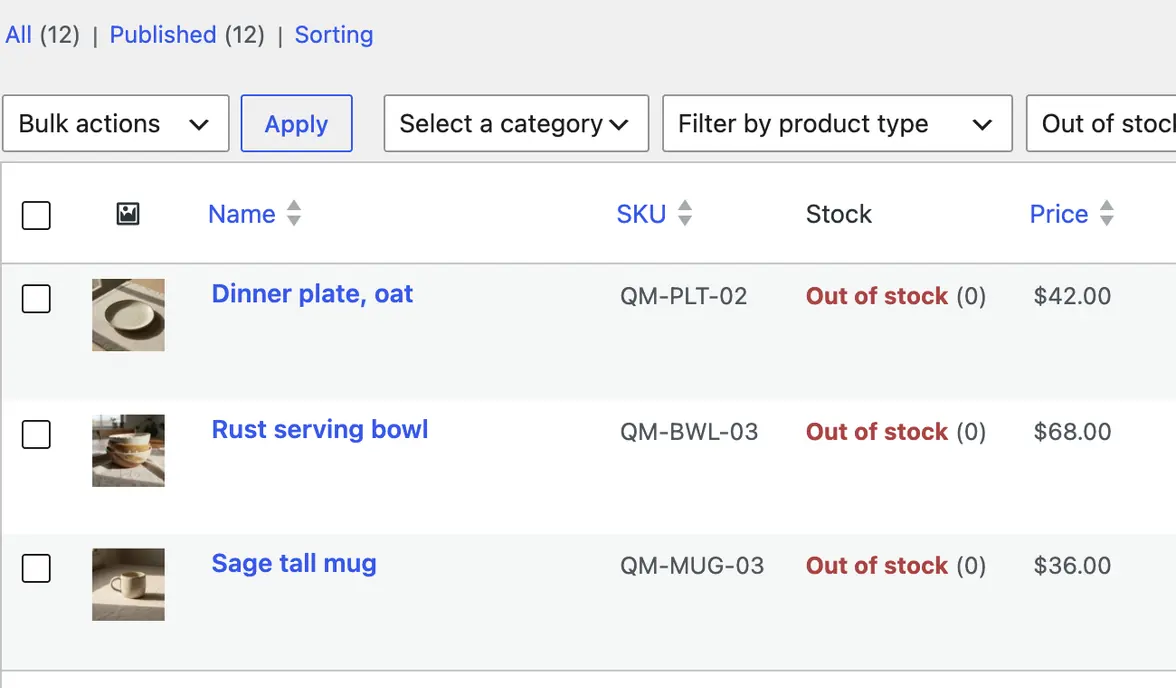
2. Above the list, open Filter by stock status and choose Out of stock. Then press Filter.

3. The list now shows only the products that are out of stock. The Price column shows what each one sells for.
Show the picture
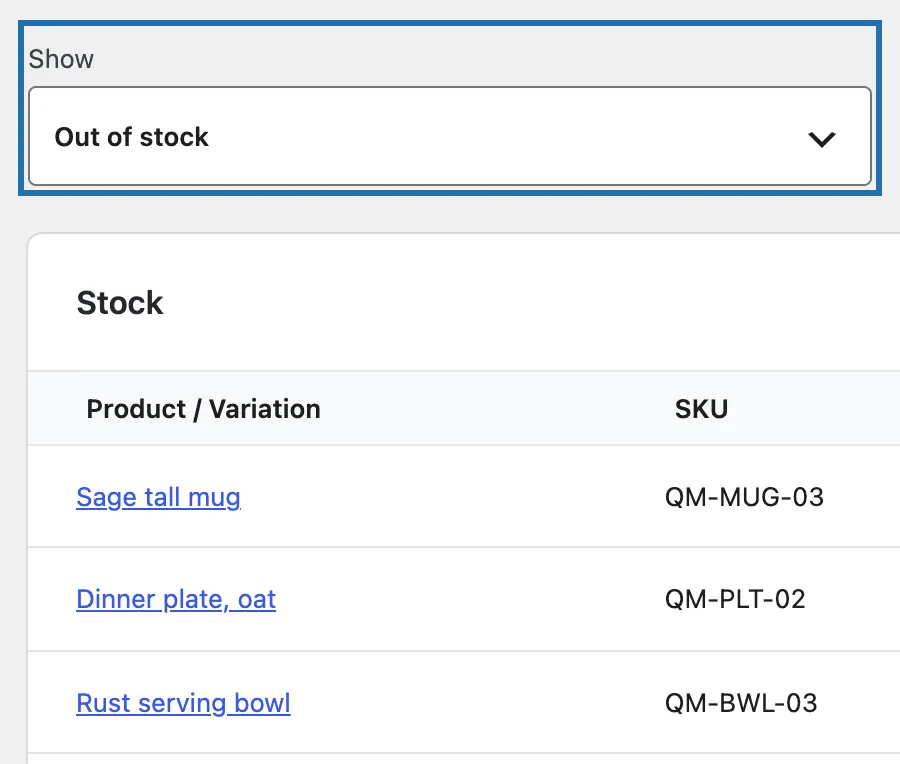
4. For a list you can keep, go to Analytics › Stock, open Show and choose Out of stock.
Show the picture
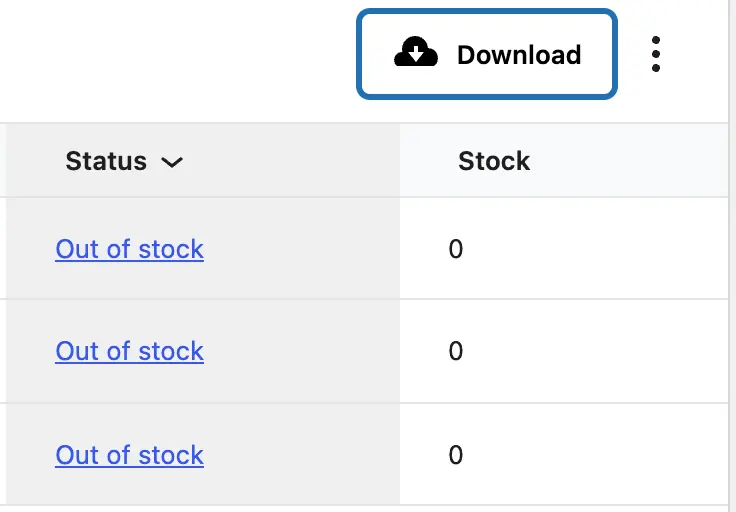
5. Press Download. You get a spreadsheet file (CSV) with each product's name, SKU (its product code), status and stock, but not its price.
Show the picture
6. To get an email when something sells out, open WooCommerce › Settings, then Products › Inventory. Tick Enable out of stock notifications and save.
Show the picture



WooCommerce marks a product out of stock when its stock number drops to the Out of stock threshold, which is 0 unless you change it. A product without Stock management keeps the status you set by hand in its Inventory tab. WooCommerce is a trademark of Automattic Inc.
Or ask for it in the chat
“Which of my products are out of stock? List them with their prices.”
Why it won't wreck your site
- Asking changes nothing. A question only reads your site. It looks things up and tells you. No card, no button.
- Nothing changes until you press the button. Every change comes as a card that names it. Nothing happens until you press the button or Not now.
Where CMSHands stops
- Stock from a spreadsheetSetting stock numbers from a file is part of Pro and Max.
- Stores with hundreds sold outOn Oct 11, 2026 our test store had 12 products. We haven't tried one with hundreds sold out. For a long list, use the Stock report in step 4.
- Other shop pluginsIt reads the stock WooCommerce keeps, so WooCommerce must be switched on. We haven't tried other shop plugins.
- Products with sizes or colorsOur test store sells simple products. We haven't tested how it lists products that come in options (variations) yet.
More it can do
- Your shop:
Hide sold-out products
“Hide products that are out of stock from my shop pages.”
It took 15 seconds on our test site. - Your shop:
Restock and mark sold out
“I just got 20 more Rust brown mugs in, so set its stock to 29. And the Small dipping bowl is sold out, mark it out of…”
It took 18 seconds on our test site. - Your shop:
Change a price by asking
“Change the price of the Speckled oat mug to $34.”
It took 15 seconds on our test site. - Your shop:
See what sold this week
“What sold this week? Show me the orders and the total.”
It took 16 seconds on our test site.
Questions about out-of-stock products
How do I search for out-of-stock products in WooCommerce?
Use the stock filter, not the search box. Go to Products › All Products, choose Out of stock in Filter by stock status and press Filter. The search box looks for words in your products, not their stock. With CMSHands, you ask in the chat instead: “Which of my products are out of stock? List them with their prices.”
Where does WooCommerce show which products are out of stock?
In two places. Products › All Products has a Stock column that says Out of stock in red. Analytics › Stock lists every product's stock, and its Show menu narrows it to the ones that have run out. You can download that list.
Why does a product say out of stock when I have stock?
Open the product and check its Inventory tab. With Stock management off, the Stock status you picked by hand stays until you change it. With it on, a Quantity at or below the Out of stock threshold shows as out of stock. For products with options (variations), check each option's stock too.
Can I hide out-of-stock products from my shop?
Yes, with a setting. Go to WooCommerce › Settings › Products › Inventory, tick Hide out of stock items from the catalog and save. The products stay in your dashboard and show in the shop again once they're back in stock. We haven't tested asking CMSHands to change this setting yet.
Can it tell me which products are running low?
We haven't tested asking that on its own yet. In our run it named the two lowest without being asked: Speckled bud vase (3 left) and Nesting bowls, set of 3 (4 left). Your store can also email you: in WooCommerce › Settings › Products › Inventory, tick Enable low stock notifications and set the Low stock threshold.
Is it free to ask what's out of stock?
To start, yes. Questions like this one are free, up to 30 a day with no account, or 100 a day once you add your email. Changes: 3 to try it, then 10 a month with your email.
Written by the CMSHands team. First published .
Try it on your own store
- 1. Download the plugin.A free zip file
- 2. Upload and activate it.Plugins › Add Plugin › Upload Plugin
- 3. Give CMSHands a task.Press Start working, then ask in your words
Works best on WP 6.3 or newer with PHP 8.0 or newer. What works on older sites