
Hide the title on a WP page
CMSHands, a free WordPress plugin, adds a chat to your dashboard. Type “Hide the title on the Contact page.” See the change first; undo in one click.
Block themes with a no-title page template, like Twenty Twenty-Four. How to tell
Block themes with a no-title page template, like Twenty Twenty-Four. How to tell
Works on sites hosted at





Watch it do this on a real site
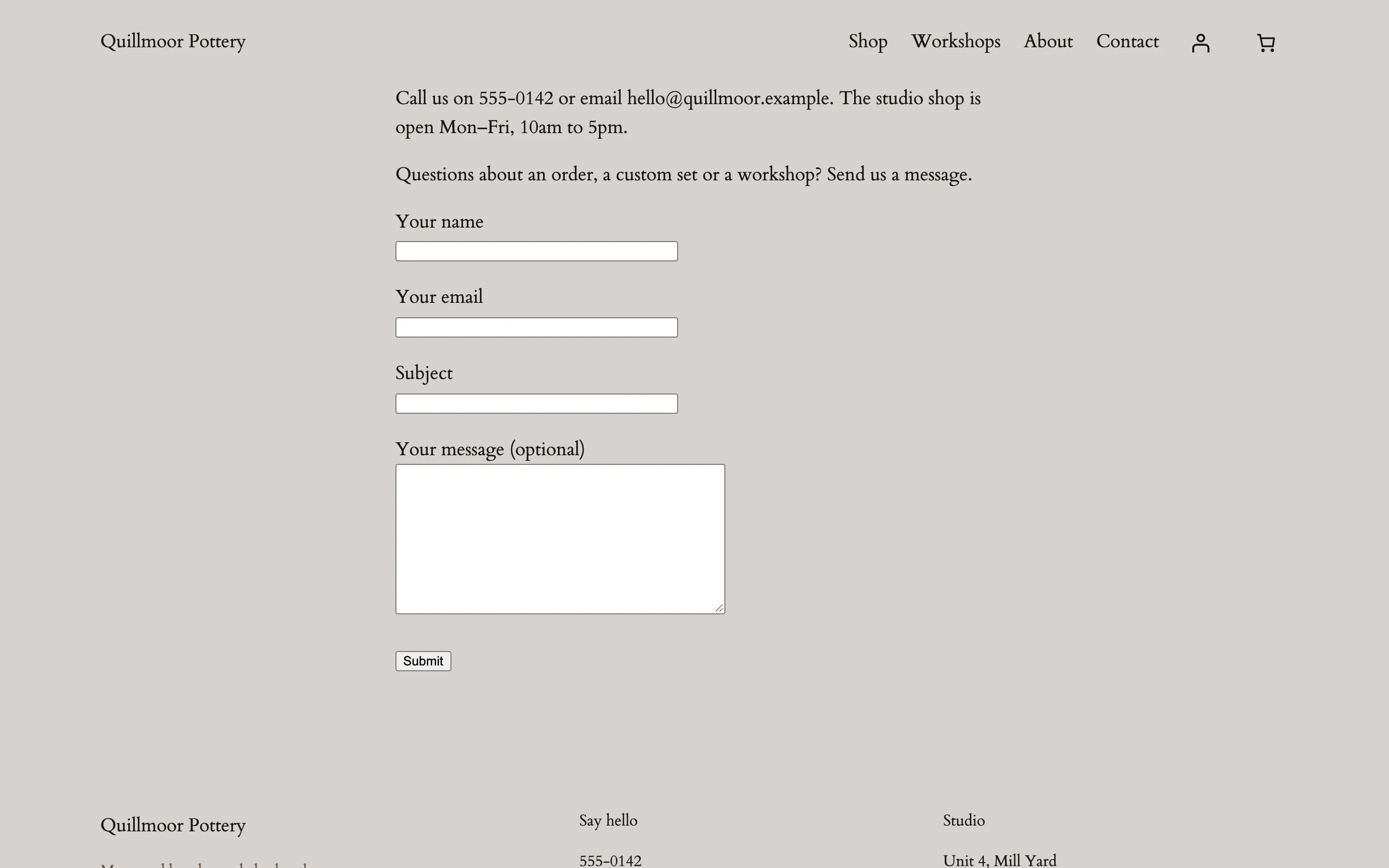
The card's green line, page-no-title, is your theme's Page No Title template. Steps 1 and 4 show the Contact page before and after.
You ask
Hide the title on the Contact page.
Hide the title on the Contact page.

- Looking for what you meant
- Looking at your themes
- Reading one of your pages
- Looking at your theme’s colours and sizes
- Reading one of your pages
- Reading a page template
- Preparing the change for your OK
- page-no-title
I'll look at the Contact page and how your theme renders page titles.
This sets the Contact page to the theme's "Page No Title" template, so it affects only that page; other pages keep their titles.
- Updating one of your pages
- Checking the change
Done. I checked afterwards, and it now says "page-no-title".
- Reverting the change
- Checking the change
Undone. I checked afterwards, and it's back the way it was.
A real run on our test site, Quillmoor Pottery (WP 7.1.3, Twenty Twenty-Four), . From asking to done, it took 23 seconds.
- It hides the title on one page by switching that page to your theme's no-title template, and only after you press the button.
- Every other page keeps its title. It changes this one page's template setting, not the template itself.
- Undo puts the page's old template back, and the title with it.
Do this on your own site
That's the whole job. The plugin is free: 3 changes to try it, no account. Nothing changes until you press the button, and an undo within 24 hours gives the change back.
How to hide the page title in WordPress yourself
In WordPress, open the page, click the name beside Template, choose Change template, pick Page No Title, then press Save.
Checked on WP 7.1,
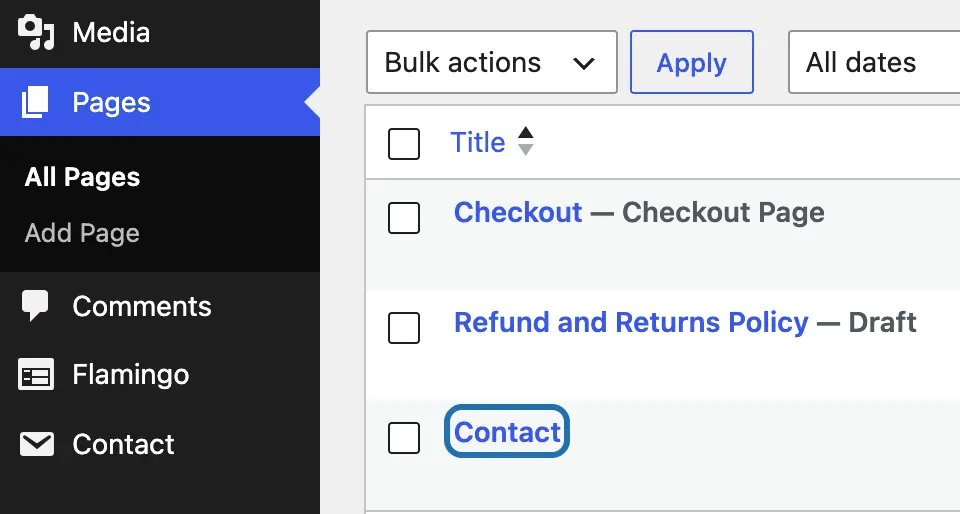
1. Open your WP dashboard, the screens you log in to at yoursite.com/wp-admin. In Pages › All Pages, click the page's name.
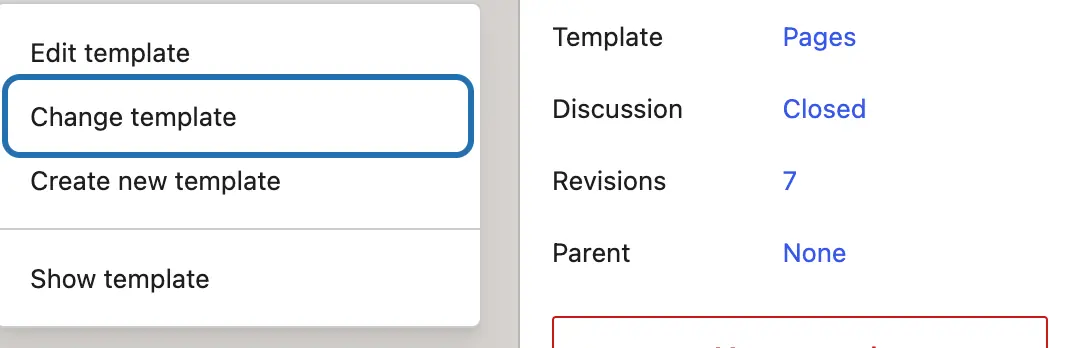
2. In the Page panel on the right, click the name beside Template, the layout this page uses. Here it's Pages. Choose Change template.
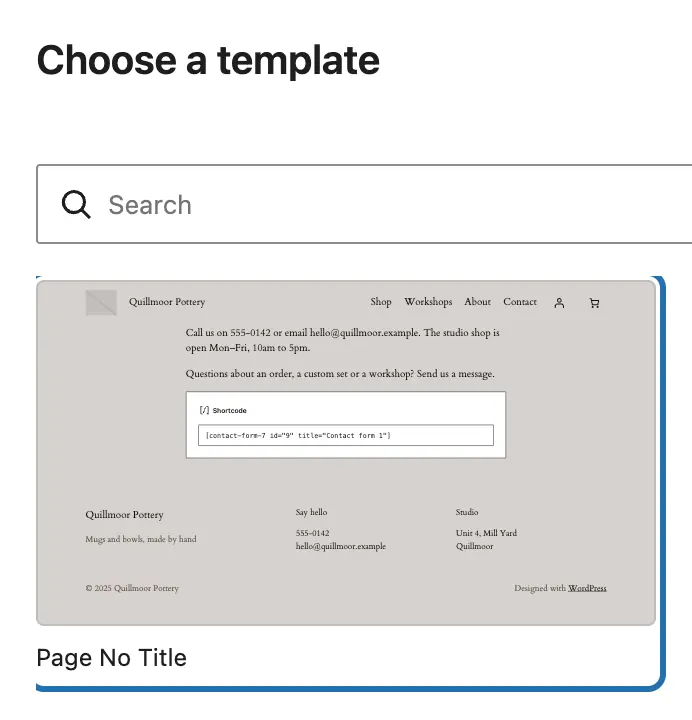
3. Pick a template without the title, like Page No Title. Twenty Twenty-Four and Twenty Twenty-Five both come with one.
Show the picture
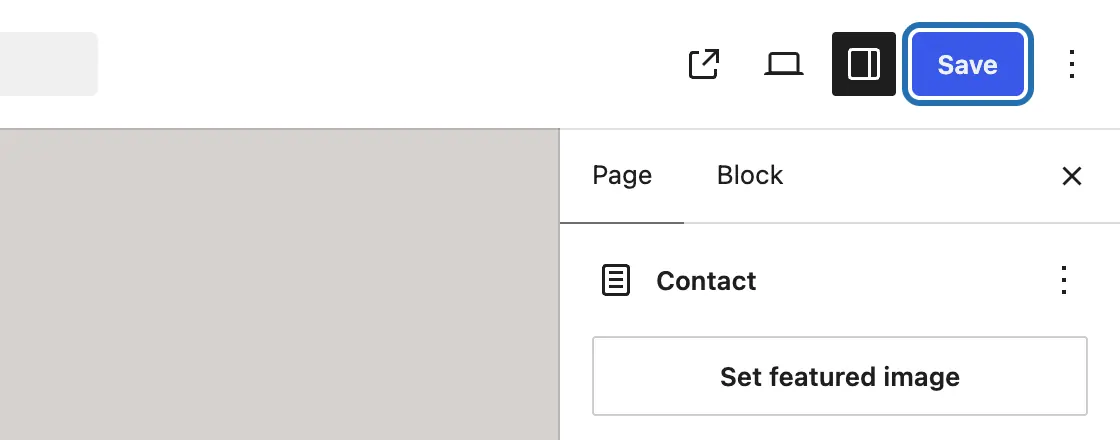
4. Press Save at the top right. The editor still shows the title. Open the page on your site: it's gone there.
Show the picture
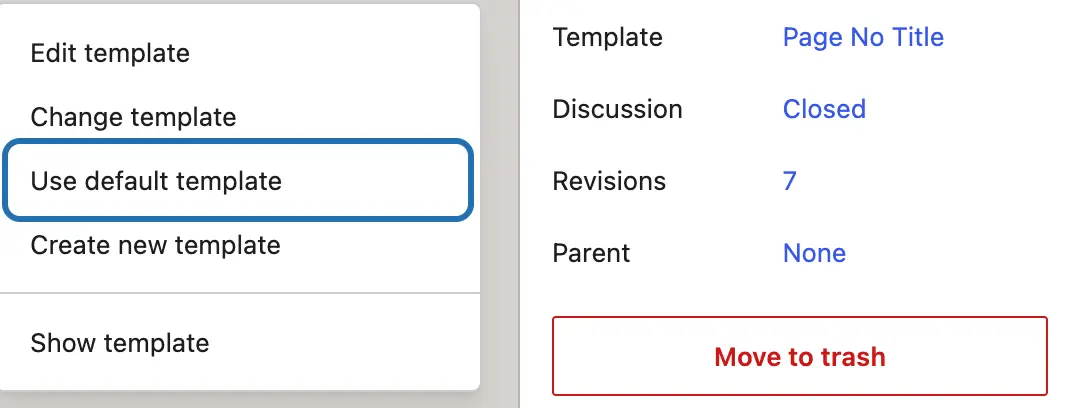
5. To bring the title back, click the template's name again and choose Use default template. Then press Save.
Show the picture


On an older (classic) theme, the kind with Appearance › Customize instead of Editor, the steps depend on your theme. Look in the page's panel for a Template choice, or a hide-title setting your theme adds.
Hiding the title doesn't delete it. The page keeps its name in your page list and in the browser tab. A template you pick for one page changes that page only. CMSHands keeps the page's old template setting on the card, even when it was the default, so Undo puts the title back.
Or ask for it in the chat
“Hide the title on the Contact page.”
Why it won't wreck your site
- Nothing changes until you press the button. Every change comes as a card that names it. Nothing happens until you press the button or Not now.
- One click undoes it. When something can't be undone, like deleting a page or a plugin, the card says so before you press.
- It won't overwrite your edits. It reads your site again before it changes or undoes anything. If you edited the same thing, it stops and tells you.
- It checks your pages after the fix. It loads your home page, login, dashboard and a post again before it calls the repair done.
What it won't do here
- Themes without a no-title templateWe tested it on Twenty Twenty-Four, which comes with one. On a theme without one, we haven't tested it yet.
- The title on every page at onceThat means editing the template all your pages share. We haven't tested that yet. The answer under Questions shows how to do it yourself.
- Older (classic) themesNot tested yet. Hiding a title there often takes CSS, the rules that set how your site looks. It can't add CSS there. It writes it for you to paste.
- Page-builder pagesA page builder, a plugin such as Elementor or Divi that lays out pages its own way, keeps its own data, so it can't hide the title there.
More it can do
- Words and pages:
Copy a page
“Make a copy of the About page as a draft called "About (new)".”
It took 16 seconds on our test site. - Watching your site:
It watches your site
“Update Redirection and check my site after.”
It took 19 seconds on our test site. - Plugins:
Find the right plugin
“Which popup plugin should I use for a newsletter sign-up?”
It took 4 seconds on our test site.
Questions
Can I hide the title on one page only?
Yes. A template you pick for a page applies to that page only. Switch it to a no-title template, like Page No Title, and every other page keeps its title. That's what CMSHands did in our test run: it changed the Contact page's template and nothing else.
How do I hide the title on every page?
Edit the template your pages share. On a block theme, go to Appearance › Editor › Templates and open the one for pages (on Twenty Twenty-Four it's Pages). Click the big title, choose Delete from its ⋮ menu, then press Save. Every page that uses the template loses its title. WP keeps your theme's original, so you can reset it later. We haven't tested CMSHands on this yet.
Is hiding a page title the same as removing it?
No, and hiding is usually what you want. A hidden title still names the page in Pages › All Pages and in the browser tab, which search engines read too. It's only left off the top of the page. If you delete the title instead, your page list shows “(no title)” and the browser tab loses the page's name.
Why does the editor still show the title?
The editor keeps a title box so you can still name the page. What visitors see comes from the template. On our test site, after we picked Page No Title, the title stayed in the editor. It only disappears on the site itself, once the change is saved.
Does hiding the page title hurt SEO?
Not by itself. WP still puts the title in the page's title tag, the name shown in the browser tab, which search engines read too. What goes is the big heading at the top of the page. If nothing else on the page says what it's about, add a heading of your own near the top.
Is it free?
To start, yes: 3 changes with no account, then 10 a month once you add your email. Questions are free, up to 30 a day (100 with your email).
Written by the CMSHands team. First published .
Try it on a page of your own
- 1. Download the plugin.A free zip file
- 2. Upload and activate it.Plugins › Add Plugin › Upload Plugin
- 3. Give CMSHands a task.Press Start working, then ask in your words
Works best on WP 6.3 or newer with PHP 8.0 or newer. What works on older sites