
Import a CSV into WP: posts, pages, products
CMSHands, a free WordPress plugin, adds a chat. On the paid plan, attach your sheet: “Make a page for each class in this sheet.” Nothing changes until you press.
Imports are on Pro and Max. Text only, no images. Free today: one new page at a time by asking.
Works on sites hosted at





Watch it do this on a real site
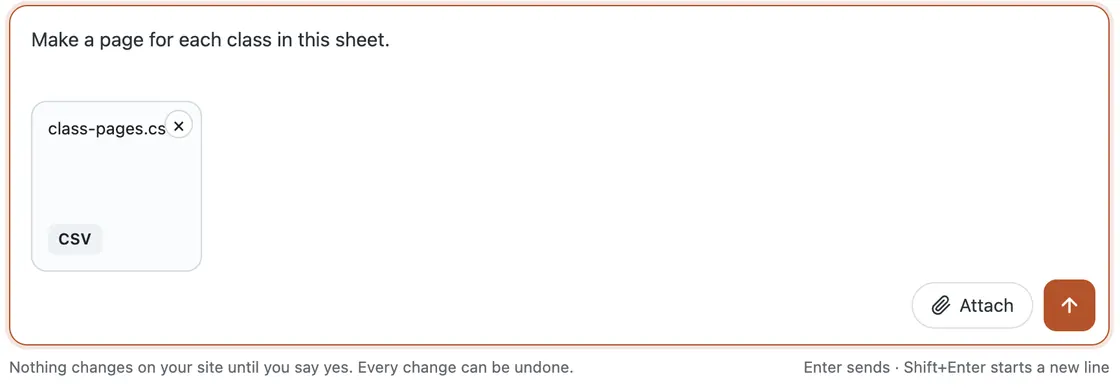
You attach the sheet
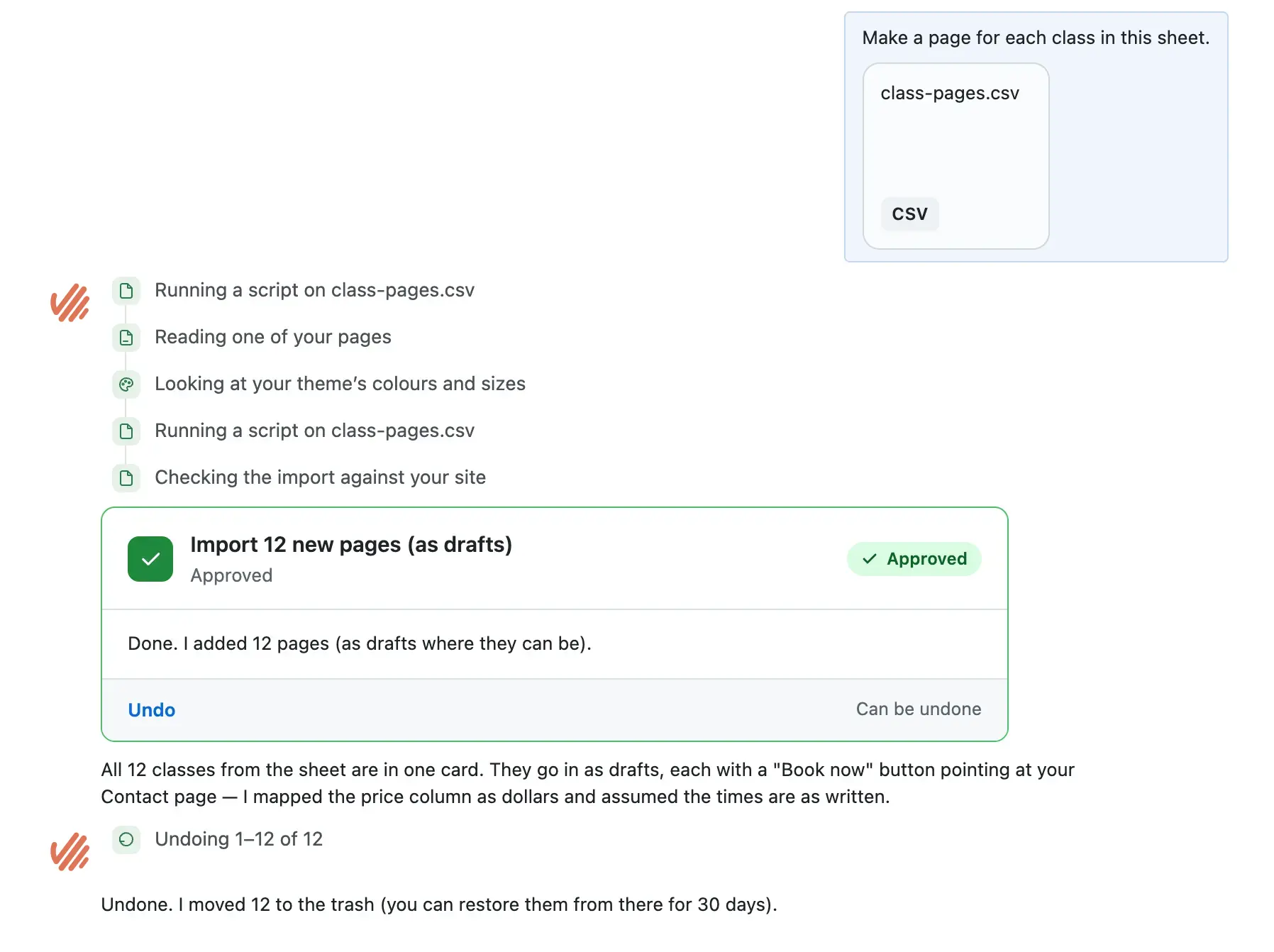
A real run on our test site, Quillmoor Pottery (WP 7.1.3, Twenty Twenty-Four), . From asking to done, it took 1 minute 20 seconds. Imports are part of Pro and Max, from $20 a month.
- You attach a CSV or Excel file in the chat and say what you want. Ours had 12 classes in 5 columns.
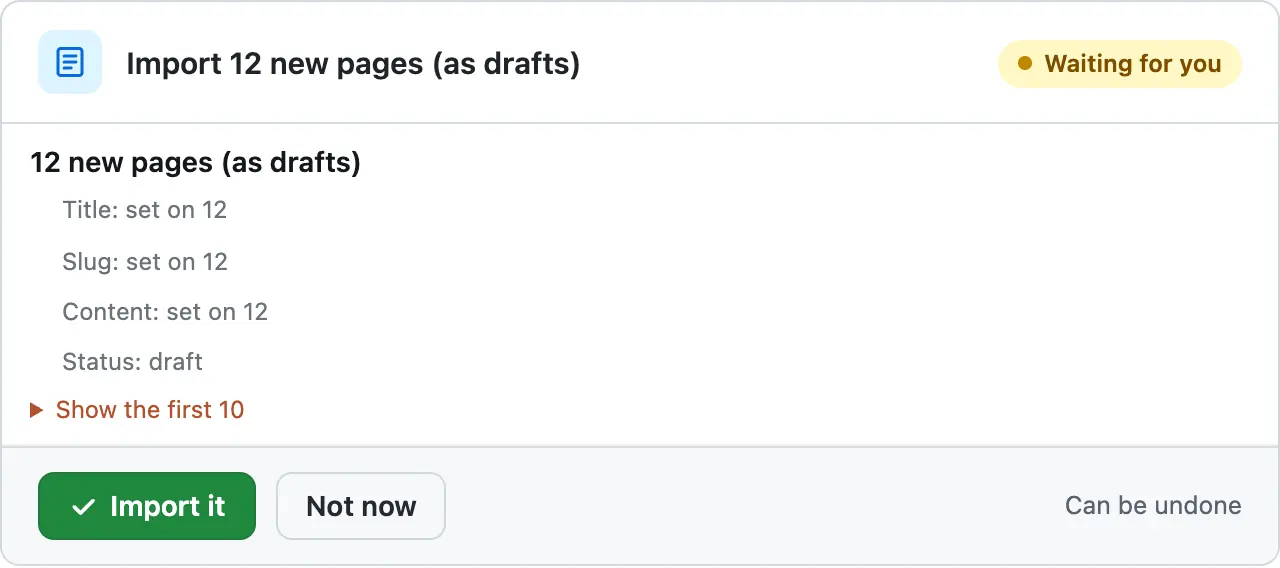
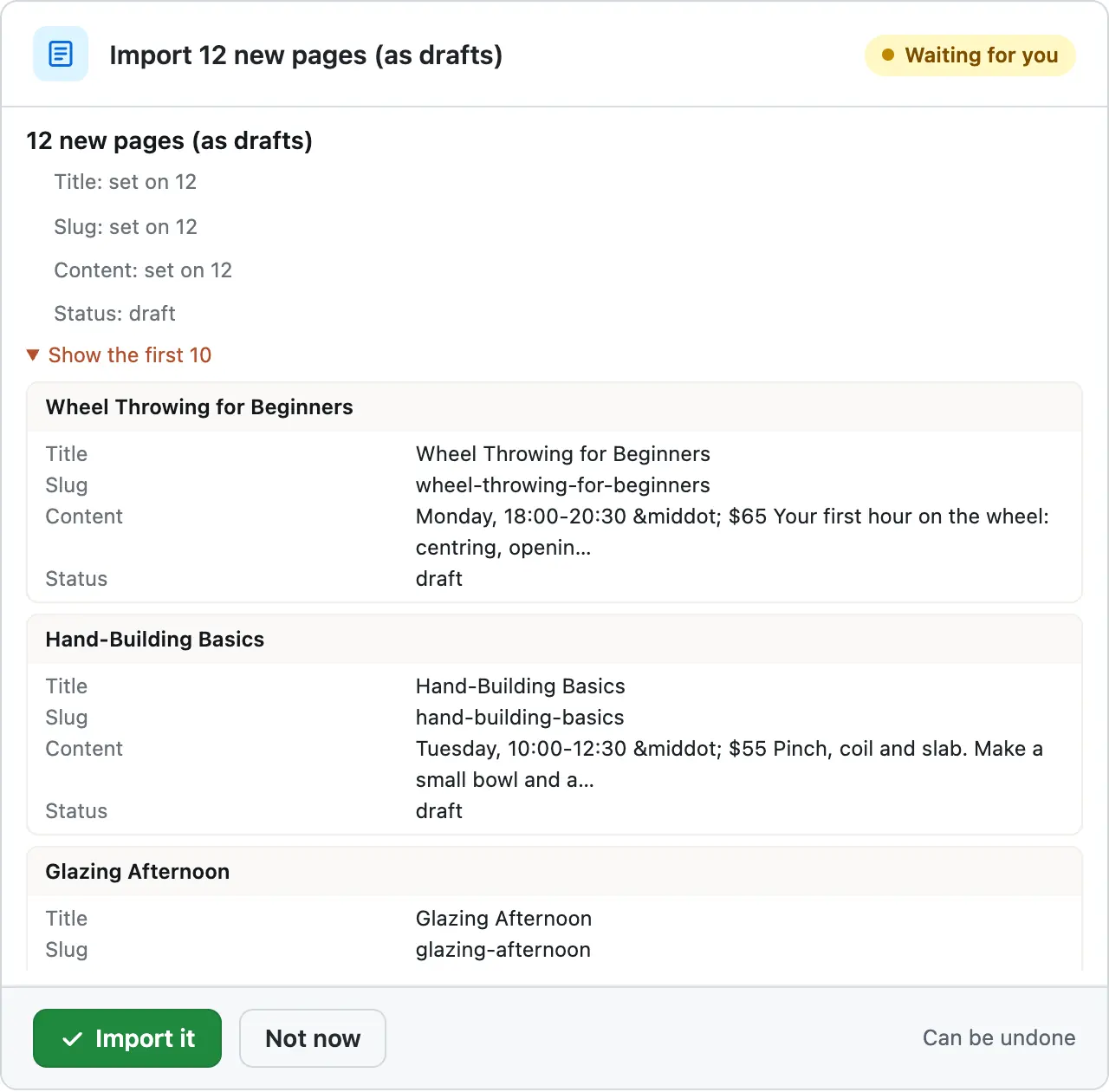
- One card, a box in the chat that shows exactly what would change, lists the whole import first: 12 new pages, the first 10 row by row.
- The pages go in as drafts, so visitors see none of them until you publish.
More it does here (3)
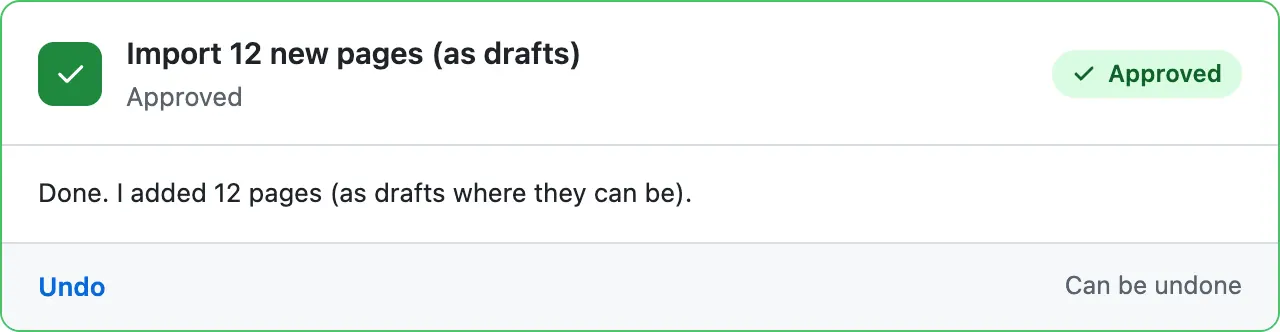
- One Undo takes the whole import back out. The pages go to the trash, where they stay for 30 days.
- Store products work the same way: in another run, 8 products and a new category came from one sheet. Paid plan, simple products only, no images.
- Today, on the free plugin, it writes one new page at a time when you ask, with its own card.
Do this on your own site
That's the whole job, on Pro or Max, from $20 a month. The plugin is free today: 3 changes to try it, no account. Nothing changes until you press the button.
How to import a CSV into WordPress yourself
In WordPress, go to Pages › Add Page, paste one row’s title and text, press Save draft, then repeat for each row of your sheet.
Updated , checked on WP 7.1,
1. Open your sheet in one window and your WP dashboard, the screens you log in to at yoursite.com/wp-admin, in another.
2. In your dashboard, go to Pages › Add Page. For a post, go to Posts › Add Post instead.
3. Copy the title from the first row of your sheet and paste it where it says Add title.
4. Click below the title, where it says Type / to choose a block, and paste the rest of that row.
5. Press Save draft at the top. Visitors see nothing until you press Publish.
6. Go back to Pages › Add Page and repeat for the next row, until every row has a page.
7. Open Pages › All Pages and click Drafts to check them. Publish each one when it's ready.
WP has no CSV importer for pages or posts of its own. Tools › Import lists one called WordPress, but it reads an export file from another WP site, not a CSV. If your site has a store, the same screen lists a CSV importer for products: see the product import steps. For a long sheet of pages, a CSV import plugin from the plugin directory adds them in one go.
Or ask for it in the chat
“Make a page for each class in this sheet.”
Why it won't wreck your site
- Nothing changes until you press the button. Every change comes as a card that names it. Nothing happens until you press the button or Not now.
- One click undoes it. When something can't be undone, like deleting a page or a plugin, the card says so before you press.
- It won't overwrite your edits. It reads your site again before it changes or undoes anything. If you edited the same thing, it stops and tells you.
What it won't do here
- Imports need Pro or MaxOn the free plan, use the steps above. The free plugin writes one new page at a time when you ask.
- No authors, custom fields or featured imagesEach page gets its title, web address and text from your sheet. Set the author or add a picture on the page's edit screen.
- Up to 2,000 rows at a timeA longer sheet goes in as several imports, one file after another. Each file can be up to 10 MB.
- No exports, and no deleting from a fileIt can't write your pages out to a CSV, or remove the pages a file lists. Tools › Export saves a WP export file, not a CSV.
More it can do
- Words and pages:
Add a page
“Add a page called Classes: Saturday classes, 10am, $45, book by email.”
It took 12 seconds on our test site. - Words and pages:
Copy a page
“Make a copy of the About page as a draft called "About (new)".”
It took 16 seconds on our test site. - Store imports:
Import a WordPress export (paid plan)
“Import the posts in this WordPress export file.”
It took 1 minute 1 second on our test site. - Store imports:
Many products from a file (paid plan)
“Add these to my shop in a new category, Autumn.”
It took 1 minute 8 seconds on our test site.
Questions
Can WordPress import a CSV without a plugin?
Not for pages or posts. WP has no CSV importer of its own for them. Tools › Import lists one called WordPress, but it reads an export file from another WP site. If your site has a store, the same screen lists a CSV importer for products. For a short sheet, add the pages by hand, as in the steps above.
What does the WordPress importer in Tools › Import do?
It moves posts, pages, comments, custom fields, categories and tags from one WP site to another. You save the file on the old site at Tools › Export. On the new site, go to Tools › Import, press Install Now under WordPress, then Run Importer. It reads that export file, not a CSV.
Which WordPress import plugin do I need for a CSV?
It depends on what the sheet holds. Store products need no extra plugin: your store has its own importer, as in the product import steps. Pages and posts need a CSV import plugin from the plugin directory. Before you install one, check that it was updated in the last few months and is tested with your WP version.
How do I undo an import in WordPress?
WP has no undo button for an import. To take imported pages out, open Pages › All Pages, tick them, choose Move to Trash under Bulk actions and press Apply. They stay in the trash for 30 days. In our CMSHands run, one Undo moved all 12 pages to the trash.
Can CMSHands import my sheet for me?
Yes, on Pro and Max. Text only, no images. You attach a CSV or Excel file and say what you want. One card shows the import, and the pages go in as drafts when you press Import it. Our 12-row sheet became 12 draft pages. Posts? Not tested yet. Today the free plugin writes one new page at a time.
Written by the CMSHands team. First published .
Try the free plugin on your own site
- 1. Download the plugin.A free zip file
- 2. Upload and activate it.Plugins › Add Plugin › Upload Plugin
- 3. Give CMSHands a task.Press Start working, then ask in your words
Works best on WP 6.3 or newer with PHP 8.0 or newer. What works on older sites