
Remove or hide the WP footer
CMSHands, a free WordPress plugin, adds a chat to your dashboard. Type “Take everything out of the footer.” See the empty footer first; undo in one click.
Works on block themes: you'll see Appearance › Editor in your dashboard. How to tell
Works on block themes: you'll see Appearance › Editor in your dashboard. How to tell
Works on sites hosted at





Watch it do this on a real site
You ask
Take everything out of the footer so nothing shows at the bottom of my pages.

- Looking at your themes
- Reading your footer
- Preparing the change for your OK
- Previewing your footer
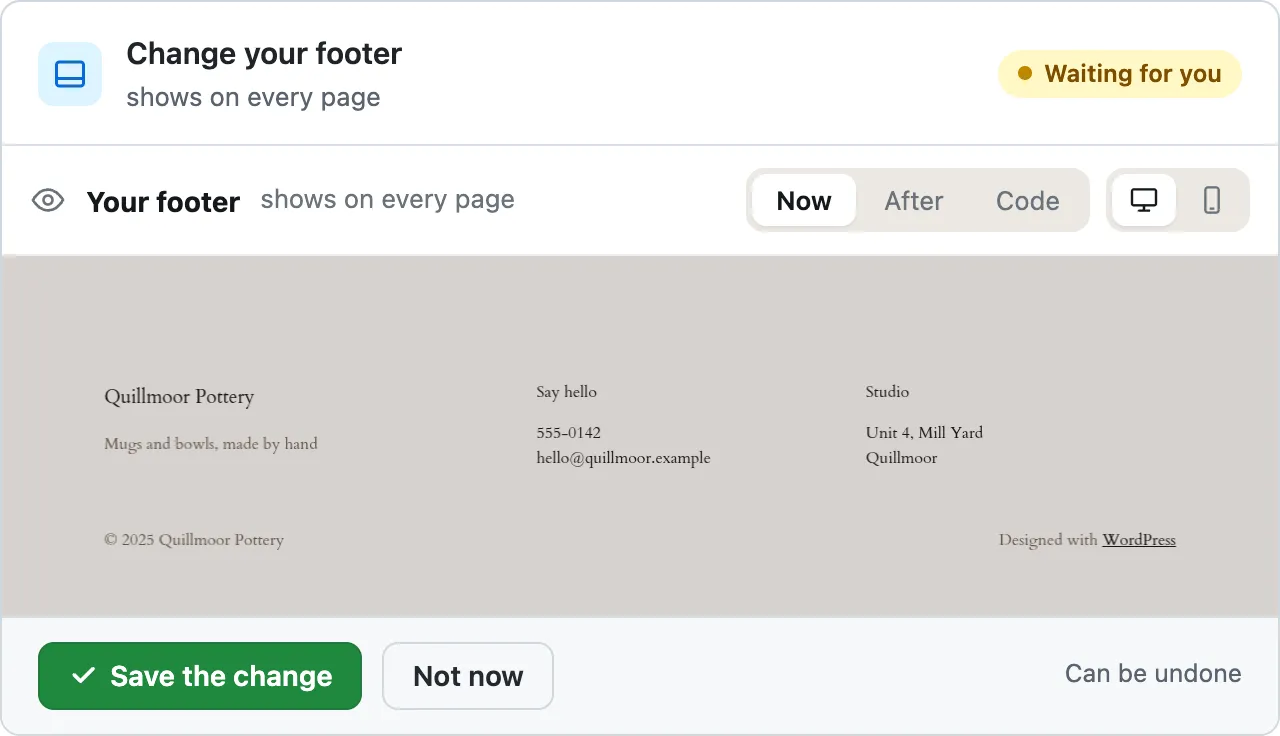
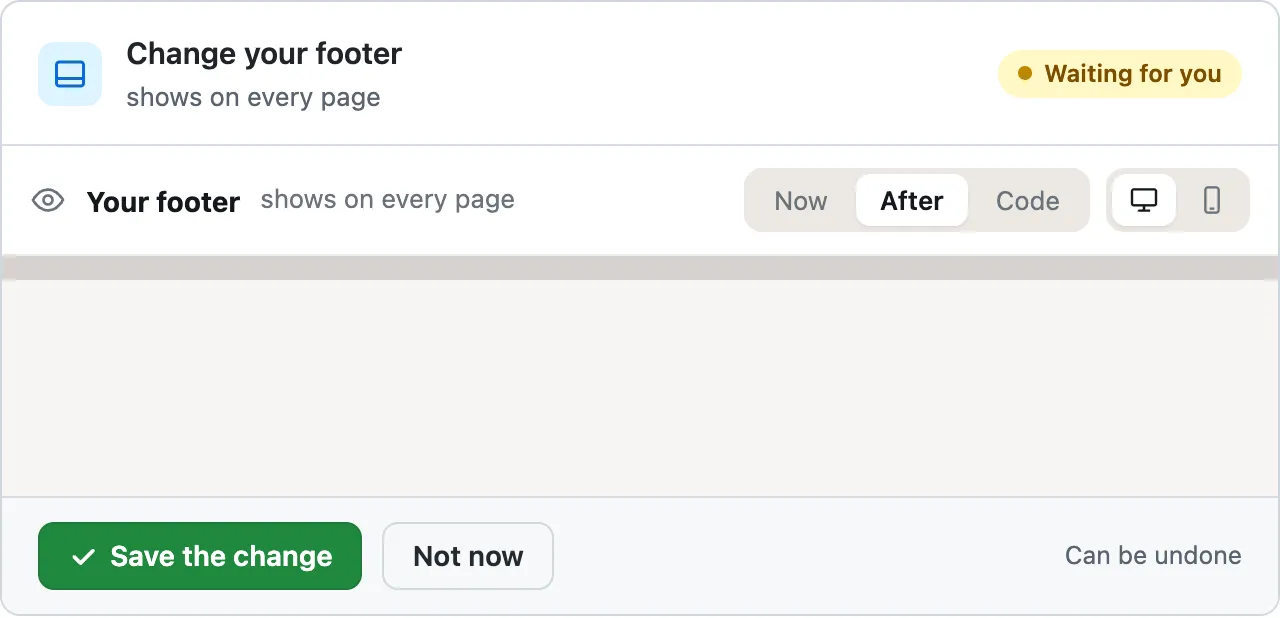
- <!-- wp:group {"style":{"spacing":{"padding":{"top":"var:preset|spacing|50","bottom":"var:preset|spacing|40"}}},"layout":{"type":"constrained"}} -->
- <div class="wp-block-group" style="padding-top:var(--wp--preset--spacing--50);padding-bottom:var(--wp--preset--spacing--40)"><!-- wp:columns {"align":"wide"} -->
- <div class="wp-block-columns alignwide"><!-- wp:column {"width":"40%"} -->
- <div class="wp-block-column" style="flex-basis:40%"><!-- wp:site-title {"level":0,"fontSize":"medium"} /-->
- <!-- wp:site-tagline {"fontSize":"small"} /--></div>
- <!-- /wp:column -->
- <!-- wp:column {"width":"30%"} -->
- <div class="wp-block-column" style="flex-basis:30%"><!-- wp:heading {"level":2,"fontSize":"small","fontFamily":"body"} -->
- <h2 class="wp-block-heading has-body-font-family has-small-font-size">Say hello</h2>
- <!-- /wp:heading -->
- <!-- wp:paragraph {"fontSize":"small"} -->
- <p class="has-small-font-size">555-0142<br>hello@quillmoor.example</p>
- <!-- /wp:paragraph --></div>
- <!-- /wp:column -->
- <!-- wp:column {"width":"30%"} -->
- <div class="wp-block-column" style="flex-basis:30%"><!-- wp:heading {"level":2,"fontSize":"small","fontFamily":"body"} -->
- <h2 class="wp-block-heading has-body-font-family has-small-font-size">Studio</h2>
- <!-- /wp:heading -->
- <!-- wp:paragraph {"fontSize":"small"} -->
- <p class="has-small-font-size">Unit 4, Mill Yard<br>Quillmoor</p>
- <!-- /wp:paragraph --></div>
- <!-- /wp:column --></div>
- <!-- /wp:columns -->
- <!-- wp:group {"align":"wide","style":{"spacing":{"padding":{"top":"var:preset|spacing|30"}}},"layout":{"type":"flex","flexWrap":"wrap","justifyContent":"space-between"}} -->
- <div class="wp-block-group alignwide" style="padding-top:var(--wp--preset--spacing--30)"><!-- wp:paragraph {"textColor":"contrast-2","fontSize":"small"} -->
- <p class="has-contrast-2-color has-text-color has-small-font-size">© 2025 Quillmoor Pottery</p>
- <!-- /wp:paragraph -->
- <!-- wp:paragraph {"style":{"elements":{"link":{"color":{"text":"var:preset|color|contrast"}}}},"textColor":"contrast-2","fontSize":"small"} -->
- <p class="has-contrast-2-color has-text-color has-link-color has-small-font-size">Designed with <a href="https://wordpress.org" rel="nofollow">WordPress</a></p>
- <!-- /wp:paragraph --></div>
- <!-- /wp:group --></div>
- <!-- /wp:group -->
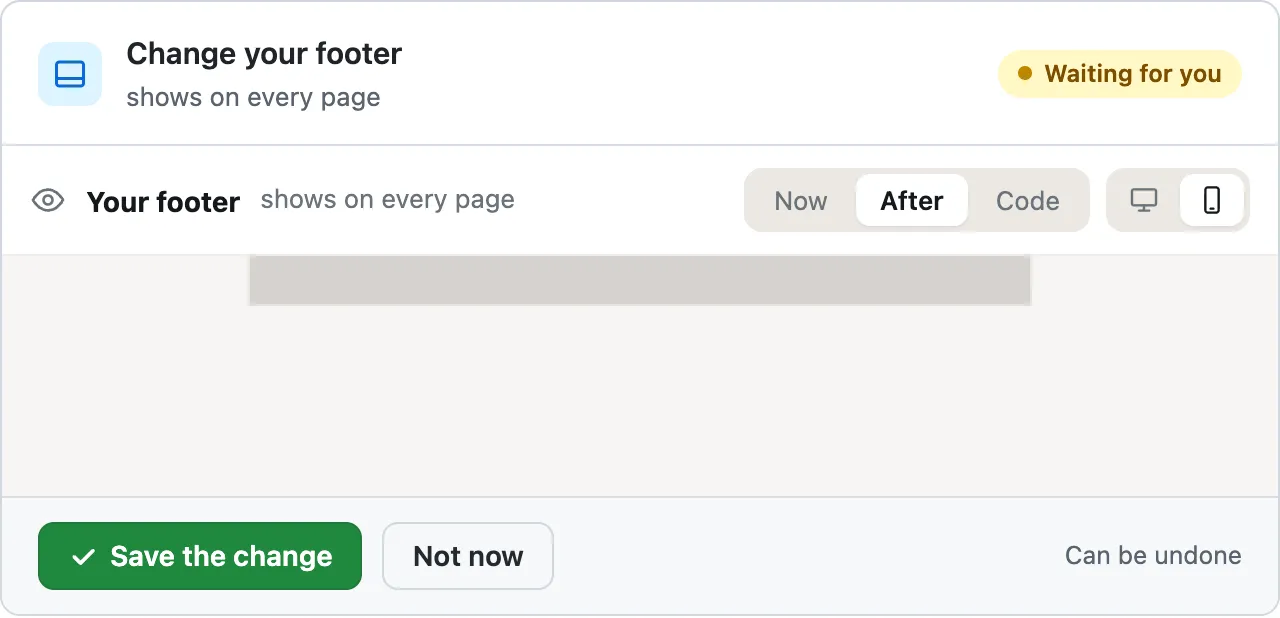
Ready for you to review. The card shows the one thing I can't change from here: your theme paints its footer area light grey with a little padding of its own, so a thin grey band stays at the bottom even with the footer text gone.
Take everything out of the footer so nothing shows at the bottom of my pages.
- <!-- wp:group {"style":{"spacing":{"padding":{"top":"var:preset|spacing|50","bottom":"var:preset|spacing|40"}}},"layout":{"type":"constrained"}} -->
- <div class="wp-block-group" style="padding-top:var(--wp--preset--spacing--50);padding-bottom:var(--wp--preset--spacing--40)"><!-- wp:columns {"align":"wide"} -->
- <div class="wp-block-columns alignwide"><!-- wp:column {"width":"40%"} -->
- <div class="wp-block-column" style="flex-basis:40%"><!-- wp:site-title {"level":0,"fontSize":"medium"} /-->
- <!-- wp:site-tagline {"fontSize":"small"} /--></div>
- <!-- /wp:column -->
- <!-- wp:column {"width":"30%"} -->
- <div class="wp-block-column" style="flex-basis:30%"><!-- wp:heading {"level":2,"fontSize":"small","fontFamily":"body"} -->
- <h2 class="wp-block-heading has-body-font-family has-small-font-size">Say hello</h2>
- <!-- /wp:heading -->
- <!-- wp:paragraph {"fontSize":"small"} -->
- <p class="has-small-font-size">555-0142<br>hello@quillmoor.example</p>
- <!-- /wp:paragraph --></div>
- <!-- /wp:column -->
- <!-- wp:column {"width":"30%"} -->
- <div class="wp-block-column" style="flex-basis:30%"><!-- wp:heading {"level":2,"fontSize":"small","fontFamily":"body"} -->
- <h2 class="wp-block-heading has-body-font-family has-small-font-size">Studio</h2>
- <!-- /wp:heading -->
- <!-- wp:paragraph {"fontSize":"small"} -->
- <p class="has-small-font-size">Unit 4, Mill Yard<br>Quillmoor</p>
- <!-- /wp:paragraph --></div>
- <!-- /wp:column --></div>
- <!-- /wp:columns -->
- <!-- wp:group {"align":"wide","style":{"spacing":{"padding":{"top":"var:preset|spacing|30"}}},"layout":{"type":"flex","flexWrap":"wrap","justifyContent":"space-between"}} -->
- <div class="wp-block-group alignwide" style="padding-top:var(--wp--preset--spacing--30)"><!-- wp:paragraph {"textColor":"contrast-2","fontSize":"small"} -->
- <p class="has-contrast-2-color has-text-color has-small-font-size">© 2025 Quillmoor Pottery</p>
- <!-- /wp:paragraph -->
- <!-- wp:paragraph {"style":{"elements":{"link":{"color":{"text":"var:preset|color|contrast"}}}},"textColor":"contrast-2","fontSize":"small"} -->
- <p class="has-contrast-2-color has-text-color has-link-color has-small-font-size">Designed with <a href="https://wordpress.org" rel="nofollow">WordPress</a></p>
- <!-- /wp:paragraph --></div>
- <!-- /wp:group --></div>
- <!-- /wp:group -->
- Changing your footer
- Checking the change
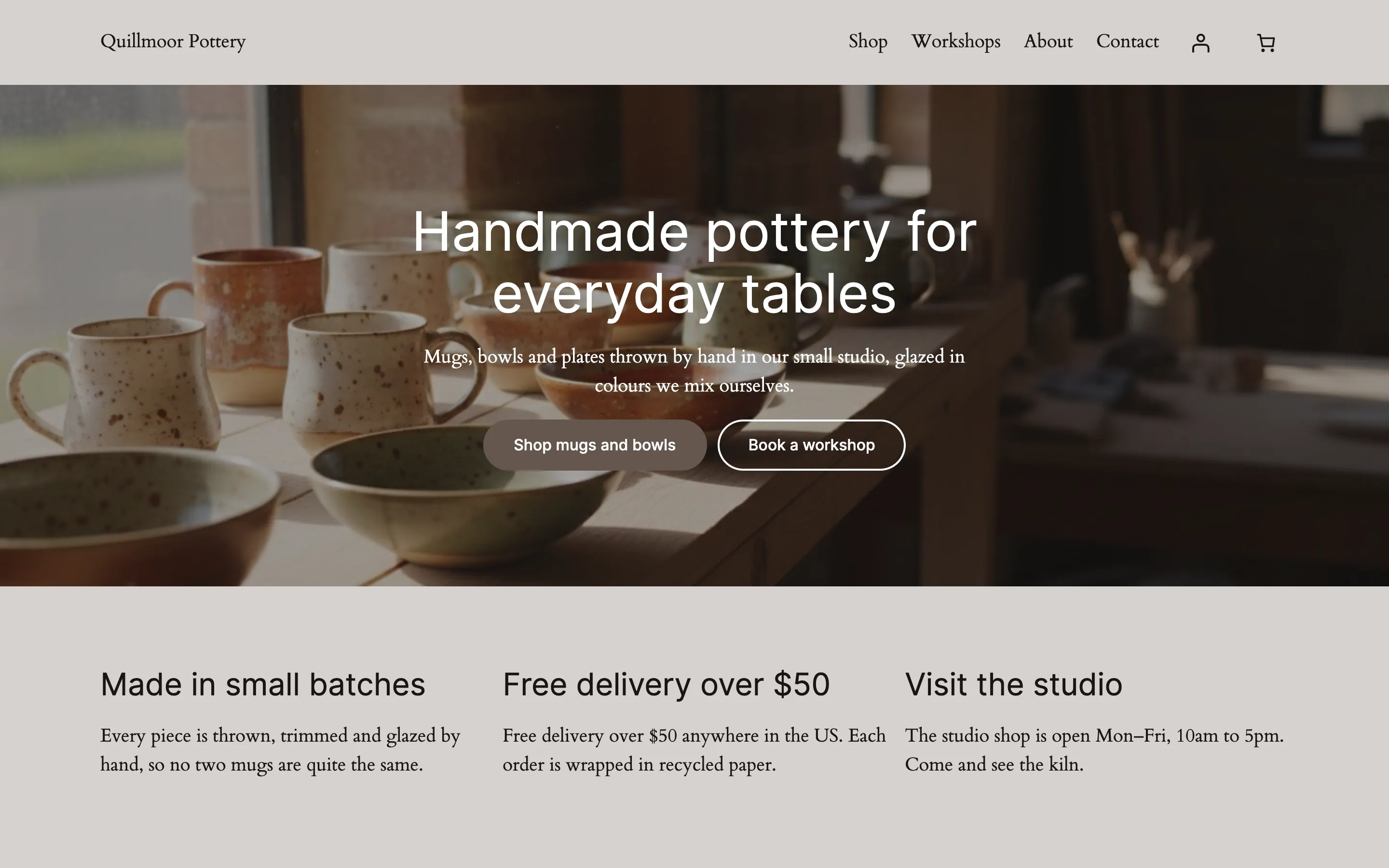
Done. I checked afterwards, and the change is in place.
- Reverting the change
- Checking the change
Undone. I checked afterwards, and it's back the way it was.
A real run on our test site, Quillmoor Pottery (WP 7.1.3, Twenty Twenty-Four), . From asking to done, it took 38 seconds.
- It takes everything out of your footer when you ask, on a block theme, and shows you the empty footer before anything changes.
- Undo puts every line of your footer back, and it checks afterwards.
Do this on your own site
That's the whole job. The plugin is free: 3 changes to try it, no account. Nothing changes until you press the button, and an undo within 24 hours gives the change back.
How to remove the footer in WordPress yourself
In WordPress, open the footer in Appearance › Editor › Patterns, delete its blocks from the List View, then press Save.
Checked on WP 7.1,
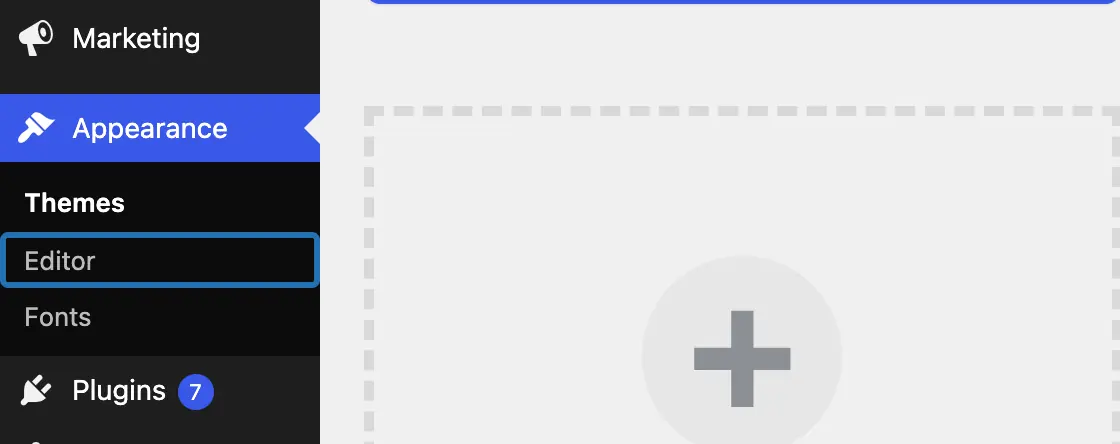
1. In your dashboard, go to Appearance › Editor. No Editor, only Customize? Your theme is an older one: see the note below.
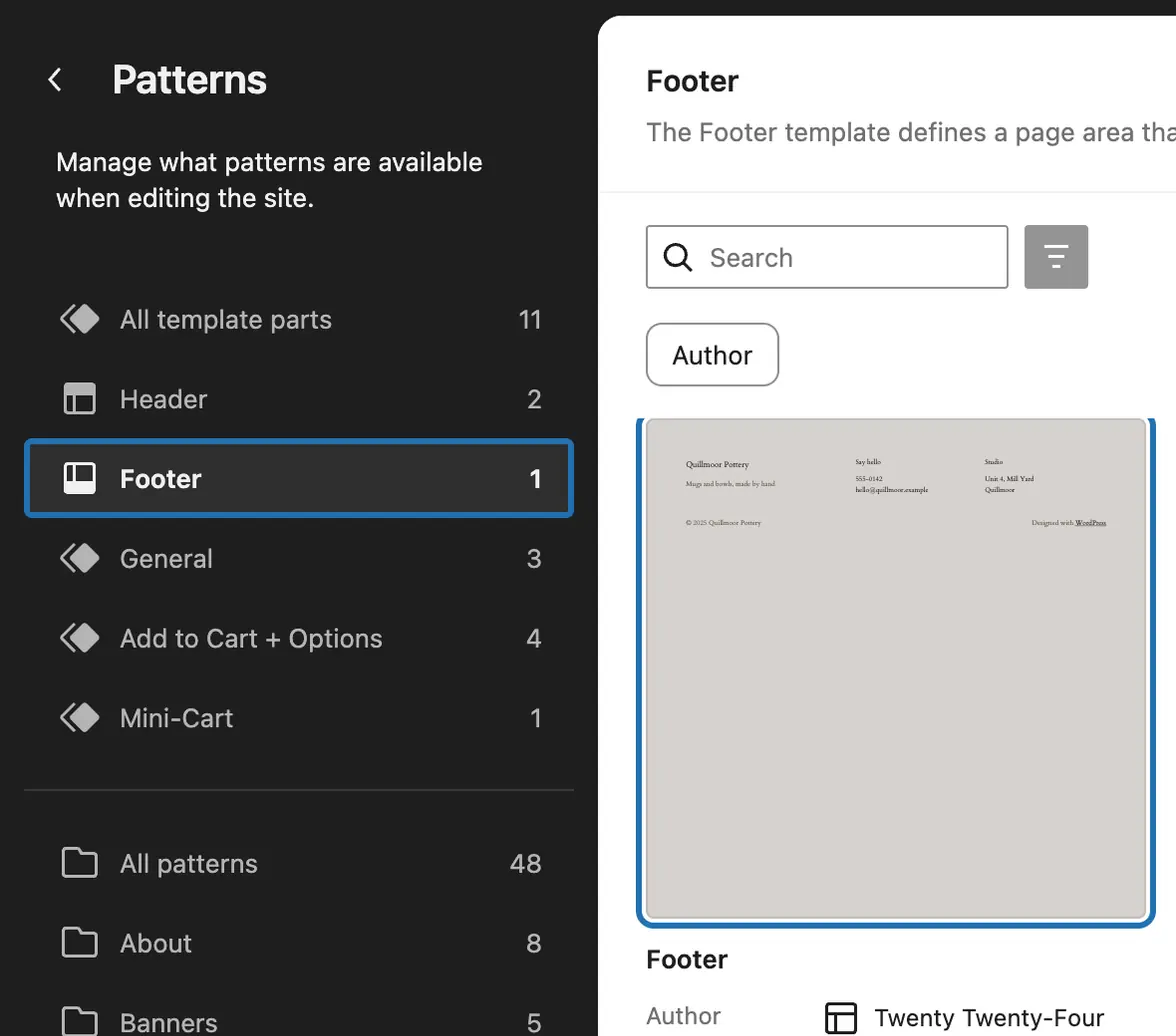
2. Choose Patterns in the dark menu, then Footer near the top of the list. Click the footer's picture to open it.
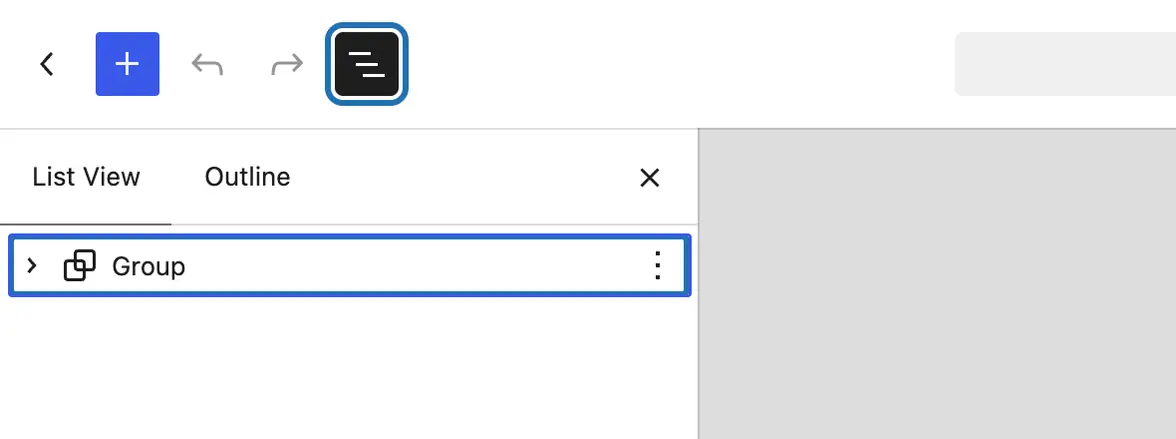
3. Press Document Overview, the three-line button at the top left. The List View opens. On Twenty Twenty-Four it shows one Group: the whole footer.
Show the picture
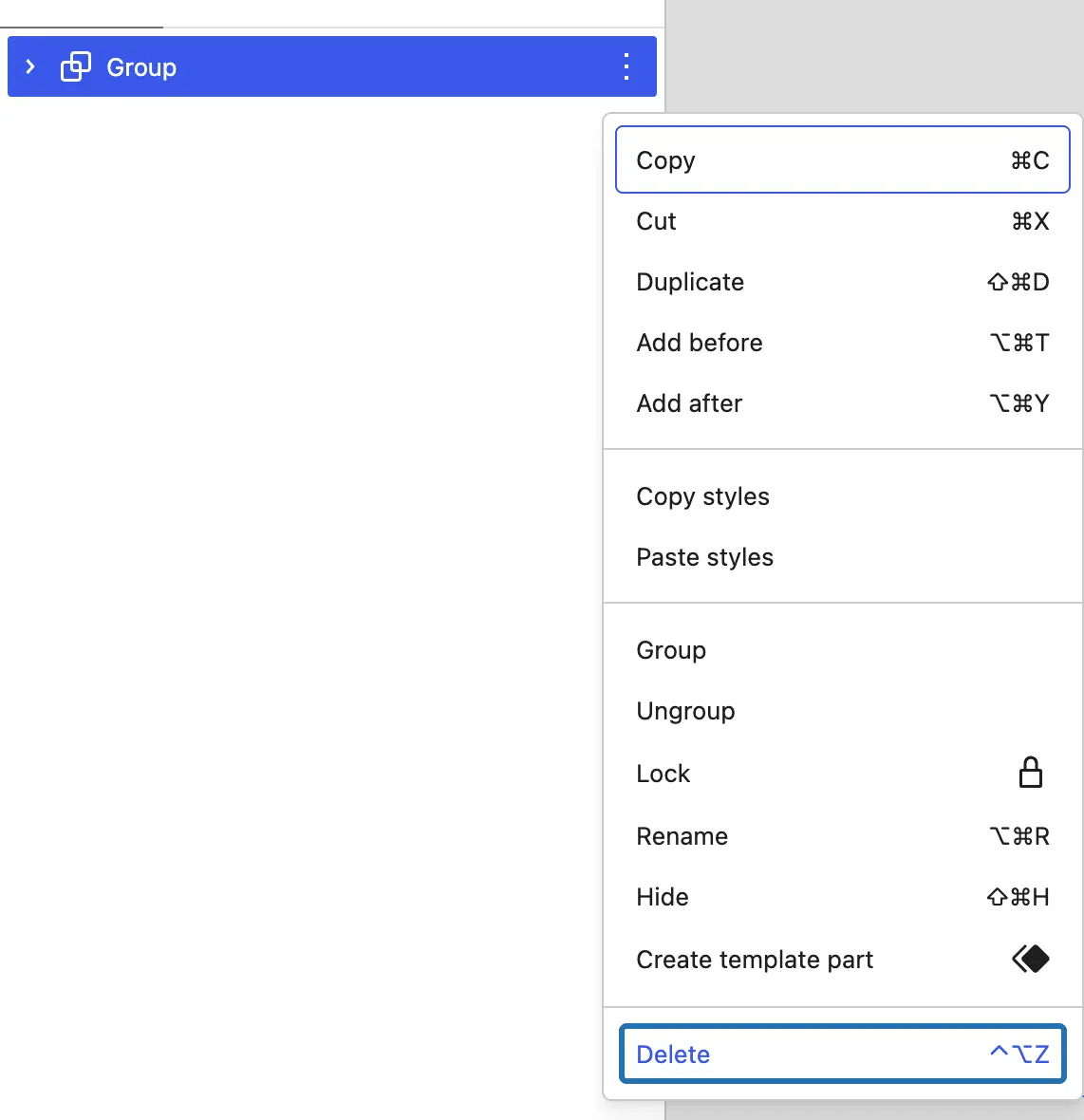
4. Press ⋮ beside Group and choose Delete. If your footer shows more than one row there, delete each one.
Show the picture
5. The footer is empty now. A blank line saying “Type / to choose a block” stays in the editor. It shows nothing on your site.
Show the picture
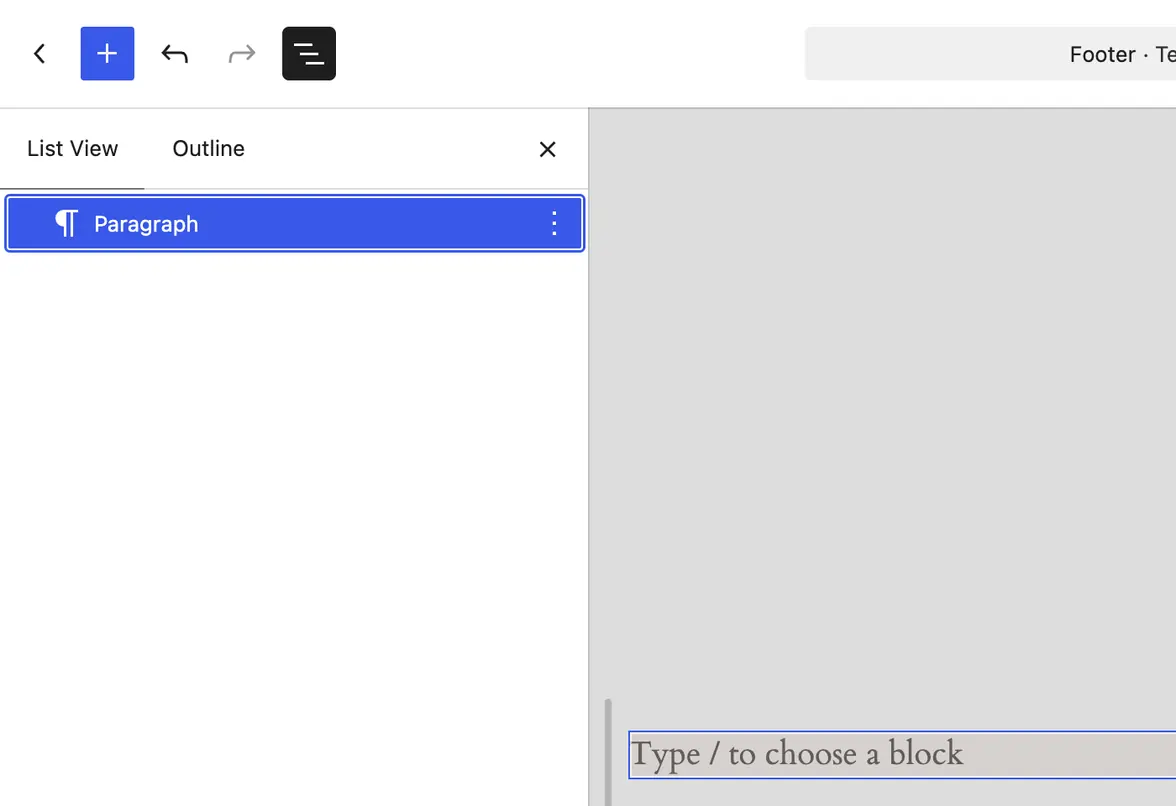
6. Press Save at the top right. Then open your site in a new tab and scroll to the bottom of a page or two.
Show the picture


On an older (classic) theme, the kind with Appearance › Customize instead of Editor, the footer is written into the theme's own files. Look in Customize for a Footer section first: some themes let you switch parts of it off there. CMSHands can't change theme files yet.
The footer is one piece that every page shares, so emptying it clears the bottom of every page at once. Your phone, email and address may live there. If they do, put them on your Contact page first, so visitors can still reach you. Want it hidden with CSS instead? On Twenty Twenty-Four the line is footer.wp-block-template-part { display: none; }. The questions below say where to paste it.
Or ask for it in the chat
“Take everything out of the footer so nothing shows at the bottom of my pages.”
Why it won't wreck your site
- Nothing changes until you press the button. Every change comes as a card that names it. Nothing happens until you press the button or Not now.
- You see it first. Old words in red, new words in green. For layout, before-and-after pictures on a computer and a phone.
- One click undoes it. When something can't be undone, like deleting a page or a plugin, the card says so before you press.
Where CMSHands stops
- Hiding it on one page onlyA page with no footer, such as a landing page, needs its own page template, which it can't make yet. The questions below show how to do it yourself.
- The footer area itselfIt empties the footer, but the area stays. If your theme colors it, a thin band can remain. In our test run it said so before we pressed.
- Older (classic) themesTheir footer sits in the theme's files, which it can't change yet. It can write a style rule that hides the footer, for you to paste.
- Page-builder footersFooters made with a page builder, a plugin such as Elementor or Divi that lays out pages its own way, aren't supported.
More it can do
- Header and footer:
Change your footer
“Add our opening hours to the footer: Tue–Sat, 10am to 5pm.”
It took 39 seconds on our test site. - Header and footer:
Keep your header on screen
“Make my header stay at the top of the screen when people scroll.”
It took 2 minutes 9 seconds on our test site. - Header and footer:
Add a link to your menu
“Add a "Workshops" link to my footer menu, pointing to the Workshops page.”
It took 26 seconds on our test site.
Questions about hiding the footer
Will it work with my theme?
Yes, if it's a block theme: your dashboard shows Appearance › Editor. How to tell. On an older (classic) theme it can't remove the footer, but it can write a CSS line that hides it, for you to paste. A footer made with Elementor, Divi or a theme's own footer builder (Astra's, for example) isn't supported.
Written by the CMSHands team. First published .
Try it on your own footer
- 1. Download the plugin.A free zip file
- 2. Upload and activate it.Plugins › Add Plugin › Upload Plugin
- 3. Give CMSHands a task.Press Start working, then ask in your words
Works best on WP 6.3 or newer with PHP 8.0 or newer. What works on older sites